
Desks
What Is the Right Desk Height for Your Workspace?
A desk does not have to be a certain height just because it is considered standard. Learn how to find a desk height that fits your body, chair, keyboard, monitor, and working position.
By Ronald Dadivas · Published 1 October 2026
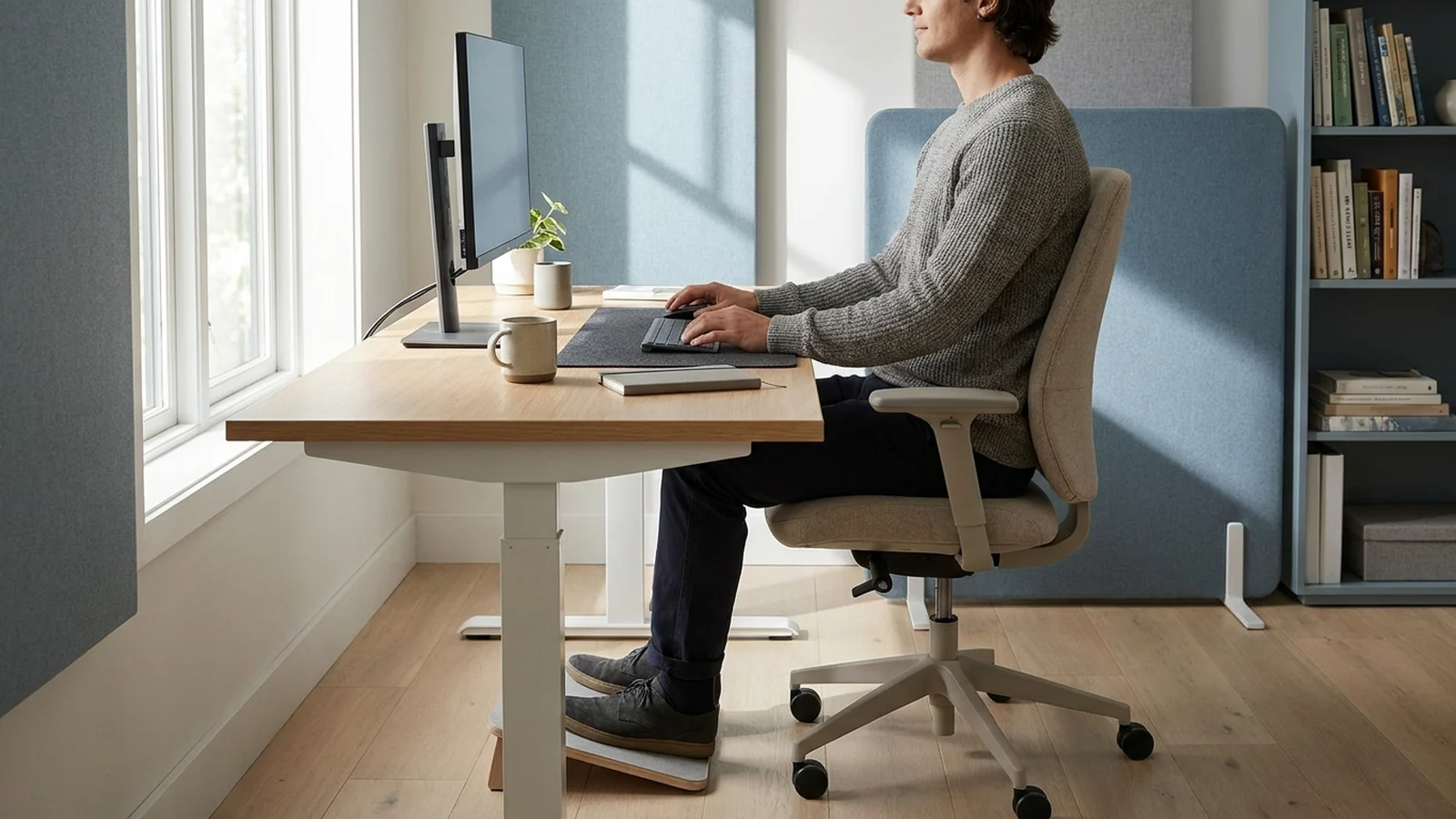
If your desk feels too high or too low, changing the chair may not solve the problem.
The right desk height depends on how your arms, shoulders, wrists, legs, and monitor line up while you work. A desk that works well for one person may feel completely wrong for someone else.
For many fixed office desks, around 28 to 30 inches (71 to 76 cm) is a common starting range. But that does not mean 29 inches is the correct height for everyone.
A better approach is to adjust your chair first, position your keyboard and mouse, and then check whether your desk allows you to work with relaxed shoulders, comfortable elbows, and straight wrists. Ergonomic guidance generally focuses on this neutral position rather than one universal desk-height number.
What Is the Standard Desk Height?
A typical fixed desk is often around 28 to 30 inches high.
That range works reasonably well for many adults, but it is only a starting point. Your height, chair, keyboard, monitor, footwear, and working position all affect the height that feels appropriate.
For example, a 29-inch desk may feel comfortable for one person but force another person to raise their shoulders while typing.
This is why simply searching for the "perfect desk height" can be misleading.
The more useful question is:
Does your desk let you place your hands and arms in a comfortable position without forcing your shoulders, wrists, or neck into an awkward position?
What Actually Determines the Right Desk Height?
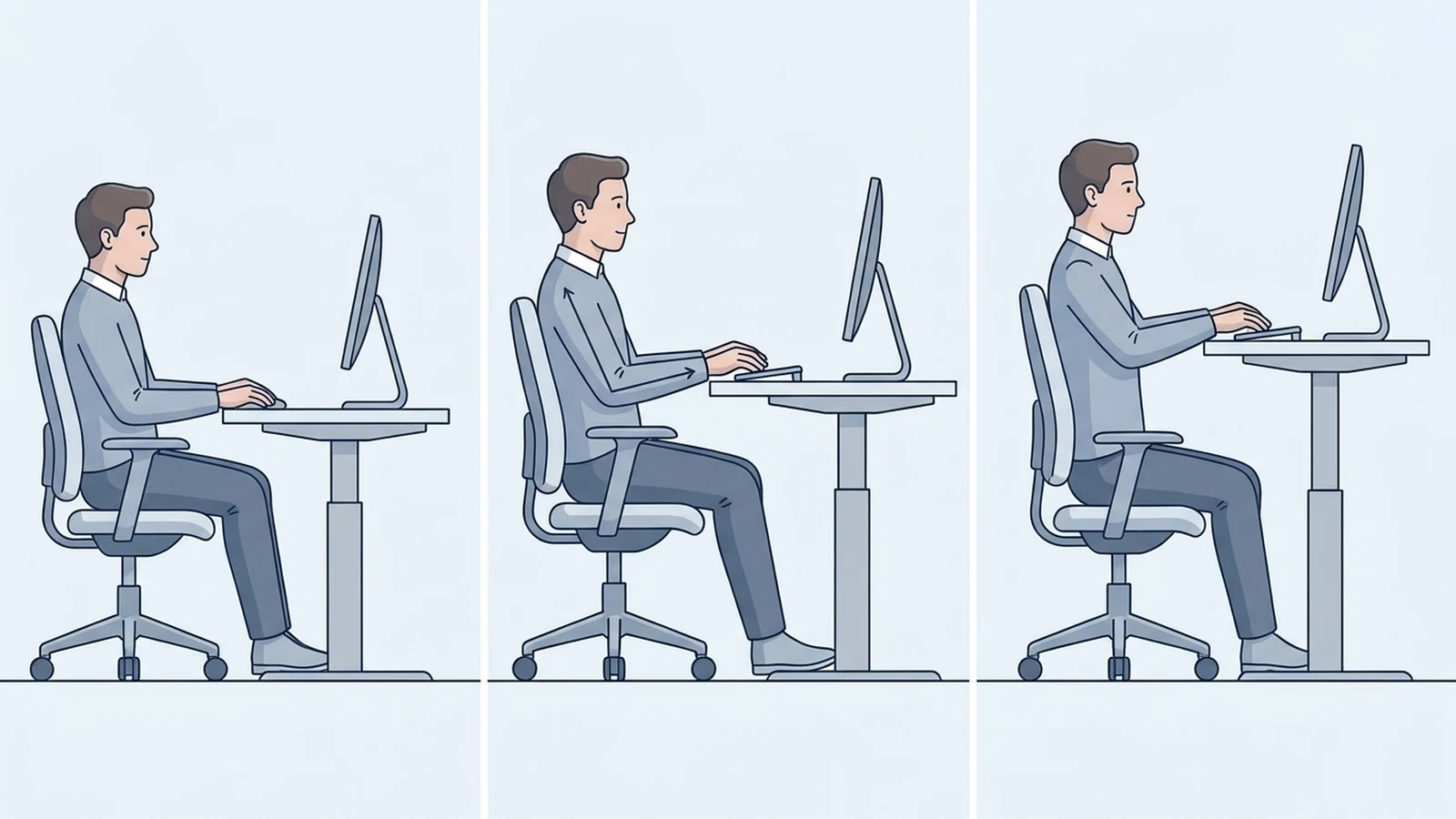
Your desk height should work with the rest of your workstation.
Pay particular attention to these areas:
- Elbows: Keep them close to your body and comfortably bent.
- Forearms: They should be roughly level with the floor when typing.
- Wrists: Keep them relatively straight rather than bent upward or downward.
- Shoulders: They should stay relaxed instead of being lifted toward your ears.
- Feet: They should be supported by the floor or a footrest.
- Keyboard and mouse: They should be close enough that you do not have to reach forward.
- Monitor: It should be positioned so you can view it without repeatedly tilting your head up or down.
OSHA's workstation guidance describes neutral computer posture using these same basic relationships, including relaxed shoulders, elbows close to the body, straight wrists, and supported feet.
This is more useful than choosing a desk height based only on your overall height.
What Is a Good Desk Height for Sitting?
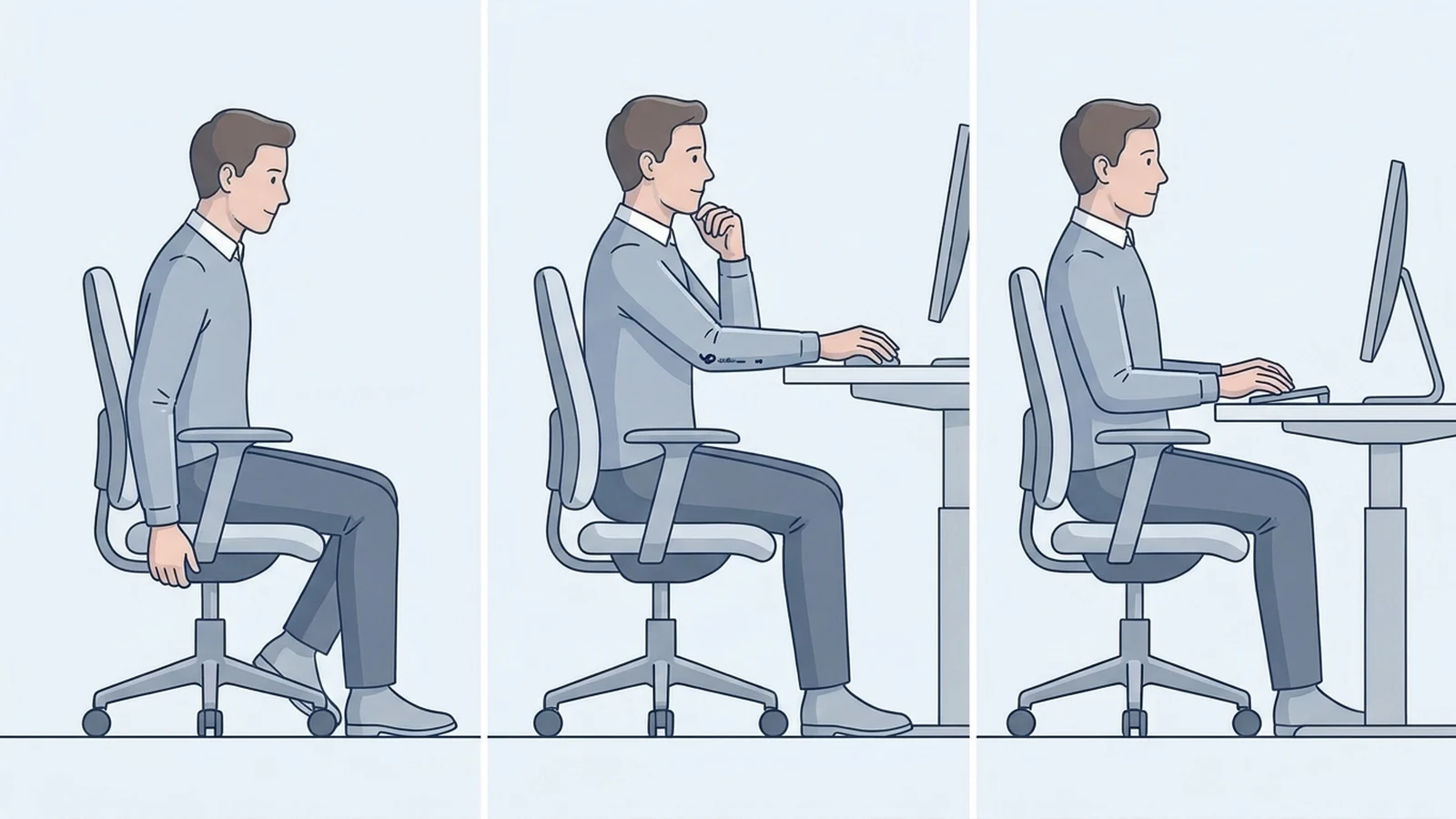
For a seated workstation, around 28 to 30 inches is a reasonable starting point for many people using a conventional fixed desk.
But your actual working height may need to be different.
The keyboard is one of the most important reference points.
When you sit down, your:
- shoulders should feel relaxed
- elbows should stay close to your sides
- forearms should be roughly horizontal
- wrists should remain straight
- feet should be supported
- keyboard and mouse should be easy to reach
If the desk is too high, you may find yourself raising your shoulders or reaching upward to use the keyboard.
If the desk is too low, you may compensate by leaning forward or changing your arm position.
The goal is not to force your body into one exact angle. It is to find a setup that lets you work comfortably without repeatedly holding an awkward position.
A simple seated setup
Try this order:
1. Adjust your chair.
Place your feet comfortably on the floor. Your back should be supported, and you should be able to sit without your knees or thighs being pressed awkwardly against the desk.
2. Put your keyboard in front of you.
Your hands should reach the keyboard without your shoulders moving upward.
3. Check your elbows and wrists.
Your elbows should stay close to your body, while your wrists remain reasonably straight.
4. Adjust the desk if possible.
If your desk is adjustable, raise or lower it until the keyboard position feels natural.
This approach is more useful than adjusting the desk based only on a height chart.
What Is a Good Standing Desk Height?
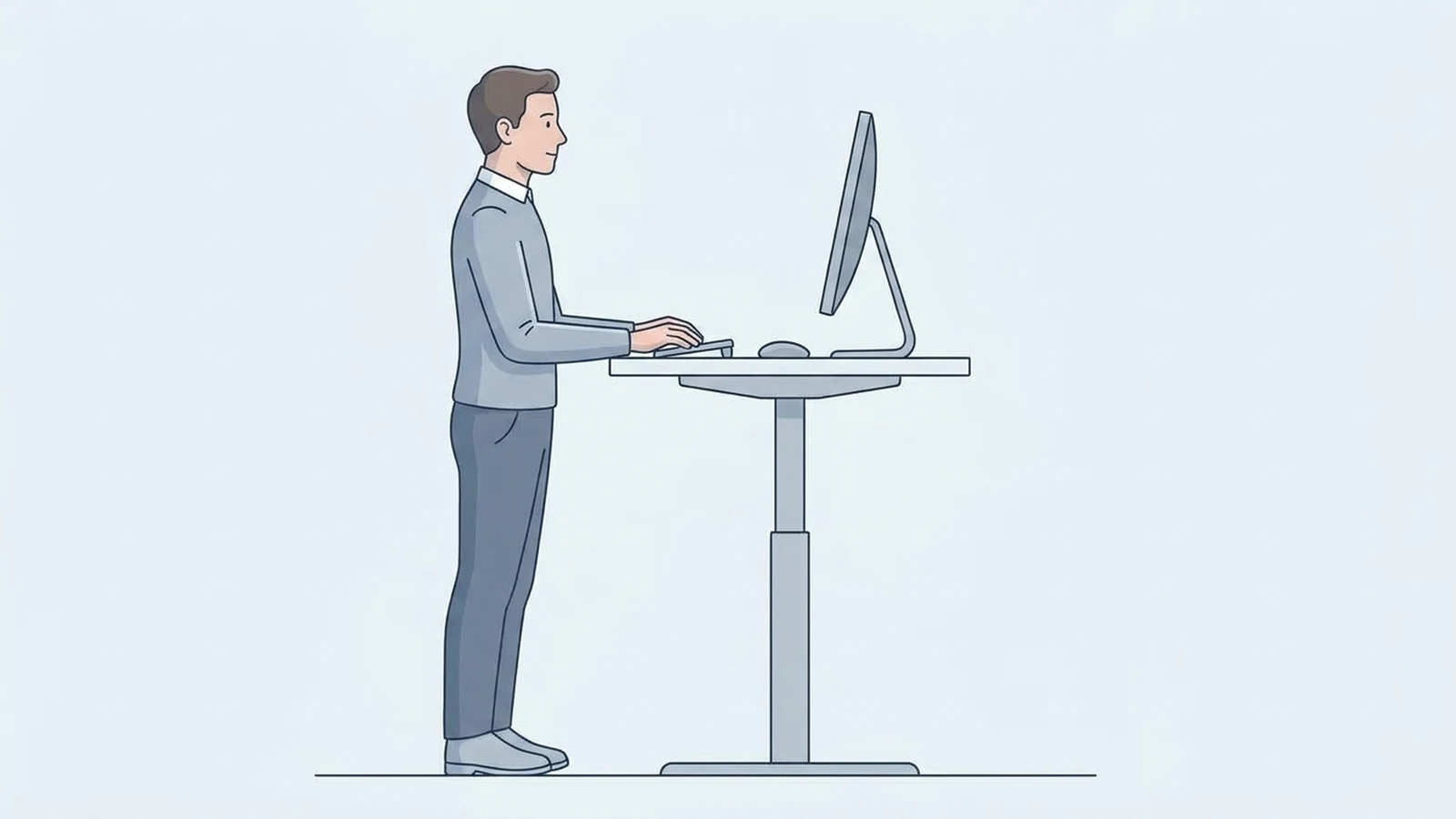
A standing desk should generally be set around your standing elbow height, rather than at a universal number.
When standing, keep your shoulders relaxed and your elbows close to your body. The keyboard and mouse should remain in a position that allows your wrists to stay relatively straight.
The Canadian Centre for Occupational Health and Safety recommends setting a standing work surface approximately at standing elbow position and keeping the keyboard and mouse aligned similarly to a seated setup.
This is why standing desk height can vary significantly from person to person.
For many adults, a standing desk may end up somewhere around 38 to 49 inches, but this is a broad planning range rather than a target that everyone should use.
Your actual height, arm length, footwear, and preferred working position can change the result.
Should a standing desk be the same height as a sitting desk?
No.
Your standing elbow position is considerably higher than your seated working position, so a sit-stand desk normally needs to move between two different heights.
You should also reassess your monitor position when switching between sitting and standing.
Measure Your Desk Height Instead of Guessing
If you already have a desk, you do not necessarily need to replace it.
First, measure its height.
Measure from the floor to the top of the main work surface.
Then sit at the desk and check your working position.
Ask yourself:
- Are my shoulders relaxed?
- Are my elbows close to my body?
- Are my wrists reasonably straight?
- Can I use the keyboard without reaching upward?
- Can my feet stay supported?
- Do I have enough room for my knees and thighs?
- Can I view the monitor without tilting my head upward?
If most of these answers are yes, your desk may already be close to the right height for you.
Should You Measure Your Height or Your Elbow Height?
Your overall height can give you a rough starting point, but elbow height is more useful when adjusting a workstation.
Two people who are the same height can have different proportions, including different arm and leg lengths.
Your chair also changes your seated position.
That means a chart that says someone of a certain height should use a specific desk height should not be treated as a precise answer.
A better measurement is your actual working position.
Sit in your normal work chair with your feet supported. Relax your shoulders and bend your elbows as you would when typing. Then consider where your keyboard needs to sit.
For a standing desk, repeat the process while standing naturally.
The measurement gives you a starting point. You can then make small adjustments based on how the workstation feels.
What If Your Desk Is Too High?
A desk that is too high can make your keyboard position uncomfortable.
You may notice that your shoulders rise, your elbows move away from your body, or your wrists are no longer in a comfortable position.
If the desk cannot be lowered, you have several options.
Raise the chair
This can bring your arms into a better position relative to the desk.
However, raising the chair can cause your feet to lose contact with the floor.
If that happens, use a footrest so your feet remain supported.
Use a lower keyboard position
Some desks allow the keyboard to sit lower than the main desktop. A keyboard tray can sometimes help if the desk itself is fixed at a height that does not work well for you.
Consider an adjustable desk
If multiple people use the workstation or you spend many hours at the computer, height adjustment can make it easier to find a workable position.
The important point is that raising the chair alone is not always enough. Your feet, legs, arms, keyboard, and monitor all need to work together.
Mayo Clinic also recommends raising the chair when a fixed desk is too high, with a footrest if needed to support the feet
What If Your Desk Is Too Low?
A desk that is too low can also create problems.
If the desk cannot be adjusted, one practical option is to raise the desk itself using a stable solution designed to support its weight.
Do not use an unstable stack of objects that could shift while you work.
Another option is a height-adjustable desk or a desk with adjustable legs.
Before replacing the desk, however, check whether the problem is actually the chair height or keyboard position.
Sometimes a workstation feels too low because the entire setup has not been adjusted together.
Don't Forget Your Monitor Height
Desk height and monitor height are connected, but they are not the same thing.
You can have a comfortable keyboard position and still have a monitor that is too high or too low.
A useful starting point is to position the monitor directly in front of you, around an arm's length away, with the top of the screen at or slightly below eye level. Mayo Clinic gives a viewing distance of roughly 20 to 40 inches as a general range.
This becomes particularly important with laptops.
A laptop keyboard may be at a comfortable height while its screen sits too low. In that situation, an external keyboard and mouse can allow you to raise the laptop screen without raising the typing surface.
That gives you more control over both parts of the workstation.
How to Check Your Desk Setup
You can perform a quick check without buying anything.
Sit or stand in your normal working position and look at the following:
| Area | What to look for |
|---|---|
| Shoulders | Relaxed, not raised |
| Elbows | Close to your body |
| Forearms | Roughly level while typing |
| Wrists | Relatively straight |
| Keyboard | Easy to reach without leaning forward |
| Mouse | Close to the keyboard |
| Feet | Supported |
| Legs | Enough room underneath the desk |
| Monitor | Directly in front of you |
| Screen height | Top at or slightly below eye level |
| Viewing distance | Roughly an arm's length |
If one part feels wrong, adjust that part before changing everything else.
For example, if your arms feel comfortable but your monitor is too low, you may only need to raise the monitor. There is no reason to replace the desk
Is 29 Inches Too High for a Desk?
Not necessarily.
A 29-inch desk is within the range commonly found on fixed desks, but whether it works for you depends on your body and workstation setup.
If your shoulders stay relaxed, your elbows and wrists are comfortable, your feet are supported, and your keyboard is positioned well, 29 inches may work fine.
If you have to raise your shoulders or lift your arms to type, the desk may be too high for your particular setup.
The number itself is not the deciding factor.
Is 26 Inches Too Low for a Desk?
It can be, but not for everyone.
A 26-inch desk is lower than many conventional fixed desks. For some users, however, a lower surface may provide a comfortable keyboard position.
The important question is where your hands and arms end up when you actually use the desk.
A desk that looks unusually low on paper can still work if it allows a comfortable working position.
Is 32 Inches Too High for a Desk?
For a conventional seated computer setup, 32 inches may be high for many users.
But it is not automatically unusable.
A taller user, a different chair setup, or a specialized workstation can change the appropriate height.
If you need to raise your chair significantly to use a 32-inch desk comfortably, make sure your feet remain supported and your overall sitting position still works.
For a standing workstation, 32 inches would generally be much lower than the height most adults need.
What Is the Right Desk Height for Someone Who Is 5'7" or 6'0"?
Your height can help you estimate where to start, but it should not determine the final desk height.
Someone who is 5'7" and someone who is 6'0" will generally have different workstation requirements, but even people of the same height can have different proportions and chair setups.
Instead of choosing a desk from a height chart alone, use your seated or standing elbow position and keyboard height as practical reference points.
This is especially important if you are buying a fixed-height desk.
A Height-Adjustable Desk Gives You More Flexibility
If you regularly switch between sitting and standing, an adjustable desk can remove some of the guesswork.
You can create one position for sitting and another for standing, then make small changes as needed.
The goal is not to find two perfect numbers and never touch the controls again.
Your preferred position can change depending on:
- shoes
- chair height
- keyboard
- monitor position
- task
- posture
- whether you are typing, reading, or using another device
A few small adjustments can make more sense than trying to find one exact measurement.
The Right Desk Height Is the One That Fits Your Setup
There is no single desk height that works for every person.
A fixed desk around 28 to 30 inches can be a reasonable starting point, but the better way to judge your setup is to look at your actual working position.
Start with your chair. Then position your keyboard and mouse. Check your elbows, wrists, shoulders, and feet. Finally, adjust the monitor so you can view it comfortably without repeatedly bending your neck.
If your desk is adjustable, use those controls to fine-tune the position.
If it is fixed, you may be able to solve the problem with a chair adjustment, footrest, keyboard tray, monitor stand, or another simple change.
The goal is not to find a magic number. It is to create a workstation that fits your body and the way you actually work.
Related reading
If you are also choosing a desk based on its physical size, see How to Choose the Right Desk Size for Your Workspace.
For dual-monitor setups, see How Much Desk Space Do You Need for Two Monitors?.
Editorial note: The ergonomic guidance in this article is general information, not medical advice. Individual needs can vary, especially when you have an existing condition or specific accessibility requirements.