
Desks
How Much Desk Space Do You Need for Two Monitors?
Wondering how much desk space you need for two monitors? Learn how to calculate the right desk width and depth for dual 24, 27, and 32-inch monitor setups, including space for a laptop and other equipment.
By Ronald Dadivas · Published 26 August 2026 · Updated 1 October 2026
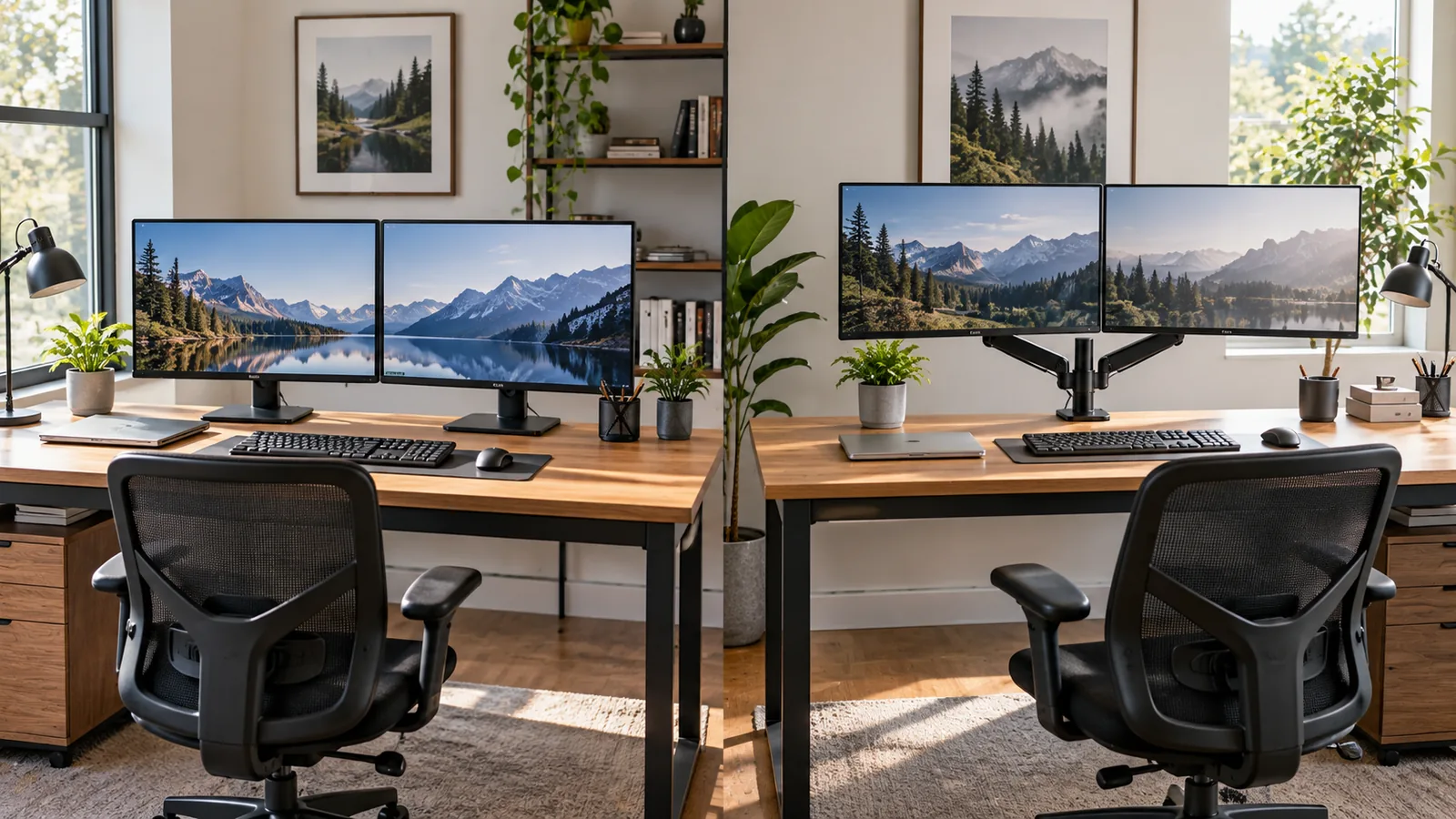
Two monitors can give you much more screen space, but they also change how much room your desk needs.
A dual-monitor setup usually needs more than simply adding the width of two screens. You also need space for the gap between them, their stands or monitor arms, your keyboard and mouse, and any other equipment that stays on the desk.
For many setups, 55 to 60 inches wide and 24 to 30 inches deep is a useful starting point. Two 24-inch monitors can work on a smaller desk, while two 27-inch monitors usually benefit from more width. Two 32-inch monitors can push you toward a 72-inch desk or larger.
These are planning ranges, not ergonomic standards. The actual dimensions of your monitors and the way you use them matter more than the number printed on the desk listing.
Quick Answer: What Desk Size Do You Need for Two Monitors?
Here is a practical starting point:
| Monitor setup | Suggested desk width | Suggested depth |
|---|---|---|
| Two 24-inch monitors | 48–54 inches | 24–28 inches |
| Two 27-inch monitors | 55–60 inches | 24–30 inches |
| Two 32-inch monitors | 60–72+ inches | 28–30+ inches |
| Two monitors + laptop | 60–72 inches | 28–30+ inches |
| Two monitors + speakers and other equipment | 60–72+ inches | Around 30 inches |
These ranges assume the monitors are placed side by side in landscape orientation.
The important point is that monitor size alone does not determine desk size. Two monitors with compact stands and narrow bezels can use less space than two monitors with large stands, speakers, a laptop, and other equipment.
How Much Width Do Two Monitors Actually Use?
The easiest way to estimate the required width is to start with the actual width of your monitors.
A monitor's advertised size, such as 24 or 27 inches, refers to its diagonal screen measurement. It does not mean the monitor is 24 or 27 inches wide.
For example, current 23.8-inch monitors can be around 21.2 inches wide, while a 27-inch Dell monitor is listed at 24.5 inches wide with its stand. A current 31.5-inch LG monitor is about 28.1 inches wide with its stand.
That difference matters when you are trying to fit two screens on one desk.
Two 24-inch monitors
A typical 23.8-inch monitor may be roughly 21 inches wide.
Two of them would therefore use approximately:
21 + 21 = 42 inches
That does not mean a 42-inch desk is automatically large enough.
You still need room for:
- The small gap or angle between the monitors
- Side clearance
- Monitor stands or arms
- Speakers or other equipment
- Your preferred monitor position
That is why 48 inches is better treated as a compact starting point, while 50–54 inches gives you more usable space.
Two 27-inch monitors
A 27-inch 16:9 monitor can be roughly 24 inches wide. For example, Dell lists one 27-inch model at 24.5 inches wide with its stand, while an LG 27-inch model is about 24.1 inches wide with its stand.
Two screens could therefore occupy around:
24 + 24 = 48 inches
Again, the desk needs to provide more than 48 inches of usable width.
A 55–60-inch desk gives you more room for positioning, keyboard and mouse movement, speakers, or a laptop.
Two 32-inch monitors
A 31.5-inch monitor can be around 28 inches wide. LG's current 31.5-inch model, for example, is approximately 28.1 inches wide with its stand.
Two of them could therefore use:
28 + 28 = 56 inches
A 60-inch desk may technically accommodate the screens, but it can leave little space for anything else.
For two large monitors, 60–72 inches or more is often a more practical range.
A Better Way to Calculate Your Desk Width
Instead of relying on a generic "two-monitor desk" number, measure your actual equipment.
Use this simple calculation:
Required width = monitor 1 width + monitor 2 width + center spacing + side clearance + equipment space
For example, suppose each monitor is 24 inches wide.
Two screens:
24 + 24 = 48 inches
Add approximately 2 inches between them and a few inches of usable margin:
48 + 2 + 4 = 54 inches
That gives you a practical target around 54 inches.
This is not an ergonomic formula. It is simply a way to estimate the physical space your equipment occupies.
The calculation becomes even more useful when your monitors have unusually large stands or you plan to keep speakers, a laptop, or other equipment beside them.
Is a 40-Inch Desk Big Enough for Two Monitors?
Usually, 40 inches is quite tight for two standard landscape monitors.
Two 24-inch-class monitors can already require around 42 inches of physical width before you account for positioning.
You may be able to make a 40-inch desk work if:
- The monitors are unusually narrow
- You use a monitor arm
- The screens overlap slightly through positioning
- One monitor is vertical
- You use another mounting arrangement
But for two conventional 24-inch monitors placed side by side, 40 inches leaves very little margin.
If you are buying a desk specifically for two monitors, measuring the actual screens first is safer than assuming a 40-inch surface will work.
Is a 48-Inch Desk Big Enough for Two Monitors?
It can be, especially for two smaller monitors, but it is a compact setup.
A 48-inch desk is more realistic for two 24-inch-class monitors than for two 27-inch screens.
With two 24-inch monitors, you may have enough width for the displays themselves, particularly if they have narrow bezels and compact stands.
The problem is what happens after you add everything else.
A keyboard, mouse, speakers, laptop, microphone, notebook, or other equipment can quickly consume the remaining surface.
If you want more breathing room, moving from 48 to around 54–60 inches can make the setup easier to arrange.
Is a 55-Inch Desk Big Enough for Two Monitors?
For many people, 55 inches is a practical size for two standard monitors.
It provides more usable width than a 48-inch desk without taking up as much room as a 72-inch model.
A 55-inch desk can work particularly well with:
- Two 24-inch monitors
- Two compact 27-inch monitors
- Two monitors on an arm
- A dual-monitor setup with a relatively small amount of additional equipment
If you also want a laptop, speakers, microphone, or substantial writing space, you may prefer something closer to 60 inches or more.
Is a 60-Inch Desk Better for Two 27-Inch Monitors?
A 60-inch desk gives two 27-inch monitors considerably more room to work with.
Two 27-inch displays can occupy roughly 48 inches of horizontal width based on typical monitor dimensions. That leaves approximately 12 inches of desk width before accounting for how the screens are positioned.
That remaining space can be useful for:
- A laptop
- Speakers
- Desk accessories
- Charging equipment
- A microphone
- Notebook or paperwork
A 60-inch desk is not automatically necessary for every dual-27-inch setup. But it gives you more flexibility than a 48-inch surface.
What About Two 32-Inch Monitors?
Two 32-inch monitors are a different situation.
A current 31.5-inch LG monitor measures about 28.1 inches wide with its stand. Two would occupy roughly 56 inches before additional spacing or equipment.
That makes a 60-inch desk possible in some setups, but it leaves relatively little extra width.
For two large monitors, a 72-inch desk can provide a much more flexible working surface.
You should also pay closer attention to depth. Larger monitors can make a shallow desk feel crowded even when the width is sufficient.
How Much Desk Depth Do Two Monitors Need?
Width gets most of the attention, but depth can be just as important.
A desk can be wide enough for two monitors and still feel uncomfortable if there is not enough front-to-back space for your monitors, keyboard, mouse, and seating position.
OSHA recommends having enough work-surface depth to place the monitor at least 20 inches from the user and to achieve an appropriate viewing position. Its workstation guidance also recommends positioning the primary monitor directly in front of the user and placing additional monitors beside it.
Mayo Clinic gives a broader practical range of about 20 to 40 inches from the face to the monitor, with the monitor roughly an arm's length away as a starting point.
This is why 24–30 inches of desk depth is a useful planning range for many dual-monitor setups.
A 24-inch-deep desk can work, but you have less room to adjust the position of large screens and other equipment.
A 28–30-inch desk gives you more front-to-back flexibility.
Why Monitor Depth Is Not the Same as Viewing Distance
One common mistake is to look at a monitor's physical depth and assume that is the viewing distance.
It is not.
For example, a current 27-inch Dell monitor measures about 7.4 inches deep with its stand.
But your eyes need to be much farther away from the screen than seven inches.
The desk therefore needs to accommodate:
Monitor/stand → available space behind and around it → keyboard and mouse → front edge of desk → your seated position
A deeper desk gives you more freedom to position these components without forcing everything toward the front edge.
What Happens When You Angle Two Monitors?
Two monitors do not have to sit perfectly flat.
Many people angle the displays slightly inward so both screens face toward the user.
The exact amount of additional space depends on:
- Monitor width
- Angle
- Stand design
- Monitor arm position
- Desk depth
- How closely the screens meet in the center
This is one reason a simple "two monitors equal 48 inches" calculation is incomplete.
Two screens that are physically 48 inches wide in total can occupy a different footprint once you rotate them inward.
Rather than relying on a universal angle or multiplier, position the monitors and measure the actual footprint.
OSHA's guidance emphasizes keeping the primary monitor directly in front of the user. When multiple monitors are used, the additional screens should be beside it, with monitors positioned within a comfortable viewing angle when screen time is split between them.
Do Monitor Arms Save Desk Space?
They can.
A traditional monitor stand occupies part of the desktop. A monitor arm moves much of that hardware away from the main work surface.
That can give you more usable space underneath and around the monitors for:
- Keyboard
- Mouse
- Notebook
- Laptop
- Speakers
- Microphone
- Other accessories
But a monitor arm does not eliminate the need for adequate desk width.
The screens still have to occupy physical space, and the arm itself needs a suitable mounting point.
Before buying one, check:
- Clamp clearance
- Desk thickness requirements
- Monitor weight
- VESA compatibility
- Arm reach
- Available space behind the desk
A monitor arm can change how efficiently you use the surface, but it cannot make two large monitors physically disappear.
What If You Add a Laptop?
A laptop changes the calculation because it adds another piece of equipment to the same surface.
For example, you might have:
Monitor + monitor + laptop + keyboard + mouse
The laptop may sit:
- Between the monitors
- Under one monitor
- To the side
- On a laptop stand
If the laptop stays open all day, a 60–72-inch desk can provide a more flexible setup than a smaller dual-monitor desk.
A laptop stand can also move the laptop off the main work surface, particularly if you use an external keyboard and mouse. Mayo Clinic recommends an external keyboard and mouse, along with a laptop stand, when using a laptop at a desk to improve the relationship between the screen and input devices.
What If You Use Monitor Stands Instead of Arms?
Monitor stands can take more desk space than expected.
The panel itself may be relatively narrow, but the base can extend several inches forward or sideways.
For example, Dell lists a 27-inch monitor at 24.5 inches wide and 7.4 inches deep with its stand.
That means you should not measure only the screen.
Measure the complete monitor footprint.
This becomes particularly important when two large stand bases sit next to each other.
Two Monitors and a PC Tower
Your PC tower does not necessarily need to consume desk width.
If the computer sits on the floor, beside the desk, or on a suitable stand, the entire desktop can remain available for your monitors and input devices.
If you keep the tower on the desk, however, add its width and depth to your calculation.
For example:
Two 27-inch monitors: about 48–49 inches of combined width
PC tower: perhaps another 8–10 inches
Other clearance: several inches
At that point, a 60-inch desk may feel considerably more crowded than the monitor count alone suggests.
Two Monitors With Speakers
Speakers create another common problem.
A pair of desktop speakers can occupy space at the left and right edges of your monitors. If your screens already use most of the desk width, the speakers may force you to move the monitors closer together or toward the center.
A wider desk can make this much easier.
If your speakers are small, 55–60 inches may be enough for many setups. Larger speakers, audio equipment, or a microphone may make 60–72 inches more practical.
What Desk Depth Works Best?
For a typical dual-monitor workstation, these ranges are useful starting points:
| Desk depth | What it may work for |
|---|---|
| 20–23 inches | Compact setups with careful positioning |
| 24 inches | Smaller dual-monitor setups |
| 26–28 inches | More flexibility for two monitors |
| 30 inches | Larger monitors and equipment-heavy setups |
| 30+ inches | Large monitors, deeper accessories, or specialized setups |
These are planning ranges, not ergonomic requirements.
The right depth depends on the actual monitor position, viewing distance, keyboard and mouse placement, and the rest of your equipment.
A Simple Dual-Monitor Desk Size Guide
If you want a quick starting point, use this:
Two 24-inch monitors
Start around 48–54 inches wide.
A 48-inch desk can work if the setup is compact. Around 54 inches gives you more room for positioning and accessories.
Two 27-inch monitors
Start around 55–60 inches wide.
A 60-inch desk is particularly useful if you keep speakers, a laptop, or other equipment on the surface.
Two 32-inch monitors
Consider 60–72+ inches wide.
The larger screens consume much more horizontal space, and a wider desk leaves more room around them.
Two monitors plus a laptop
Consider 60–72 inches.
The extra width becomes useful if the laptop remains open and on the desk.
Two monitors plus lots of equipment
Consider 72 inches or an L-shaped configuration.
At this point, the issue is no longer just the monitors. You are designing a complete workstation.
Does a Bigger Desk Always Make the Setup Better?
No.
A 72-inch desk can provide plenty of workspace, but it may be a poor fit for a small room.
The goal is not to fill every available inch.
The goal is to have enough usable surface for your equipment while keeping your monitor, keyboard, mouse, chair, and body positioned comfortably.
That is why the largest possible desk is not necessarily the right desk.
If you are unsure how much room your workstation needs overall, our guide on how to choose the right desk size for your workspace covers the wider questions of room size, desk footprint, equipment, height, chair clearance, and available space.
How to Measure Your Setup Before Buying
You do not need to guess.
Try this simple test before ordering a desk.
1. Measure both monitors
Measure the actual width of each monitor.
Do not use the advertised diagonal size.
2. Measure the stands
If you are using the original stands, measure how much desk space their bases occupy.
3. Mark the monitor footprint
Use painter's tape on your current desk or floor to represent the monitor arrangement.
Include the gap and any angle you expect to use.
4. Add the keyboard and mouse
Mark where your keyboard and mouse will sit.
Make sure you still have enough room to use them naturally.
5. Add the equipment that stays on your desk
Include:
- Laptop
- Speakers
- Microphone
- Notebook
- Charging dock
- Camera
- Printer
- Other accessories
6. Sit in your normal working position
Check whether the monitors can sit far enough away without forcing you to lean forward.
7. Check the room
Finally, pull your chair back and make sure the desk does not interfere with doors, walkways, drawers, or nearby furniture.
The Bottom Line
For two monitors, 55–60 inches wide and 24–30 inches deep is a useful starting point for many standard setups.
But the right size depends on what you actually have on the desk.
- Two 24-inch monitors: around 48–54 inches
- Two 27-inch monitors: around 55–60 inches
- Two 32-inch monitors: around 60–72+ inches
- Two monitors plus a laptop: around 60–72 inches
- Large equipment-heavy setups: 72 inches or more may make sense
The most reliable approach is to measure your actual monitors and their stands, then add the space needed for your keyboard, mouse, and other equipment.
A desk that looks large enough on paper can still feel cramped once everything is installed. Measure the equipment first, then choose the desk.