
Desks
How to Choose the Right Desk Size for Your Workspace
Choosing the right desk size depends on more than width and depth. Learn how to match your desk to your room, equipment, work style, chair, and body.
By Ronald Dadivas · Published 12 September 2026 · Updated 1 October 2026
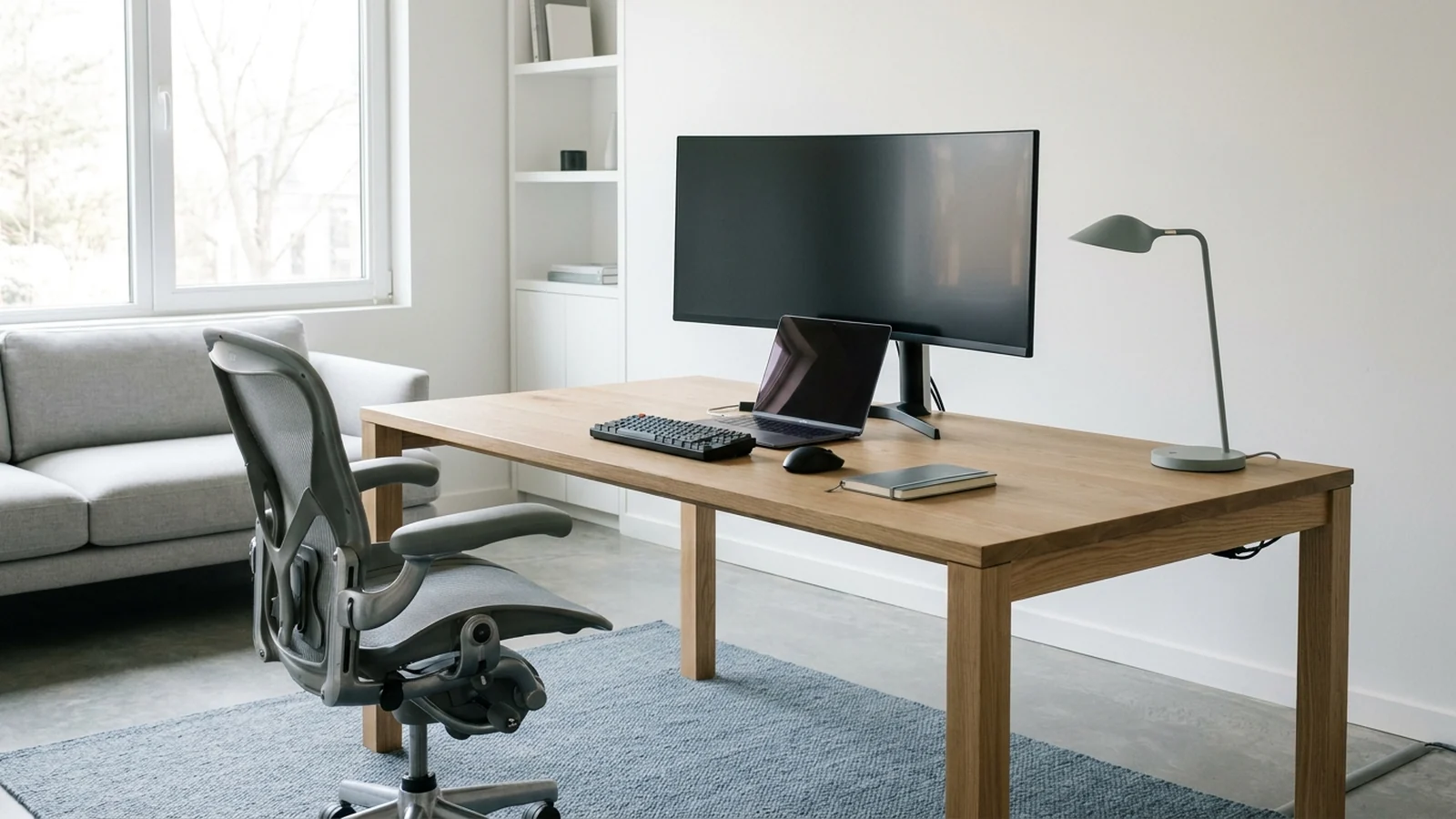
A desk can look like the right size in a product photo and still feel wrong once you start working at it.
Maybe your monitor takes up most of the surface. Maybe there is barely enough room for your keyboard and mouse. Or perhaps the desk fits against the wall but leaves your chair blocking a walkway.
The right desk size is not simply the biggest one that fits your room. It depends on the space you have, the equipment you use, the work you do, and how the desk works with your chair and body.
This guide will help you figure out how much desk you actually need before you buy.
Start With the Space You Actually Have
Before looking at desk dimensions, look at the place where the desk will actually go.
Measure the available width and depth, but do not stop there. A desk also needs space for your chair, your movement, nearby furniture, doors, and anything else that shares the room.
Check:
- Wall length
- Available floor depth
- Door swings
- Windows and curtains
- Nearby furniture
- Electrical outlets
- Walking paths
- Chair position
- Space needed to pull the chair back
- Where cables will run
This is especially important if you are working in a bedroom, apartment, living room, or another room that has to serve more than one purpose.
Think of your measurements as a limit, not a target.
If you have 70 inches of usable wall space, that does not mean you need a 70-inch desk. A smaller desk may leave enough room to move around comfortably while still giving you all the workspace you need.
The desk should fit into the room without making the rest of the room harder to use.
Measure the Desk Footprint, Not Just the Wall
One of the easiest mistakes is measuring the wall and assuming the desk will fit.
The actual footprint is larger than the desktop.
You need to account for the chair and the space you need to sit, stand, pull the chair back, and move around the workstation.
A desk that technically fits between two walls can still be a poor choice if your chair ends up blocking a door or walkway.
Before buying, mark the proposed desk size on the floor with painter's tape.
For example, if you are considering a desk that is 60 inches wide and 30 inches deep, mark a 60-by-30-inch rectangle where you want it.
Then put your actual chair in front of it.
Sit down.
Pull the chair back.
Stand up.
Walk around the area.
Open nearby doors and drawers.
This simple test can reveal problems that a product specification cannot.
Understand Width, Depth, and Height
When a desk is listed as 60 × 30 × 30 inches, the measurements usually refer to:
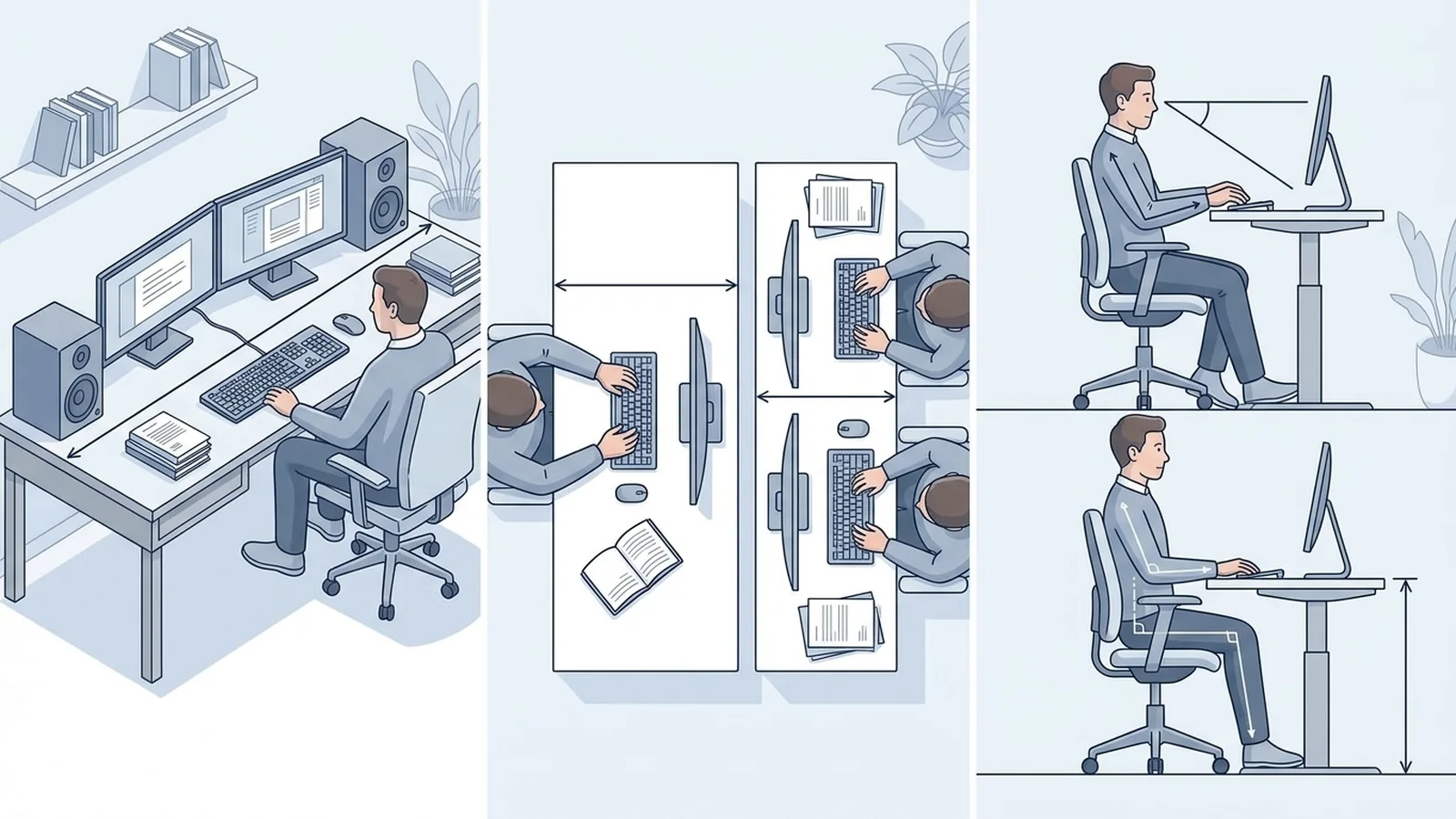
- Width: side to side
- Depth: front to back
- Height: floor to work surface
Each dimension affects something different.
Width
Width determines how much equipment and open workspace you can place side by side.
A wider desk can make sense if you use multiple monitors, speakers, paperwork, or other equipment.
Depth
Depth determines how much room you have from the front edge of the desk to your monitor and other equipment.
A desk can be wide enough but still feel cramped if it is too shallow
Height
Height determines how the work surface relates to your chair, arms, keyboard, and legs.
This is particularly important because a desk that is too high or too low can make it difficult to maintain a comfortable working position.
OSHA's workstation guidance emphasizes keeping the shoulders relaxed, elbows close to the body, wrists aligned with the forearms, and providing enough clearance for the thighs, legs, and feet.
So instead of asking only:
How big is this desk?
Ask:
Will all three dimensions work with my setup?
Check the Usable Surface
The dimensions listed on a product page do not tell you how much of the surface you will actually use.
Consider everything that will stay on the desk:
- Monitor
- Monitor stand or arm
- Laptop
- Keyboard
- Mouse
- Speakers
- Notebook
- Documents
- Microphone
- Desk lamp
- Charging accessories
- Other equipment
A 60-inch-wide desk may sound spacious, but if a large monitor, laptop, speakers, and paperwork occupy most of the surface, the remaining working area may be much smaller than expected.
This is why usable surface matters more than the number printed on the product listing.
Try laying out your current equipment on a table or floor.
Measure how much space it actually takes.
Then consider how much open space you want around it.
That gives you a much more realistic idea of the desk size you need.
How Much Desk Width Do You Need?
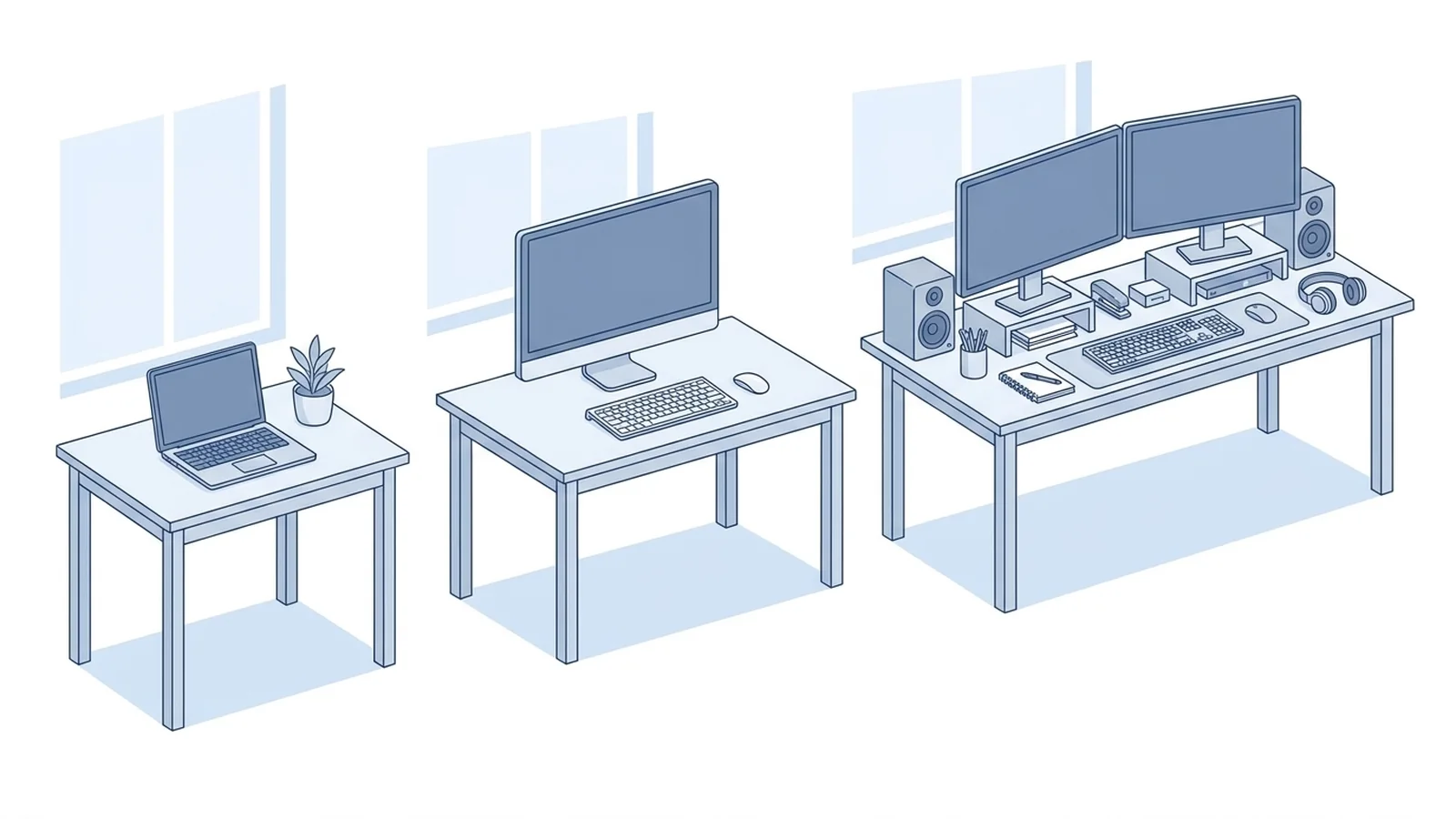
There is no single standard desk width that works for everyone.
As a practical planning guide, you can think about desk width like this:
| Approximate width | Common use |
|---|---|
| 36–48 inches | Laptop work and compact setups |
| 48–60 inches | Laptop plus monitor and general computer work |
| 60–72 inches | Multiple monitors or larger work setups |
| 72+ inches | Large or equipment-heavy setups |
These are planning ranges, not ergonomic standards. The equipment you use and the space available in your room should determine the final choice.
A laptop-only setup
If you mainly work from a laptop, you may not need a wide desk.
A compact desk can be enough if it has room for your laptop, mouse, notebook, and anything else you regularly use.
The important question is whether you still have enough open surface to work comfortably.
A single-monitor setup
A desk in the 48-to-60-inch range can provide useful room for a monitor, keyboard, mouse, and additional work items.
But width alone does not determine whether the desk will work. A shallow desk can still make a large monitor setup feel cramped.
A dual-monitor setup
Two monitors usually require more usable width, especially if both screens sit directly on the desktop.
A wider desk can also give you room for a keyboard, mouse, speakers, and other equipment without forcing everything together.
A monitor arm can change this calculation because it can move the monitor's base off the desktop. However, the arm itself still needs an appropriate mounting location and enough space to move as intended.
A large workstation
If you work with several monitors, documents, audio equipment, drawing equipment, or other tools, additional width may be useful.
But bigger is not automatically better.
If the extra surface becomes storage for things you rarely use, you may simply end up with a larger desk to clean.
How Much Desk Depth Do You Need?
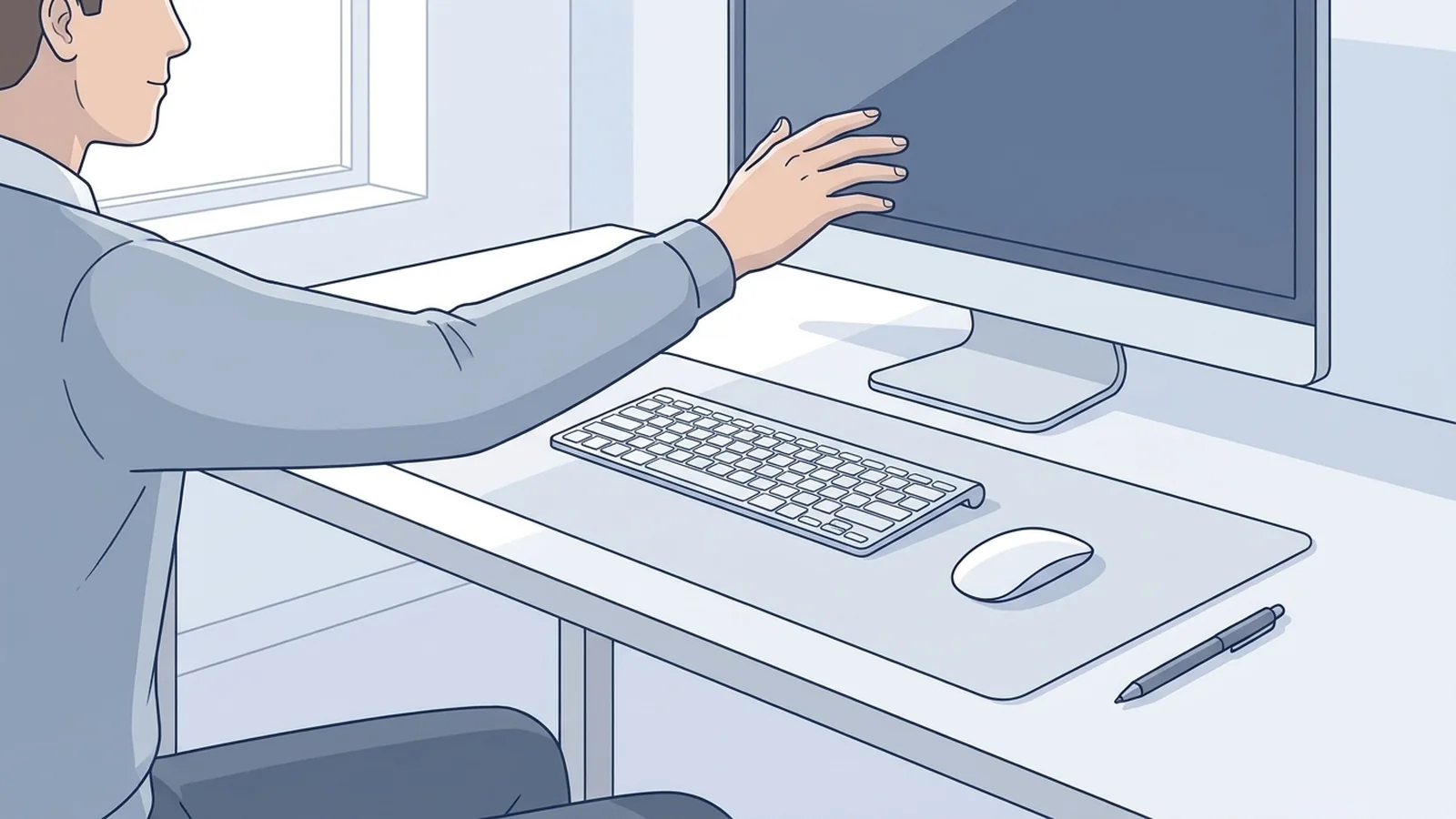
Depth is often overlooked when people shop for desks.
Width gets attention because it is easy to see how many monitors will fit across the surface. Depth determines something different: how much usable front-to-back space you have for your monitor, keyboard, mouse, and other equipment.
For many computer workstations, 24 to 30 inches of depth is a practical starting range. A laptop-only setup may work with less, while a larger setup may benefit from more.
These numbers should be treated as planning guidance rather than a universal standard.
The actual requirement depends on your monitor, stand, viewing distance, keyboard, and other equipment.
OSHA recommends that a workstation provide enough depth for the monitor to be positioned at least 20 inches from the user's eyes. Mayo Clinic similarly recommends positioning a monitor about an arm's length away and gives a general viewing range of 20 to 40 inches.
That makes depth particularly important when comparing desks.
A 60-inch-wide desk that is only 18 inches deep may give you plenty of side-to-side space while leaving very little room from the front edge to the monitor.
When a deeper desk helps
More depth can be useful when you have:
- A large monitor
- Multiple monitors
- A monitor stand
- Paper documents
- Speakers
- A keyboard and mouse
- Equipment that needs to remain on the desk
When a shallow desk can work
A shallower desk can make sense when:
- You have a laptop-only setup
- The room is small
- You use a monitor arm
- You keep very little equipment on the desk
- You need to preserve floor space
The goal is not maximum depth. It is enough depth to arrange your equipment without making the rest of the room unusable.
Does Your Height Affect the Desk Size?
Yes, but mainly when you are considering desk height, not desk width.
Your height does not automatically tell you whether you need a 48-inch or 60-inch-wide desk. Your equipment and work habits have a much larger effect on width and depth.
Height is different.
A fixed-height desk needs to work with your chair and your body. OSHA recommends keeping the hands and wrists aligned with the forearms, the elbows close to the body, and the feet supported.
Mayo Clinic also recommends adjusting the chair and desk relationship so your feet are supported and your arms can remain in a comfortable position.
This is why a simple "desk height by body height" chart should not be treated as a guarantee of the right fit.
Two people of the same height can have different proportions, chairs, keyboards, and working preferences.
If you are buying a fixed-height desk, pay attention to how it works with the chair you already use.
If you are struggling to get a comfortable position because the desk is fixed, an adjustable-height desk may give you more flexibility.
Leave Enough Room for Your Chair and Legs
Do not judge a desk only from the top.
Look underneath it.
You need enough room for your knees, thighs, legs, and feet. Storage drawers, cabinets, computer towers, bags, and other objects can reduce that space.
OSHA recommends sufficient clearance beneath the work surface so the thighs are not trapped and the legs and feet have enough forward clearance to allow the user to get close to the keyboard or input device.
Mayo Clinic also advises keeping enough room under the desk for your legs and feet and avoiding storage that unnecessarily reduces that space.
This can change how you evaluate a desk.
A desk with a large desktop but restrictive supports underneath may be less useful than a slightly smaller desk with a more open design.
Before buying, ask:
- Can I sit close enough to the desk?
- Do my knees have enough room?
- Can I move my legs comfortably?
- Can I pull my chair in without hitting the desk structure?
- Do drawers or cabinets interfere?
- Will a computer tower take away useful legroom?
The space under the desk is part of the workspace too.
Match the Desk to Your Equipment
Your equipment should influence the desk you choose.
Start by making a simple list of everything that normally stays on your desk.
Laptop setup
You may need space for:
- Laptop
- Mouse
- Keyboard
- Notebook
- Charger
- Phone
A compact desk may be enough.
If you use the laptop for long periods, however, consider whether the screen and keyboard can be positioned comfortably. Mayo Clinic recommends considering an external keyboard and mouse with a laptop stand when a laptop is used at a desk for extended periods.
That can change the amount of surface space you need.
One monitor
Consider:
- Monitor size
- Monitor stand or arm
- Keyboard
- Mouse
- Laptop
- Speakers
- Notebook
A moderate-width desk can often accommodate this without requiring a very large surface.
Two monitors
Two monitors take more side-to-side space, particularly when both are sitting on their original stands.
Measure the actual width of the monitors and stands instead of estimating from screen size alone.
Monitor plus paperwork
If your work involves reading printed documents while using a computer, you may need more open surface than someone who works entirely digitally.
The extra space is not necessarily for more equipment. It may simply be for keeping your work materials beside the computer.
OSHA's purchasing guidance specifically notes that a desk should provide enough surface for the monitor, keyboard, and input device, with additional room potentially needed for work materials such as documents or a telephone.
What About L-Shaped Desks?
An L-shaped desk can make sense when you genuinely need two working areas.
For example, one side could hold your main computer setup while the other provides space for writing, paperwork, equipment, or another activity.
It can also work well in a corner.
But do not assume an L-shaped desk automatically saves space.
Measure both sides of the desk and consider the entire footprint, including:
- Chair position
- Walking paths
- Doors
- Drawers
- Nearby furniture
- Window access
- Electrical outlets
An L-shaped desk is useful when its shape solves a real problem.
If you only need a laptop and one monitor, a large corner desk may give you far more surface than you actually use.
Test the Desk Size Before You Buy
You can test a desk size without owning the desk.
1. Measure your space
Measure the area where the desk will actually sit.
Record both width and depth.
2. Mark the footprint
Use painter's tape to mark the proposed desk dimensions on the floor.
3. Put your chair in place
Use the chair you actually plan to use.
Sit down.
Pull it back.
Stand up.
Move around it.
4. Measure your equipment
Measure the actual footprint of your:
- Monitor
- Laptop
- Keyboard
- Mouse
- Speakers
- Microphone
- Documents
- Other equipment
5. Recreate the setup
Use cardboard, paper, or tape to represent the equipment on the proposed desktop.
This gives you a better idea of how much usable surface will remain.
6. Work normally
Sit down and imagine a normal work session.
Move the mouse.
Type.
Reach for your notebook.
Look at the monitor.
Switch between screens if you use more than one.
Ask yourself whether anything feels cramped.
7. Check the room again
Now look beyond the desk.
Can you:
- Pull the chair back?
- Walk behind it?
- Open nearby doors?
- Reach electrical outlets?
- Access drawers?
- Move around without squeezing past the desk?
If the desk works but the room does not, the desk is probably too large for that location.
Desk Size Checklist
Before ordering a desk, check these five areas.
Your space
- Where will the desk go?
- What is the usable width?
- What is the usable depth?
- Will doors or windows interfere?
- Is there enough room around the chair?
Your equipment
- Laptop?
- One monitor?
- Two monitors?
- Multiple monitors?
- Keyboard and mouse?
- Speakers?
- Microphone?
- Paperwork?
- Other equipment?
Your work
- Do you work mostly on a computer?
- Do you write on paper?
- Do you switch between multiple tasks?
- Do you keep equipment on the desk all day?
- Do you need a sit-stand setup?
Your fit
- Does the desk height work with your chair?
- Can your feet stay supported?
- Is there enough legroom?
- Can the keyboard and mouse sit at a comfortable height?
- Would an adjustable desk give you more flexibility?
Before you buy
- Have you measured your equipment?
- Have you marked the desk footprint?
- Have you tested it with your chair?
- Have you checked the space around the desk?
- Have you considered cable placement?
- Have you checked the space underneath the desk?
The Right Desk Size Depends on How You Work
There is no single desk dimension that works for every workspace.
A 48-inch desk may give you everything you need for a laptop and mouse. Add a monitor, keyboard, speakers, paperwork, and other equipment, and that same desk may suddenly feel crowded.
A 72-inch desk gives you much more surface, but that extra space is not useful if it leaves your bedroom cramped or blocks the path behind your chair.
Start with the room.
Then look at your equipment.
Next, think about the work you actually do and how much open surface you use.
From there, choose the width and depth that give you enough usable space without taking over the room. Finally, check the desk height, chair, monitor position, and legroom so the entire workstation works together.
The right desk is not the biggest one you can fit. It is the one that gives you enough useful space to work while leaving enough room for you and the rest of the room to function comfortably.