
Workspace
How to Organize a Desk Without Drawers
A desk without drawers doesn't have to become a desk covered in organizers. The key is deciding what needs to stay within reach, what can move above or below the desk, and what should be stored somewhere else.
By Ronald Dadivas · Published 30 September 2026 · Updated 1 October 2026
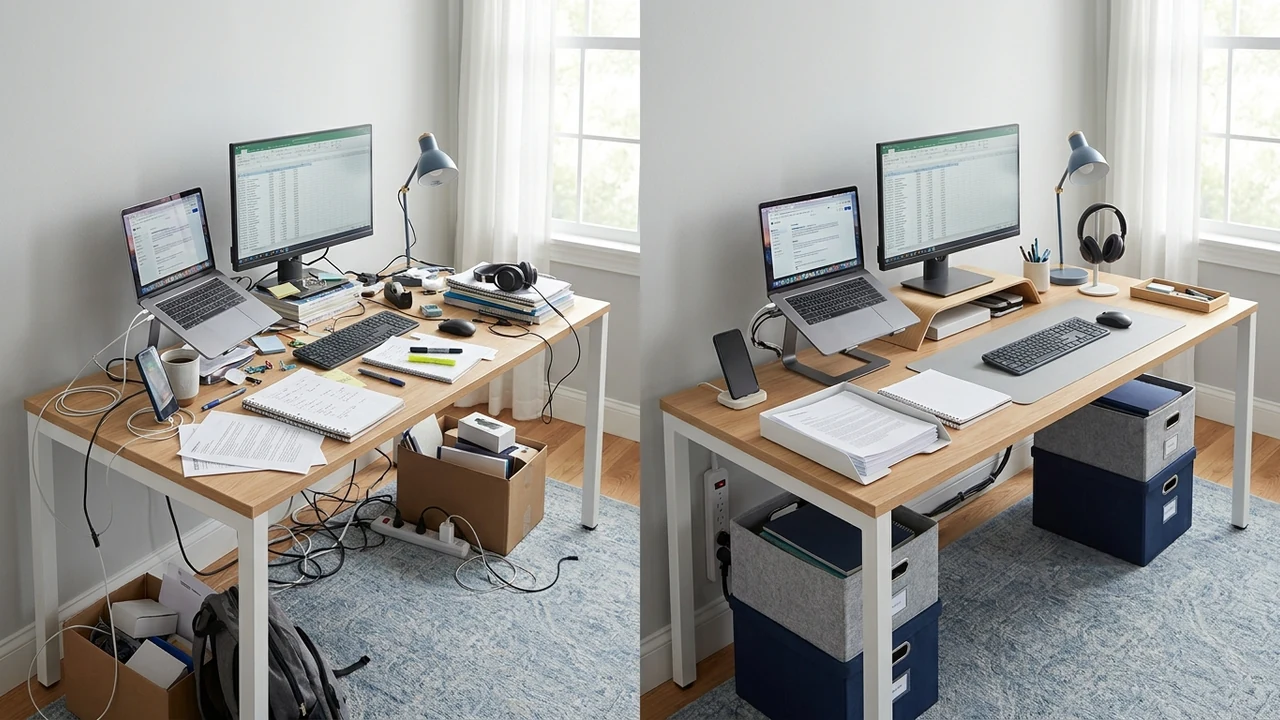
A desk without drawers gives you less room to hide things.
Pens, notebooks, chargers, papers, headphones, and other small supplies can quickly spread across the surface. Before long, the desk may still be technically organized, but there isn't much room left to actually work.
The solution isn't to find a place for everything on the desk.
Instead, think about where each item belongs based on how often you use it and how much space it needs. Some things should stay within reach. Others can move above or below the desk. Backup supplies can live somewhere else entirely.
The goal is to keep the things you use accessible without letting storage take over your workspace.
Here's how to organize a desk without drawers.
Start by Deciding What Actually Needs to Stay on Your Desk
Before buying an organizer or moving anything around, look at everything currently sitting on your desk.
Ask yourself:
“Do I actually use this during my normal workday?”
You can divide your items into four simple groups:
Use constantly
Headphones, documents, charging cables, or supplies you use several times a day.
Use regularly
Your monitor, keyboard, mouse, notebook, phone, or other tools you reach for throughout the day.
Use occasionally
Extra stationery, adapters, spare equipment, and things you only need from time to time.
Rarely use
Items that don't need to occupy your workspace at all.
The first group deserves the easiest access.
The last group probably shouldn't be taking up valuable desk space.
This simple separation can remove a surprising amount of clutter before you buy anything.
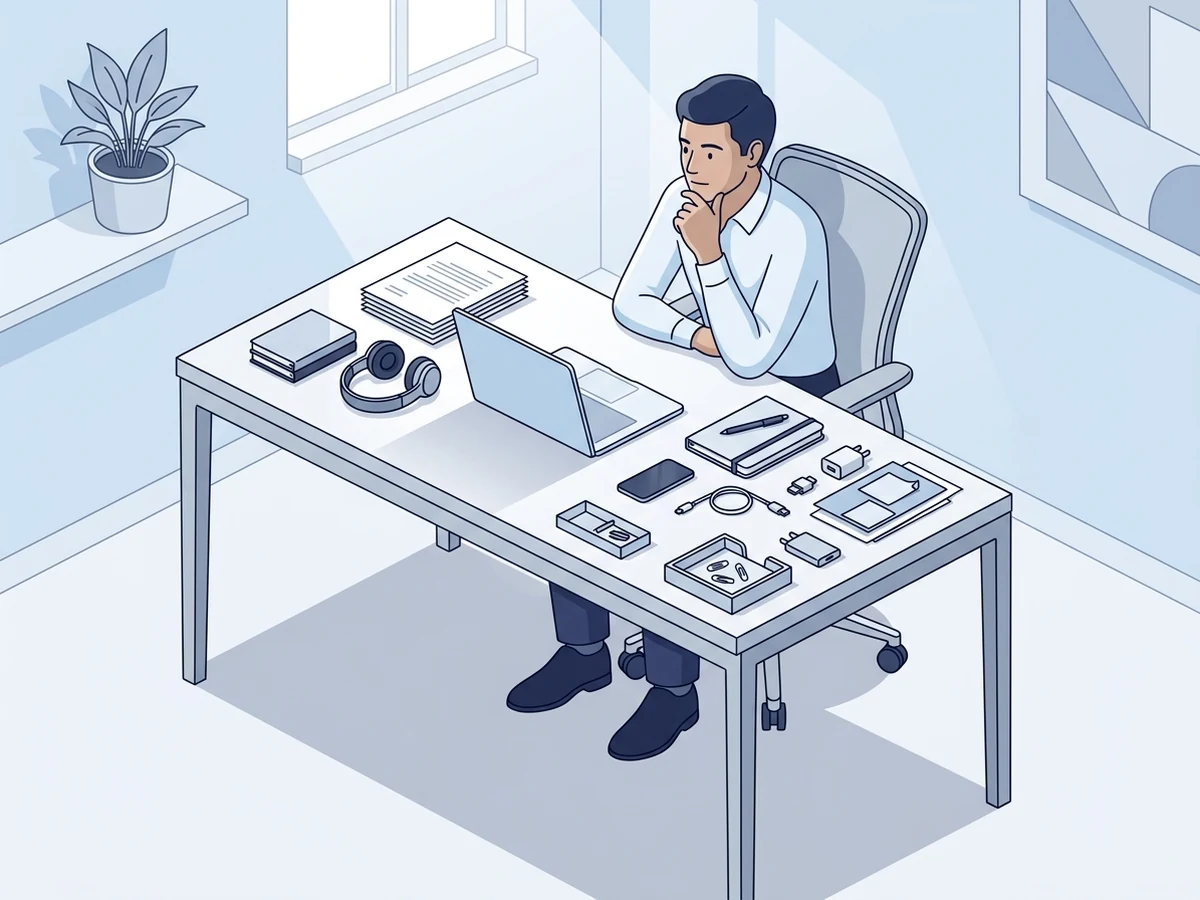
Give Your Everyday Items a Consistent Home
Without drawers, some of your everyday items will remain visible.
That's okay.
The problem isn't that an item is visible. The problem is when you never know where to put it.
Give frequently used items a predictable location.
For example:
- Keep your notebook in one area of the desk.
- Keep your phone in the same charging position.
- Give your headphones a consistent place.
- Keep your most-used pens together.
- Keep frequently used cables within easy reach.
You should be able to finish using something and know exactly where it goes.
That makes a drawerless desk much easier to maintain.
Visible doesn't have to mean disorganized.
Keep Your Main Work Area Clear
The center of the desk should remain useful for work.
Your keyboard, mouse, monitor, and the space where your hands actually work should get priority over storage.
This matters even more when the desk is small.
A few organizers might seem harmless, but several of them can slowly consume the surface you need for typing, writing, reading, or other tasks.
A drawerless desk can encourage another common mistake: if there's nowhere else to put something, it gets left on the desk.
Over time, the desk becomes a storage shelf.
You might end up with:
- A stack of notebooks
- Several chargers
- Extra cables
- Papers
- Office supplies
- Boxes
- Accessories
- Personal items
Everything has technically been placed somewhere.
But you've lost the surface you actually need for work.
Before leaving something on the desk, ask:
“Will this help me use the desk, or will it take away space I need to work?”
If it takes away more useful space than it provides, it probably belongs somewhere else.
Use the Space Above Your Desk
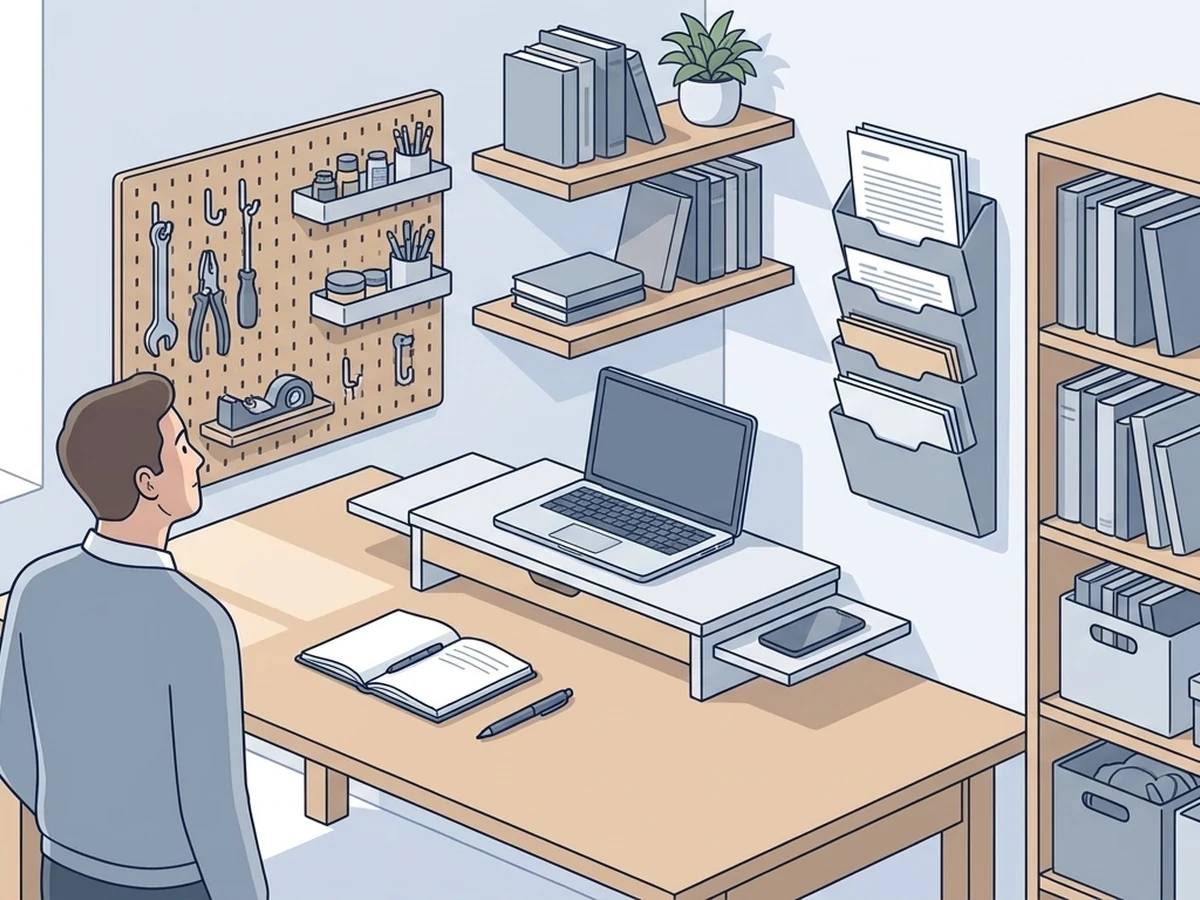
When you don't have drawers, look up before you look for a larger desk.
Vertical space can provide storage without taking up much of your working surface.
Depending on your room and setup, you might use:
- A shelf
- A vertical file holder
- A monitor stand with storage
- Wall-mounted storage
- A pegboard
- A nearby bookcase
The best use for vertical storage is usually items that you need but don't need directly in front of you all day.
Books, documents, small supplies, and occasional-use equipment can often move upward and away from the main work area.
But don't fill every available section of wall.
The purpose is to recover desk space, not create another crowded area.
Use Under-Desk Space Carefully
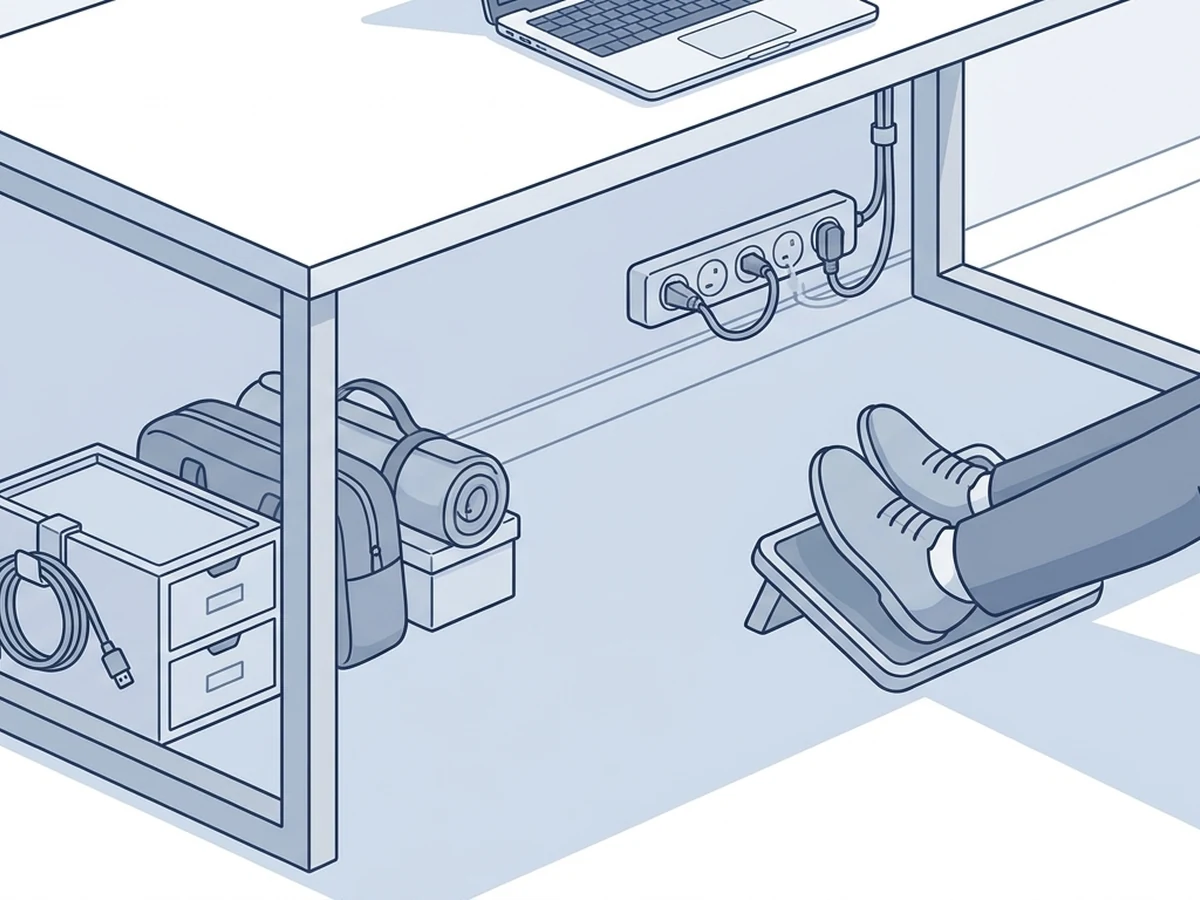
The space underneath your desk can also provide useful storage.
You might use it for:
- A small storage container
- Spare equipment
- A bag
- Backup accessories
- Cable-management equipment
But there's an important limit.
Your legs and feet still need room.
Don't fill the entire underside of the desk with boxes and containers simply because the space is available.
Think about what you actually need to access and how often you need it.
Something you use once a month can go farther away than something you use every day.
And keep cables organized so they don't become mixed with your storage.
Give Papers Their Own System
Paper can become one of the biggest problems on a drawerless desk.
A few documents quickly become a stack. Then another document gets placed on top. Before long, you have a pile that you need to sort every time you need something.
Instead, give papers simple categories.
Working on now
Keep only the documents you're actively using.
Needs action
Keep papers that require something from you, such as a signature, response, or follow-up.
Finished or needs filing
Move completed documents somewhere else rather than allowing them to remain on your main work surface.
You don't need a complicated filing system.
You just need to stop every piece of paper from becoming permanent desk storage.
Store Spare Cables and Accessories Somewhere Else
Your active workspace and your cable storage don't have to be the same place.
If you have several spare USB cables, old chargers, adapters, or display cables, they don't all need to sit beside your computer.
Keep the cables you're currently using connected to your workspace.
Store the extras somewhere else.
The same applies to:
- Spare batteries
- Extra adapters
- Replacement accessories
- Old chargers
- Backup peripherals
This makes your active setup easier to understand and gives you more usable space.
For the cables that are actually connected to your equipment, see How to Organize Cables Under Your Desk.
If You Have Multiple Monitors, Protect the Space You Actually Use
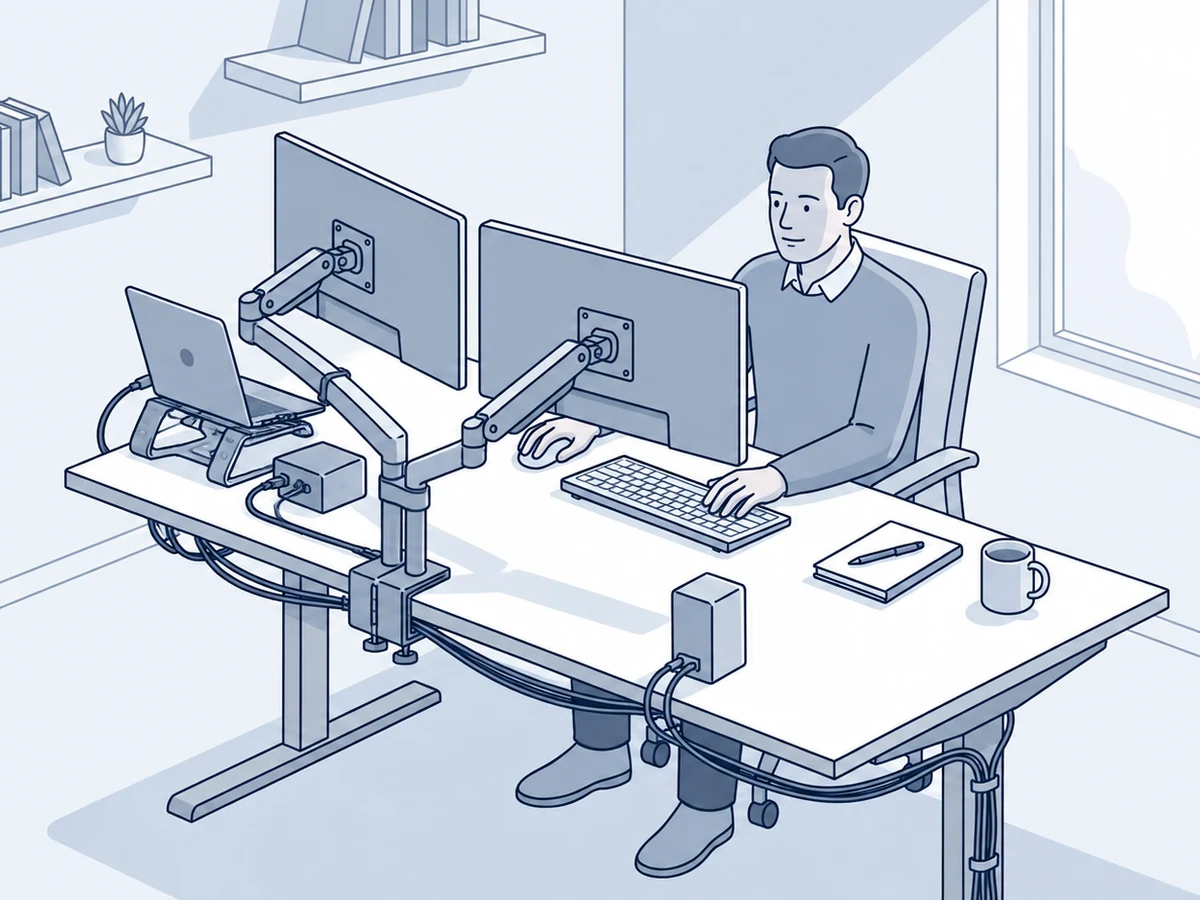
Multiple monitors can make a drawerless desk feel crowded quickly.
The screens themselves take up space, and you still need room for your keyboard, mouse, speakers, notebook, and other equipment.
Start with your primary work area.
Make sure the keyboard and mouse have enough room to move comfortably.
Then decide where secondary equipment belongs.
A monitor stand or monitor arm may help in some setups by changing how much desk surface the screens occupy. But don't add one simply because you saw it in another setup.
The right solution depends on your desk, monitor arrangement, and available space.
The goal is to keep the equipment you need without sacrificing the area where you actually work.
- Return everyday items to their usual places.
- Move finished paperwork away.
- Store supplies that don't belong on the desk.
- Put spare equipment back into storage.
- Clear the main working area.
- Check that cables haven't spread across the workspace.
It shouldn't take a major cleanup.
If it does, the organization system may be too complicated.
A good system should make the reset easy.
If Your Desk Is Small, Protect the Surface First
A drawerless desk that's also small gives you even less room to work with.
In that situation, prioritize the things that directly support your work.
Your order might look like this:
Work area first.
Daily-use items second.
Storage third.
Decorative items last.
That doesn't mean a small desk can't have personality.
You can still keep things you enjoy around you.
Just make sure those things aren't taking the space you need for the work itself.
If the desk is still too crowded after removing everything unnecessary, the problem may not be organization.
The desk may simply be too small for the equipment and tasks you need to support.
Know When You Need More Storage
Organization can only solve so much.
If your desk has:
- Multiple monitors
- A laptop
- Speakers
- Paperwork
- Office supplies
- Charging equipment
- Headphones
- Accessories
and there is nowhere else in the room to store anything, you may eventually need another storage solution.
That could mean a shelf, cabinet, drawer unit, bookcase, or a larger desk.
That's not a failure of organization.
Sometimes the amount of equipment simply exceeds the available storage.
The goal is to recognize that before you keep adding more containers to an already crowded workspace.
Don't Buy Storage Until You Know What You're Missing
Before buying anything, use your desk normally for a few days.
Pay attention to what keeps becoming a problem.
Maybe your pens are always scattered.
Maybe paperwork keeps piling up.
Maybe your headphones have nowhere to go.
Maybe charging cables keep taking over the surface.
Maybe you have too many supplies that don't need to be there at all.
Those observations tell you what needs to change.
Once you know the problem, choose the simplest solution that fixes it.
You may need an organizer.
You may need a shelf.
Or you may simply need to move five things somewhere else.
Give Everything a Place, Even When That Place Isn't the Desk
A drawer normally gives you an easy answer to the question:
“Where does this go?”
Without drawers, you need to create that answer yourself.
Your notebook might stay on the desk.
Your headphones might hang beside it.
Your spare cables might go into a box.
Your documents might go on a nearby shelf.
Your backup supplies might belong in a cabinet.
The important part is that each category has a predictable location.
Once that happens, organizing becomes much easier because you're no longer deciding where something goes every time you finish using it.
Use This Drawerless Desk Checklist
Before you consider your setup finished, ask:
- Do only useful everyday items stay on the desktop?
- Do frequently used items have consistent homes?
- Are backup supplies stored somewhere else?
- Is the main working area clear?
- Am I using vertical space where it makes sense?
- Is under-desk storage taking away legroom?
- Do papers have a defined location?
- Are spare cables stored separately?
- Are my organizers solving actual problems?
- Is the desk still comfortable to work at?
- Can I reset the workspace quickly?
- Does the room provide enough storage for everything I actually need?
If most of these are true, your desk probably doesn't need more storage.
It needs a system you can maintain.
A Desk Without Drawers Can Still Stay Organized
A desk without drawers doesn't have to become a desk covered in organizers.
Start by deciding what actually needs to stay within reach. Give those items consistent homes, use vertical and under-desk space where it makes sense, and move backup supplies somewhere else.
Most importantly, protect the surface you actually work on.
The goal isn't to find a place for everything on the desk.
It's to create a system where everything has a place, even when that place isn't the desk.