
Workspace
How to Arrange Your Desk
A well-arranged desk isn't necessarily a perfectly clear one. The goal is to make the space work naturally around what you actually do.
By Ronald Dadivas · Published 30 September 2026
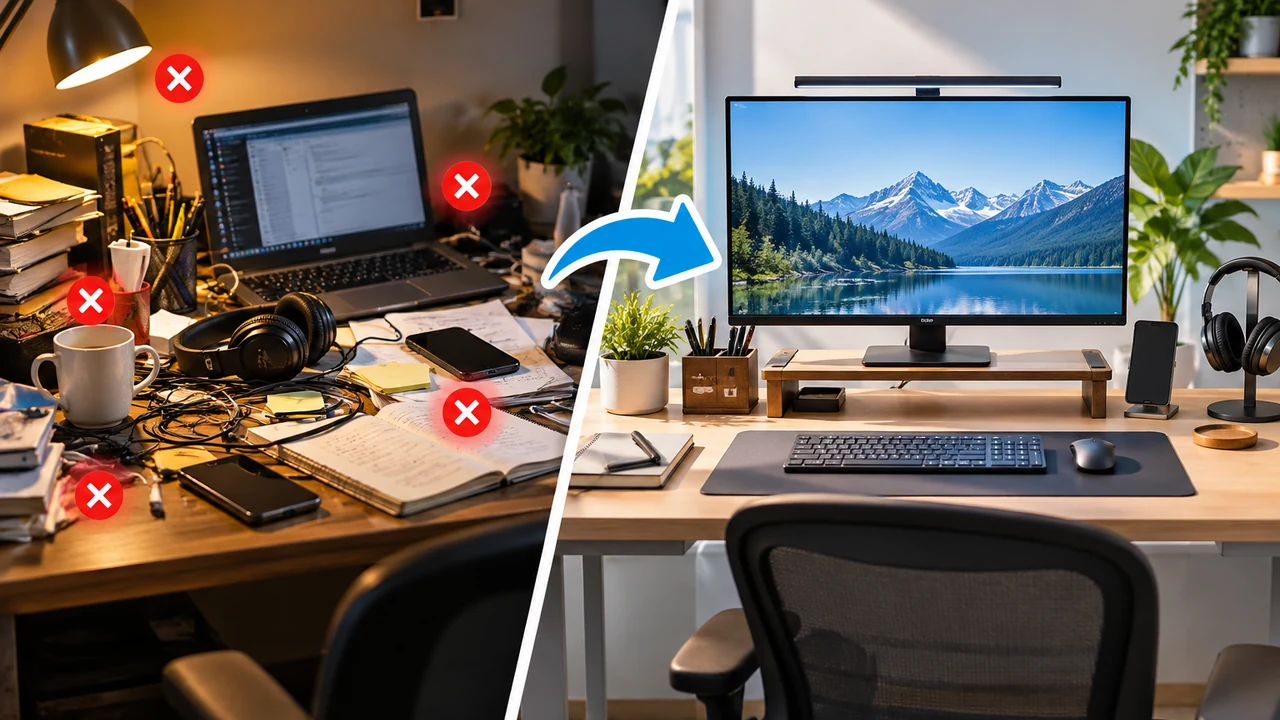
A desk can be clean and still be frustrating to use.
Your monitor might sit slightly off to the side. Your keyboard may be pushed too far forward. The notebook you use every day could be buried under other things. A charger may take up valuable space while an accessory you rarely touch gets the best spot on the desk.
The problem isn't always clutter. Sometimes, it's simply where everything is placed.
A useful desk arrangement should make the things you use most easy to reach while leaving enough room for the work itself. It should also work with your monitor, keyboard, mouse, chair, and the way you normally sit.
Your ideal desk arrangement should fit the way you work.
Here's how to arrange your desk around what you actually do.
Start With the Work You Do at Your Desk
Before moving anything, think about what you actually do at your desk.
Do you spend most of your time typing? Do you write on paper? Do you work with two monitors? Do you use a laptop and an external display? Do you regularly take video calls? Do you need space for documents, drawing, or other hands-on work?
Your answers should shape the arrangement that works best for you.
Someone who spends most of the day typing and moving between two monitors has different needs from someone who mainly uses a laptop for email.
This is why copying another person's desk setup can be disappointing. The arrangement may look good, but it was built around someone else's equipment, habits, and available space.
Start with the work.
Then arrange the desk around it.
Decide What Deserves the Best Space
Not everything on your desk deserves equal space.
Your primary work equipment should get the area that's easiest and most comfortable to use. Things you rarely touch can move farther away or come off the desk entirely.
Think about your desk in three simple zones:
Primary work zone:
Your monitor, keyboard, mouse, and the area where your hands do most of the work.
Reach zone:
Items you use regularly, such as a notebook, phone, headphones, or frequently used accessories.
Storage zone:
Things you occasionally need but don't need sitting in front of you all day.
You don't need to measure exact distances or mark these areas on your desk.
The basic idea is simple: give your most important tools the most useful space.
Put Your Main Monitor Where You Naturally Work
If you use one monitor, start there.
Place it directly in front of your normal working position rather than leaving it off to one side simply because that is where the desk has room.
The screen should be positioned at a comfortable height and distance for the way you sit. You shouldn't have to repeatedly turn your head or lean forward just to see what you're working on.
The exact position will depend on your monitor size, chair, desk height, eyesight, and how you normally work.
The important part is to make the monitor fit your working position instead of forcing your body to adapt to an awkward layout.
If You Use Two Monitors, Decide Which One Is Primary
Two monitors create a different arrangement because you have to decide where your attention should naturally go.
If you use one monitor much more than the other, make that screen your primary display and position it directly in front of you. The second monitor can sit beside it.
If you use both screens about equally, you may prefer to position them together so neither requires a large turn of your head.
The right choice depends on how you actually use the screens.
Don't automatically center the gap between two monitors just because it looks symmetrical.
Arrange them around your normal work.
Keep Your Keyboard and Mouse in Your Main Work Area
Once your monitor is in place, arrange your keyboard and mouse around it.
Your keyboard should have enough space that you're not constantly pushing it forward or pulling it back to make room for other objects.
Keep the mouse close enough that you don't have to reach across the desk to use it.
This is one reason large decorative objects can become a problem on smaller desks.
A speaker, desk lamp, notebook stand, or accessory might look good in a photo. But if it pushes your mouse farther away from your normal working area, it has taken space from something more important.
Your hands need a clear and comfortable area to work.
Protect that space first.
Give Your Hands a Clear Working Area
Your desk doesn't need to be empty.
It does need to give you somewhere to work.
If you type most of the day, the space around your keyboard and mouse is your main work area.
If you write on paper, you'll need some clear surface beside your keyboard.
If you frequently switch between typing and writing, don't fill that area with accessories that you'll have to move every time you change tasks.
A useful question is:
“What part of this desk do my hands actually need?”
Protect that space first.
Everything else comes afterward.
Keep Frequently Used Items Within Easy Reach
Think about what you touch repeatedly during a normal work session.
Maybe it's your phone.
Maybe it's a notebook.
Maybe it's a pair of headphones, a calculator, a USB drive, or a document you reference throughout the day.
These items don't necessarily need to sit directly in front of you. They simply shouldn't require an awkward reach every time you need them.
Keep the things you use constantly close.
Move everything else farther away.
This gives you more usable space without requiring you to remove everything from the desk.
Give Less Frequently Used Items a Different Place
One of the easiest ways to overcrowd a desk is to treat every item as if it needs to stay within reach.
It doesn't.
A spare notebook can go in a drawer.
Extra cables can go into storage.
A printer may work better on a nearby shelf.
Documents you aren't currently using don't need to occupy your main work surface.
Desk arrangement becomes easier when you stop asking:
“Where can I fit this?”
and start asking:
“Does this need to be here?”
That's a much better question when you're working with limited space.
Leave Space for Work That Happens Away From the Screen
Not all work happens on a monitor.
You may need to:
- Write notes
- Read printed documents
- Sign paperwork
- Sketch something
- Sort papers
- Use a calculator
- Take handwritten notes
If those tasks are part of your normal work, your desk needs to support them.
Don't arrange your equipment so tightly that the only usable surface is the exact space occupied by your keyboard.
If you regularly switch between screen-based and physical tasks, leave a dedicated area that can change with you.
The size of that area will depend on your work.
Someone who never writes on paper doesn't need the same amount of open surface as someone who works with documents throughout the day.
If You Use a Laptop, Decide What the Laptop Is Doing
A laptop can be your main computer, your second screen, or simply another device sitting on the desk.
Those are three different situations.
If the laptop is your only computer, it will probably occupy the main position.
If you're using a laptop with an external monitor, decide which screen you primarily work from.
If the laptop is mainly there for secondary tasks, communication, or occasional use, it may not need to occupy the center of your desk.
Laptop setups also create a trade-off because the screen and keyboard are connected. You may find it difficult to position both where you want them.
If you spend long periods working from a laptop, separating the screen from the keyboard and mouse can give you more flexibility in arranging the workspace.
The point isn't that every laptop user needs extra equipment.
It's that the laptop's role should determine where it goes.
Don't Let Accessories Decide Your Layout
It's easy to arrange a desk around accessories.
You add a monitor shelf, desk mat, headphone stand, speaker system, charging dock, lamp, or another accessory. Then you try to fit your keyboard and mouse around everything else.
Reverse the process.
Start with:
- Your main screen
- Your keyboard
- Your mouse
- Your main working area
Then add the things that support that setup.
This keeps accessories from taking the space your actual work requires.
A useful accessory should solve a problem.
It shouldn't create a new one.
Arrange Your Desk Around Your Chair, Too
Your desk doesn't exist separately from your chair.
Sit down before you decide that the arrangement is finished.
Can you sit comfortably with your feet supported?
Can you use your keyboard and mouse without reaching?
Can you look at your main monitor without repeatedly turning your head?
Do you have enough room for your legs?
Your chair, desk, monitor, keyboard, and mouse all work together. Changing the position of one can affect the others.
A desk can look perfectly arranged from across the room and still feel wrong once you sit down.
Your normal working position is the better test.
Keep the Area Under Your Desk Clear
Desk arrangement isn't only about the surface.
Look underneath.
Your legs and feet need usable space, and storing boxes, bags, or equipment underneath can make that area more difficult to use.
The same applies to cables.
Loose cables, power strips, and chargers can quickly take over the space around your feet if they aren't routed properly.
Once your equipment is arranged, route the cables around that arrangement rather than letting loose cables determine where everything goes.
For a more detailed cable setup, see How to Organize Cables Under Your Desk.
Arrange Your Desk Differently When Space Is Tight
A small desk requires more decisions because every item takes a larger percentage of the available surface.
Start with the equipment you cannot work without.
If you need a monitor, keyboard, and mouse, those get priority.
If you rarely use a desk lamp, speaker, or other accessory, consider whether it needs to stay on the surface.
Vertical space can also help.
A shelf above the desk, a monitor stand with storage, or wall-mounted storage can move some items away from the main working area without requiring a larger desk.
But don't add storage simply because you have an empty wall.
The goal is still to make the workspace easier to use.
Keep Your Desk From Becoming General Storage
A desk can slowly become the place where everything gets dropped.
Mail arrives.
A package gets opened.
A charger gets left behind.
A notebook stays there after a meeting.
Before long, the desk has become storage for half the room.
Try to give those objects somewhere else to go.
Your desk should primarily support the activities you perform there.
That doesn't mean it needs to look minimal.
A few personal objects, books, photographs, or other things you enjoy can belong on your desk if they don't interfere with your work.
The important distinction is whether they're part of the workspace or simply occupying the workspace.
Arrange Your Desk for the Way You Switch Between Tasks
Most people don't perform one task all day.
You might spend an hour writing, then join a video call, review documents, answer messages, and return to focused work.
Your desk should be able to accommodate those changes without requiring a complete rearrangement.
Think about the transitions.
If you regularly move between typing and writing, leave enough open surface for both.
If you frequently use headphones, give them a predictable place.
If you use a notebook during meetings, don't bury it underneath equipment.
The best arrangement for you should handle your normal sequence of activities without constantly getting in your way.
Don't Arrange Everything Too Tightly
There is a temptation to use every available inch of desk space.
That can make a small desk look efficient at first.
But a desk with every object tightly packed together leaves little room to adapt.
You may move your keyboard when writing.
You may move your laptop during a meeting.
You may need to place documents beside your monitor.
You may simply need somewhere to put a cup of coffee.
Leave some flexibility.
A little unused space isn't necessarily wasted space.
Sometimes it's what makes the rest of the desk easier to use.
Arrange Your Cables After You Arrange Everything Else
Once you know where the equipment belongs, deal with the cables.
This order matters.
If you route the cables first, you may end up positioning your monitor, laptop, or other equipment around the cable lengths.
Instead:
Arrange the equipment first.
Then route the cables.
Make sure cables have enough slack for anything that moves.
If you use a standing desk, raise and lower it after routing the cables to make sure nothing becomes tight or catches on the frame.
You can then use clips, ties, sleeves, or an under-desk tray where they actually solve a problem.
Sit Down and Test the Arrangement
Don't decide that your desk is finished just because it looks good.
Sit down.
Use it normally.
Type for a while.
Reach for your phone.
Write something.
Move your mouse.
Look at your main monitor.
Then notice what keeps getting in the way.
Maybe the monitor needs to move.
Maybe your notebook is too far away.
Maybe your speakers are taking up useful space.
Maybe the mouse keeps hitting something.
Maybe you don't have enough room to write.
These small frustrations are useful information.
You don't need to redesign the entire desk.
Change the one thing that's repeatedly getting in your way and see whether the arrangement improves.
Use This Simple Desk Arrangement Checklist
Before you call the setup finished, ask:
- Is my main monitor in a comfortable position?
- Is my primary screen directly in front of me?
- If I use multiple monitors, is the primary one positioned around how I actually work?
- Is my keyboard in my main working area?
- Can I use my mouse without reaching unnecessarily?
- Do I have enough clear space for the work I actually do?
- Are frequently used items easy to reach?
- Are rarely used items taking up valuable space?
- Can I sit comfortably with enough room for my legs and feet?
- Is the area under the desk clear?
- Are accessories supporting the workspace rather than crowding it?
- Are cables routed around the finished arrangement?
- Can the desk handle the different tasks I normally perform?
If several answers are no, you probably don't need a new desk.
You may simply need a different arrangement.
Your Ideal Desk Arrangement Should Fit the Way You Work
Your ideal desk arrangement depends on your equipment, the work you do, the amount of space available, and the things you need to reach throughout the day.
Start with the work itself.
Give your primary equipment the best space. Keep frequently used items close. Leave room for the tasks that need an open surface. Make sure your chair, monitor, keyboard, and mouse work together rather than treating each one as a separate decision.
And don't worry about making every part of the desk look perfectly arranged.
The best arrangement is the one that fits your work, your equipment, and the way you use your space.