
Office Chairs
What Is an Ergonomic Task Chair? How to Choose One
An ergonomic task chair is more than a chair with extra adjustments. Learn what separates a task chair from a standard office chair, which features actually affect fit, and how to choose one based on your body, desk, and daily work.
By Ronald Dadivas · Published 5 October 2026
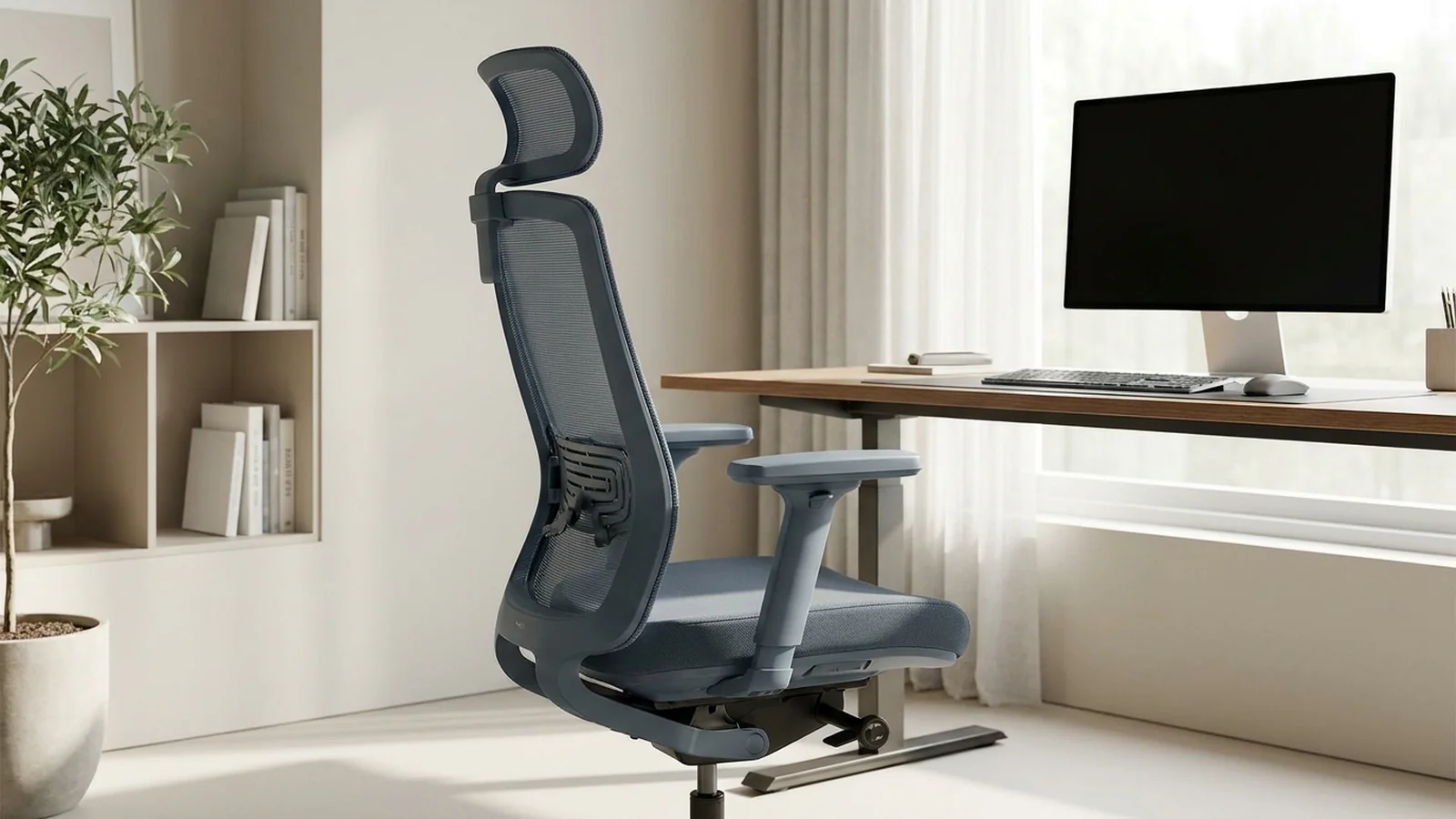
If you spend several hours at a desk, choosing an office chair can quickly turn into a list of confusing features. Seat sliders, lumbar controls, tilt mechanisms, adjustable arms, headrests, and different types of backrests can make it hard to tell what actually matters.
An ergonomic task chair is designed for regular desk-based work, with adjustments that help you fit the chair to your body and the way you work. But a chair does not become ergonomic simply because it has more levers or a longer feature list.
The useful question is whether the chair gives you enough control to find a comfortable working position, move when you need to, and work with your desk without fighting the chair.
What Makes a Chair an Ergonomic Task Chair?
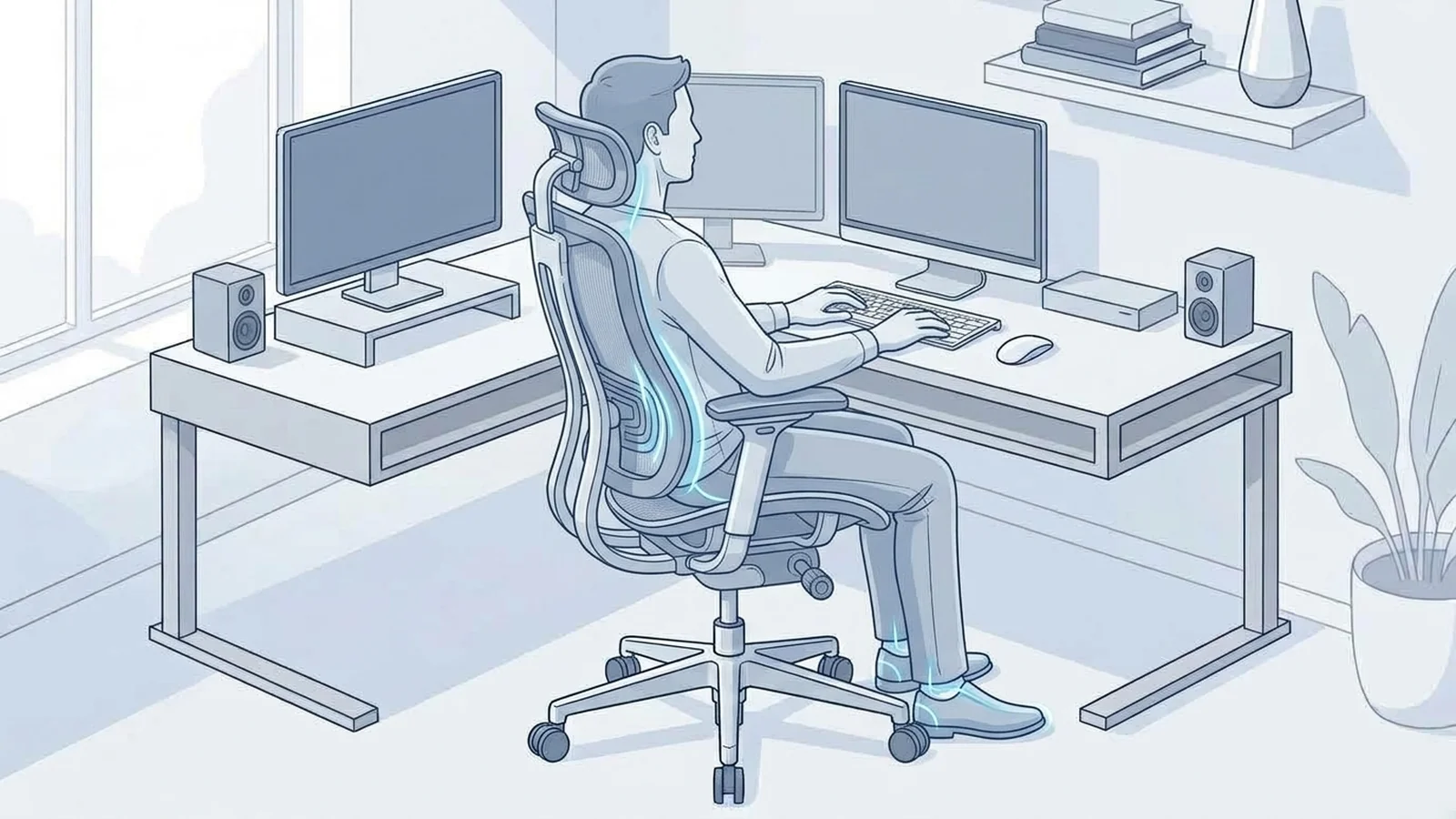
A task chair is designed around activities performed at a desk. That can include typing, using a mouse, writing, studying, designing, taking meetings, and reading.
The word ergonomic describes how well the chair and workstation can be adapted to the person using them.
That usually means looking at things such as:
- Seat height
- Seat depth
- Backrest position and support
- Lumbar support
- Armrest position
- Recline or tilt
- The chair's size and adjustment range
- How the chair works with your desk
OSHA recommends considering the chair together with the rest of the workstation, including the desk, keyboard, and monitor. UCLA's ergonomics guidance similarly recommends choosing a chair based on both the user's body and the work being performed.
There is no single adjustment that makes a chair ergonomic for everyone. A chair that fits one person well may not fit another person nearly as well.
Task Chair vs. Office Chair
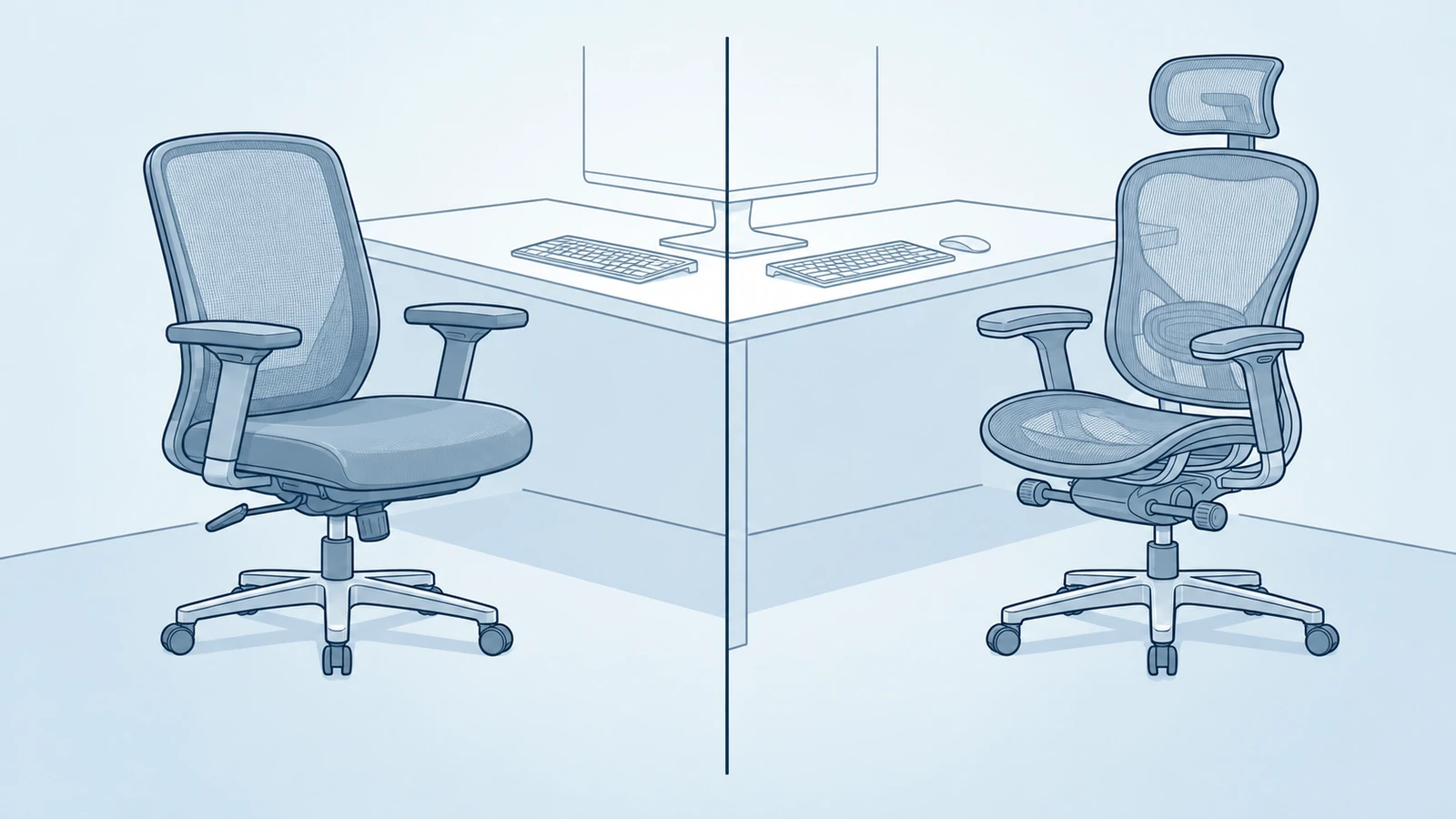
The terms can overlap, which is part of what makes shopping confusing.
Office chair is a broad category. It can describe almost any chair intended for desk or office use.
Task chair describes the chair's purpose. It is intended for work performed at a desk, often with a design that makes it easier to sit close to the work surface and change positions.
Ergonomic task chair takes that idea further by providing adjustment and support features that can be adapted to the user.
An executive chair, for example, may have a large padded seat and tall backrest but offer less useful adjustment for someone who spends most of the day typing.
A basic office chair may work perfectly well for short periods but lack the range needed for someone who uses it for several hours every day.
The label matters less than the actual dimensions and adjustment range.
Which Adjustments Actually Matter?
You do not need every adjustment available. The better approach is to understand what each one changes.
Seat Height
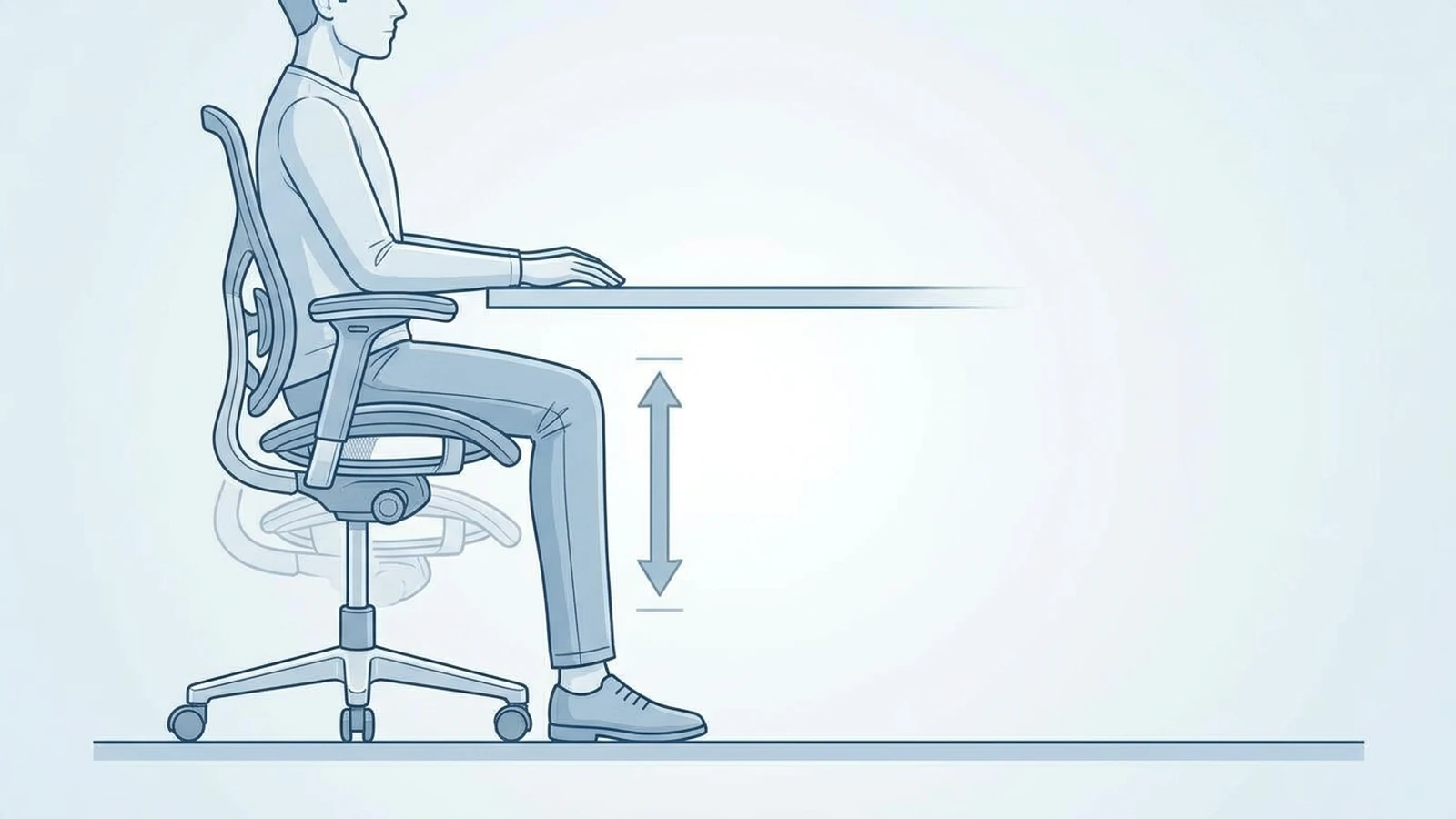
Seat height affects your relationship with both the chair and the desk.
You should be able to support your feet on the floor or a suitable footrest while maintaining a workable position at your desk. If the chair is too high, your feet may lose support. If it is too low, you may have difficulty getting the work surface into a comfortable position.
A chair with a wide height range is especially useful when the chair will be shared or when users have substantially different body sizes.
What to check: Look at the minimum and maximum seat height, not just the fact that the chair is height adjustable.
Seat Depth
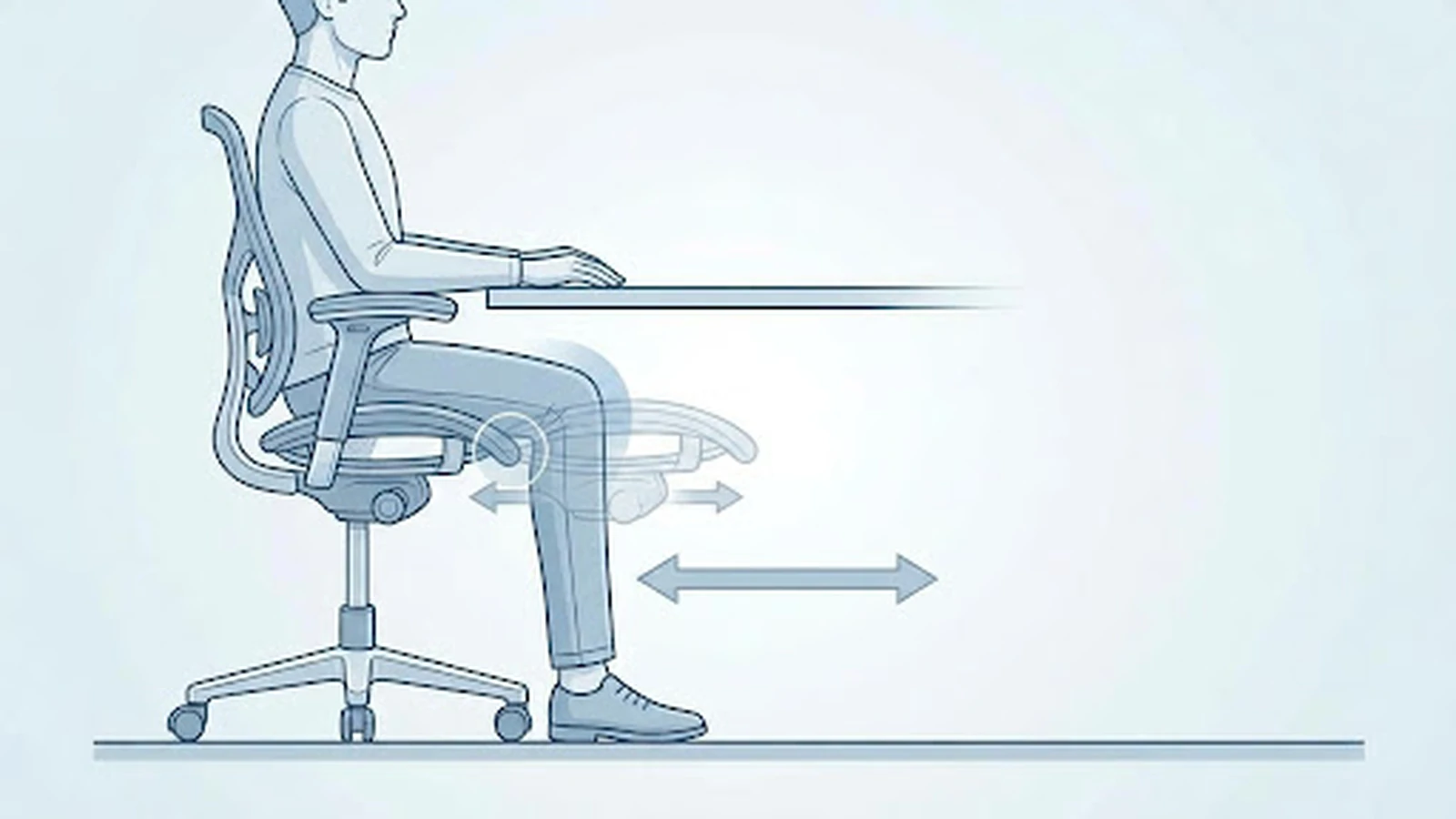
Seat depth determines how much of your thighs the seat supports.
If the seat is too deep, the front edge can interfere with the backs of your knees or make it difficult to sit fully against the backrest. If it is too short, you may lose useful thigh support.
A sliding seat pan can be particularly useful because it allows the sitting surface to be adjusted for different leg lengths. OSHA and UCLA both identify seat depth as an important part of chair fit.
What to check: Sit fully back in the chair and make sure the seat supports your thighs without pressing into the backs of your knees.
Lumbar Support
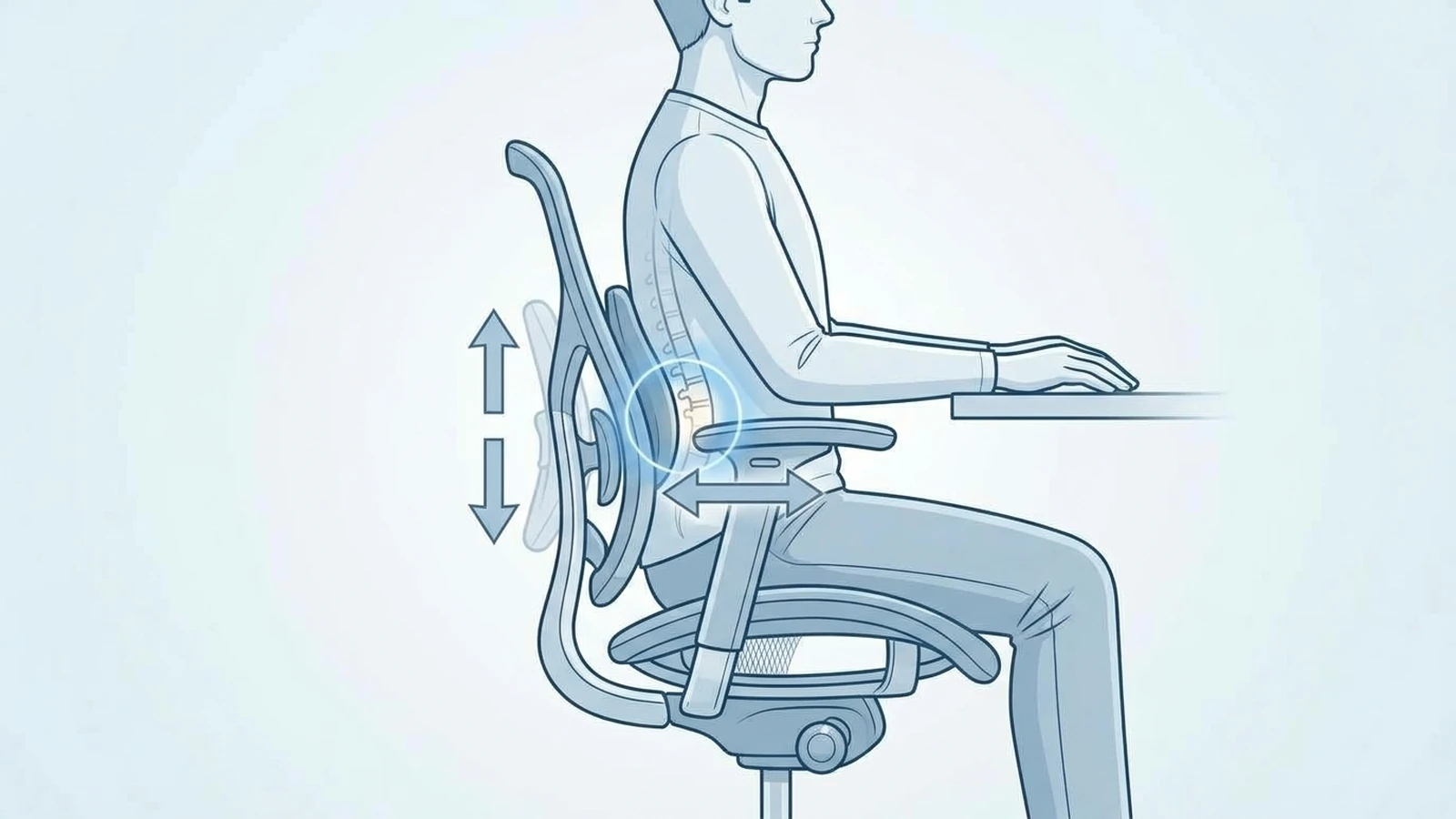
Lumbar support is meant to support the lower part of your back.
The important question is not whether a chair has a large lumbar pad. It is whether that support can sit in a useful position for your body.
Height adjustment can help position the support. Some chairs also let you change how much the support moves forward or how strongly it contacts your back.
More support is not automatically better. A prominent lumbar mechanism may feel useful to one person and too aggressive to another.
What to check: Can you position the lumbar support where your lower back actually needs it, without feeling like it is pushing you out of the chair?
Backrest and Recline
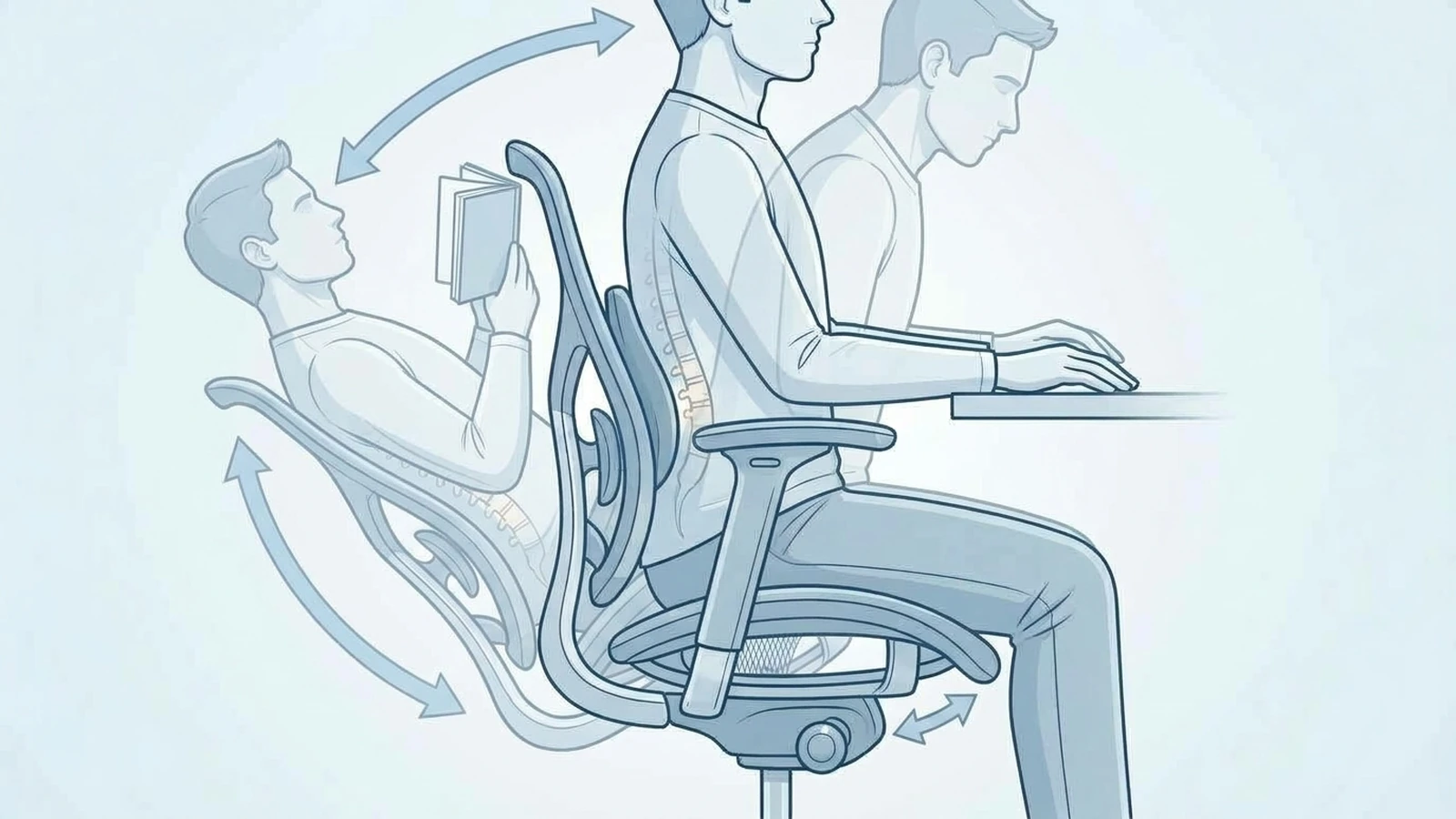
Desk work does not require you to stay perfectly upright and motionless.
You may lean toward your keyboard, sit upright during a meeting, or recline slightly while reading. A useful task chair should allow reasonable changes in position while continuing to support you.
UCLA recommends a slight recline for seated computer work and notes that an active recline mechanism can help users change positions throughout the day. OSHA also recommends a backrest that can support different seated postures and provide adjustable recline or tension.
What to check: Does the backrest move smoothly? Can you control the resistance? Does the chair continue supporting you when you lean back?
Armrests
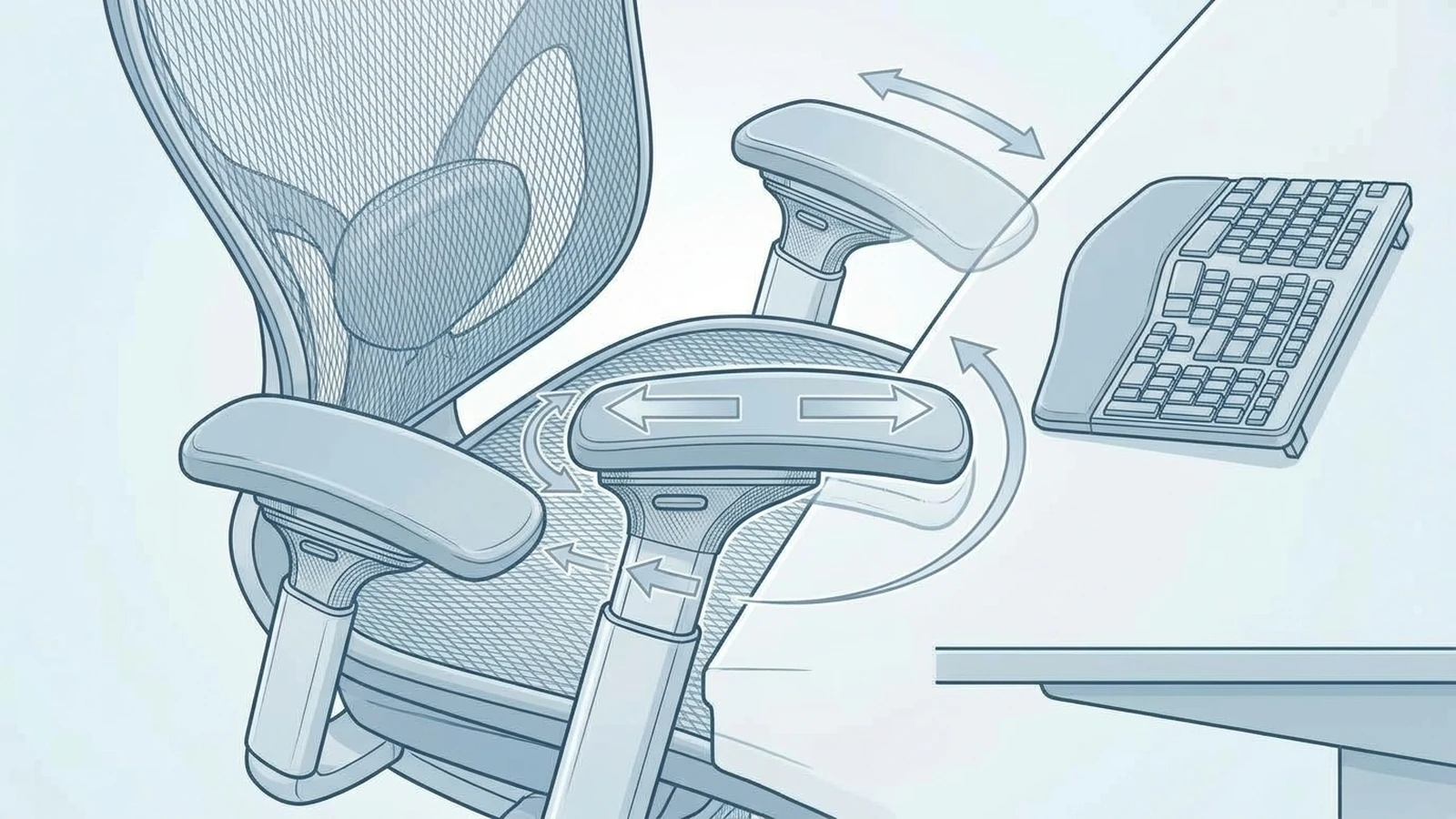
Armrests can help support your forearms, but only when they are positioned correctly.
Adjustable height is useful because armrests that are too high can push your shoulders upward. Armrests that are too wide can move your elbows away from your body. They can also become a problem if they prevent you from moving the chair close enough to the desk.
More advanced chairs may offer width, depth, or pivot adjustments. Those controls can be useful, but only if they solve a problem you actually have.
What to check: Can you keep your shoulders relaxed while using the armrests, and can the chair still move close enough to your desk?
More Adjustments Do Not Always Mean a Better Chair
A chair with 4D armrests, multiple lumbar controls, a seat slider, adjustable back height, and several recline positions may look impressive on a specification sheet.
That does not guarantee a better fit.
An adjustment is valuable when it gives you a useful way to change the chair.
For example, adjustable armrests can help you position your arms more comfortably. But if the armrests move too easily or cannot stay where you put them, having more adjustment may not improve the experience.
The same applies to lumbar support. A chair with aggressive lumbar adjustment may be excellent for someone who likes strong lower-back support and uncomfortable for someone who prefers a lighter touch.
Think about useful adjustment rather than adjustment count.
This is also consistent with current ergonomic guidance. BIFMA's X10.1-2024 standard addresses dimensional requirements for computer-use furniture, while its related fit guidance recognizes that people can fall outside standard reference dimensions and may need different furniture dimensions for an appropriate fit.
Match the Chair to the Way You Work
Your main tasks can help you decide which adjustments deserve the most attention.
If you spend most of the day typing and using a mouse
Pay particular attention to:
- Seat height
- Seat depth
- Armrest position
- Ability to move close to the desk
- Backrest support
Your chair should allow you to work without the armrests or seat pushing you away from the keyboard.
If you frequently read or take video meetings
A useful recline mechanism may matter more.
You may also appreciate a headrest if you regularly lean back. But a headrest is not automatically necessary for active typing.
If several people use the same chair
A wider adjustment range becomes more valuable.
Different users may need different seat heights, seat depths, lumbar positions, and armrest settings. OSHA specifically notes the importance of adjustability when chairs have multiple users.
If your work involves frequent posture changes
Look for a backrest and recline mechanism that allow controlled movement rather than forcing you to remain in one position.
The goal is not to find one position and stay there all day.
How to Tell If the Chair Fits You
Before buying, use the chair's measurements and adjustment ranges to answer a few basic questions.
Can you support your feet?
Your feet should have stable support on the floor or a suitable footrest.
Can you adjust the seat depth?
You should be able to sit against the backrest without the front edge of the seat pressing against the backs of your knees.
Can the lumbar support reach the right area?
A lumbar mechanism is only useful if its position works with your body.
Can the armrests move into a useful position?
They should support your lower arms without forcing your shoulders upward or pushing your elbows too far away from your body.
Can you work close to the desk?
This is easy to overlook. Large armrests or a bulky chair can prevent you from getting close enough to the keyboard.
Can you change position comfortably?
Try the upright position and the reclined position. Pay attention to whether the chair continues to support you as you move.
UCLA's chair-selection guidance recommends considering your work tasks and body size together, rather than assuming one chair configuration will work for everyone.
The Desk Is Part of the Decision
Even a well-designed chair cannot fix every workstation problem.
Suppose the chair is comfortable but the desk is too high. You may raise the chair to reach the keyboard, only to lose comfortable foot support.
Or perhaps the chair's armrests are so large that you cannot move close enough to the desk.
This is why chair selection should be done together with the rest of the workstation.
UCLA recommends adjusting the chair, keyboard, monitor, and other workstation components together rather than treating the chair as an isolated piece of furniture.
Before buying, check:
- Desk height
- Available legroom
- Desk drawers or panels
- Keyboard position
- Monitor position
- Space behind the chair
- Clearance for the chair's armrests
A chair that fits your body but does not work with your desk may still be a poor choice for your workspace.
Do You Need a Headrest?
Not necessarily.
A headrest can be useful when you recline, read, take longer calls, or use the chair for short periods of rest.
But active computer work does not require your head to rest against a headrest.
If the headrest pushes your head forward or gets in the way when you are typing, it may be doing more harm to your setup than good.
Treat it as an optional feature unless you know you will use it.
Mesh or Foam: Which Is Better?
Neither material automatically makes a task chair better.
Mesh can provide airflow and a different type of support. This can be appealing if you tend to feel warm while sitting.
Foam can provide a more cushioned sitting experience, with firmness depending on the material and construction.
Your decision should consider the entire seat and backrest design, not just the material name.
A high-quality mesh chair can still fit poorly. A comfortable foam seat can still have inadequate adjustment range.
The material is one part of the chair. Fit comes first.
When an Ergonomic Task Chair May Not Be the Right Choice
A task chair isn't automatically necessary for everyone.
If you use a desk for short periods, a simpler chair may provide everything you need.
You may also have a different priority, such as:
- A chair for occasional meetings
- A larger executive-style seat
- A chair designed for gaming and reclining
- A compact chair for a very small workspace
- A specialized chair for a particular task
The right choice depends on what you actually do in the chair.
For someone who spends several hours at a computer every day, adjustability may provide more value. For someone who sits at a desk for 30 minutes each evening, paying for a large collection of adjustments may not make much sense.
What to Check Before Buying
Before choosing an ergonomic task chair, check these specifications and features:
Fit
- Minimum and maximum seat height
- Seat width
- Seat depth
- Backrest dimensions
- Weight capacity
Adjustability
- Seat height
- Seat depth
- Lumbar position
- Armrest height
- Other armrest adjustments
- Recline or tilt
- Recline tension
Workstation compatibility
- Armrest clearance
- Chair width
- Chair depth
- Desk height
- Space under the desk
- Floor type and caster compatibility
Long-term considerations
- Warranty
- Return period
- Replacement parts
- Manufacturer support
- Availability of adjustment instructions
A specification sheet can tell you what a chair has. It cannot tell you whether those features will fit your body.
If possible, testing the chair before buying gives you a chance to evaluate the actual adjustment range. OSHA recommends trying different chairs when selecting seating for a workstation.
Ergonomic Task Chair Checklist
Before you buy, ask:
- Can I get the seat to a height that works with my desk?
- Can my feet stay supported?
- Does the seat depth fit my leg length?
- Can I position the lumbar support where I need it?
- Can I keep my shoulders relaxed with the armrests?
- Can I move close enough to the desk?
- Does the backrest support me when I recline?
- Are the adjustments useful for the way I work?
- Does the chair fit the physical space around my desk?
- Does the warranty and return policy give me enough time to evaluate the fit?
If several answers are no, a longer feature list probably will not solve the underlying problem.
Final Takeaway
An ergonomic task chair is not defined by the number of adjustments it has.
Its value comes from whether those adjustments help you fit the chair to your body, your desk, and the work you actually do.
Start with the basics: seat height, seat depth, back support, lumbar position, armrest position, and controlled movement. Then look at additional features based on your needs.
You do not need the chair with the most controls. You need one whose useful controls give you enough freedom to create a workable position and change that position throughout the day.
That is what makes an ergonomic task chair worth considering.