
Office Chairs
How to Choose a Budget Office Chair Without Wasting Your Money
A limited budget does not mean you have to settle for an uncomfortable office chair. Learn which features are worth paying for, which ones you can skip, and how to check fit, dimensions, desk compatibility, and return policies before buying.
By Ronald Dadivas · Published 2 October 2026

A limited budget does not mean you have to settle for an uncomfortable office chair. It does mean you need to be more selective about where your money goes.
Budget chairs often differ in ways that are easy to miss from a product photo. One may have a useful seat-height range but fixed armrests. Another may look more sophisticated but have a seat that is too deep for you. A third may offer plenty of adjustments but still not fit comfortably under your desk.
The important question is not how many features can you get for your money.
It is whether the chair gives you the basic fit and adjustments you actually need.
A good budget buying process starts with the chair's dimensions, adjustment range, support, stability, and compatibility with your desk. Features such as a headrest, elaborate armrest controls, or decorative materials can come later.
What matters most when buying a budget office chair?
If money is limited, prioritize the features that affect whether the chair actually fits you:
- Seat-height range
- Seat dimensions
- Backrest and lumbar support
- Armrest position
- Basic recline or tilt adjustment
- Stable base and appropriate weight capacity
- Compatibility with your desk
- Return policy and warranty
You do not necessarily need every available adjustment.
A chair with fewer features can be a better purchase than a heavily advertised chair if its important dimensions and adjustments work for your body and your workspace.
Set Your Budget Before Comparing Chairs
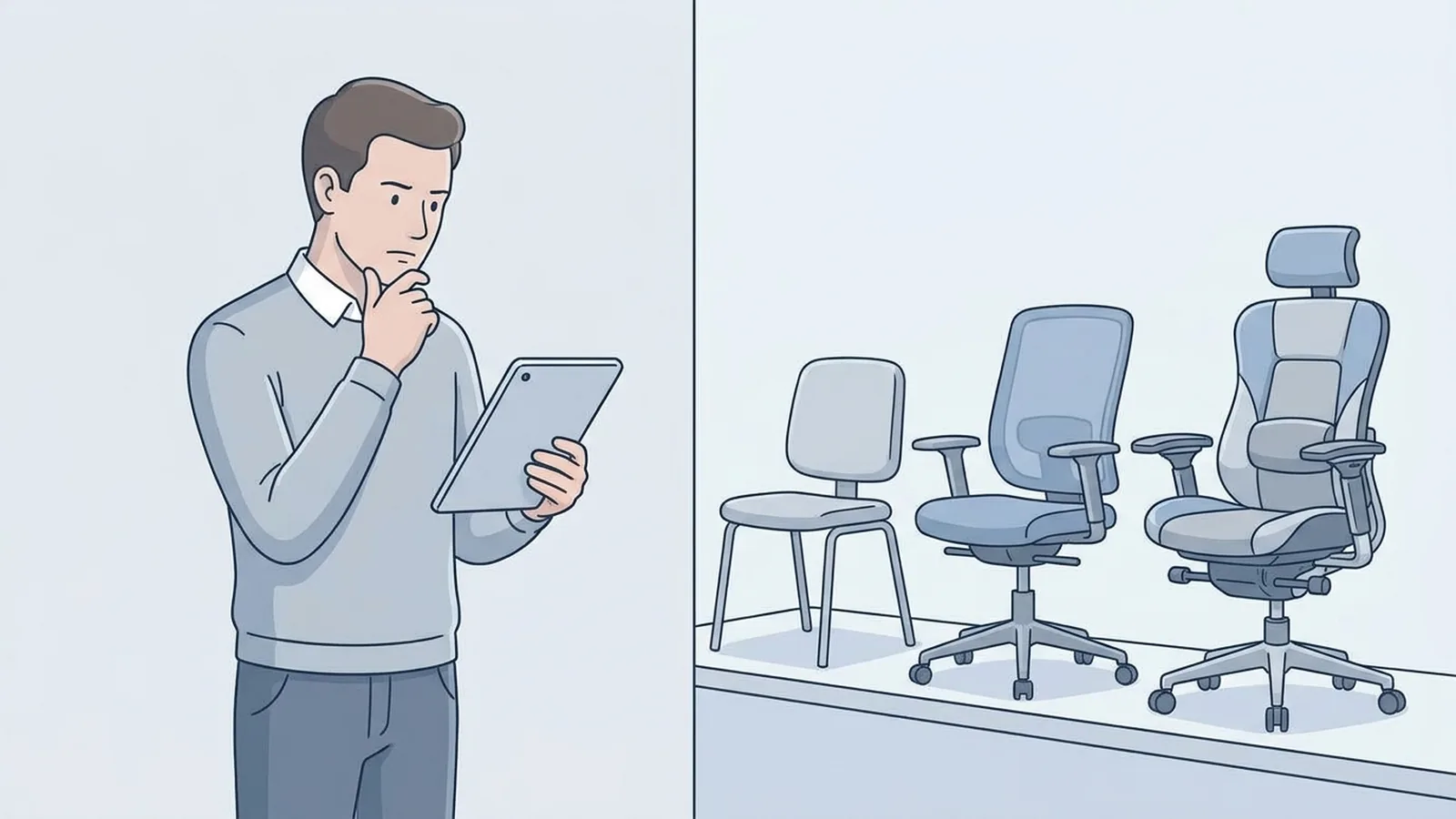
It is easy to spend more than planned once you start comparing office chairs.
One model has adjustable armrests. Another adds a headrest. Another has a more elaborate recline mechanism. Soon, the original budget has disappeared.
Set a maximum amount before you start shopping, and treat that number as a boundary rather than a target that you are expected to reach.
Also consider costs beyond the listed chair price:
- Shipping
- Assembly
- Replacement casters or other parts
- Taxes or fees
- Return shipping, if applicable
A chair that is slightly more expensive but has a useful return policy can sometimes be less risky than a cheaper chair that cannot be returned easily.
The goal is not to find the cheapest chair available. It is to avoid spending your budget on features that do little to improve the actual fit.
Check the Chair's Dimensions Before Its Extra Features
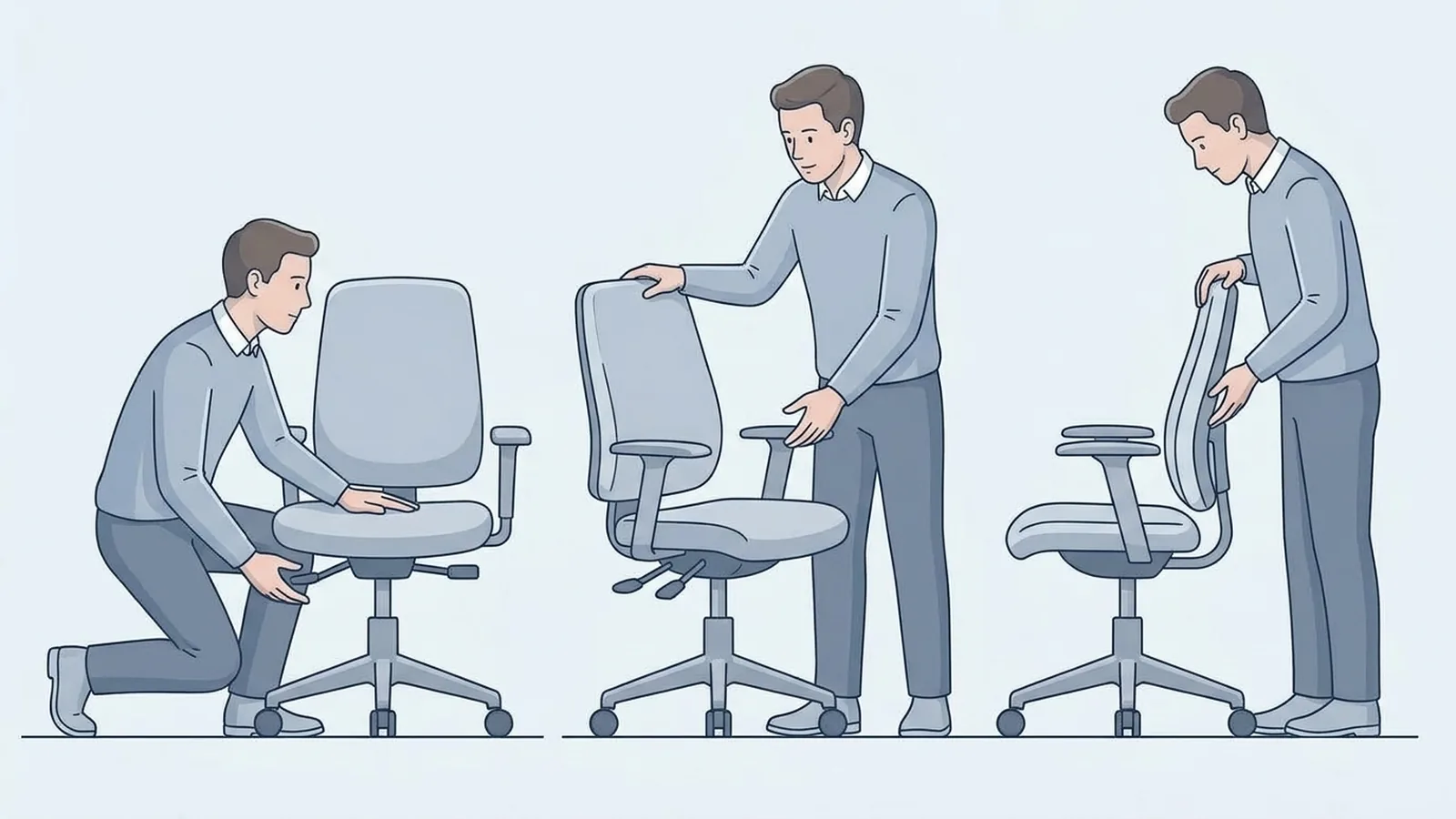
Product photos can make a chair look impressive, but they do not tell you whether it will fit your body.
Look for the actual measurements:
- Seat height
- Seat depth
- Seat width
- Backrest height
- Armrest height or adjustment range
- Overall chair dimensions
- Stated weight capacity
This is one of the most important steps when buying a budget chair because a chair with the wrong dimensions can be difficult to compensate for if several parts are fixed.
UCLA's chair guidance recommends considering your body size and shape when selecting a chair. OSHA similarly recommends checking seat width and depth against the individual user rather than treating one set of dimensions as suitable for everyone.
If a product listing does not provide important measurements, that is information worth noticing before you buy.
Choose a Chair With Features That Work for You
Office chairs come with different built-in features and adjustments.
Some let you change the seat height, armrests, lumbar support, seat depth, or recline position. Others keep some of these parts fixed.
More features do not automatically make a chair better. What matters is whether the chair includes features that are useful for your body, your desk, and the way you work.
For example:
| Built-in feature | More useful when... | Less important when... |
|---|---|---|
| Seat-height adjustment | You need to match the chair to your body and desk | This is rarely a feature worth giving up |
| Seat-depth adjustment | You need to fine-tune the seat for your leg length | The fixed seat depth already fits you |
| Adjustable lumbar support | You want to position the support to suit your body | The fixed support already fits comfortably |
| Adjustable armrests | You need to change arm position or avoid desk interference | Fixed armrests already work with your desk |
| Recline adjustment | You regularly change your sitting position | You mostly work upright |
| Headrest | You want additional support while reclining | You rarely use a headrest |
| More advanced armrest adjustment | You need several different arm positions | Basic armrests already work for you |
The goal is not to find a chair with the most adjustments.
It is to find a chair that already includes the adjustments and features that are useful to you.
That can help you avoid spending more simply because a chair has a longer feature list.
Make Sure the Seat Height Works With Your Desk
Seat height is one of the features you should pay close attention to.
The chair should allow you to sit with your feet properly supported while keeping you at a workable height relative to your desk.
The exact setting depends on your body and workstation. UCLA recommends a seat height that allows the feet to remain firmly supported on the floor or an appropriate footrest.
This is particularly important if you have a fixed-height desk.
A chair that is comfortable when used by itself may not work well once you place it at your desk. Raising the chair can change your arm position relative to the keyboard and mouse, while lowering it too far can create a different relationship with the work surface.
Before buying, compare the chair's seat-height range with your existing setup if you can.
Pay Attention to Seat Depth
Seat depth is one of the easiest specifications to overlook.
It describes how far the seat extends from the front edge toward the backrest.
If the seat is too deep, the front edge may sit too close to the back of your knees when you use the backrest. If it is too shallow, your thighs may not receive enough support.
UCLA recommends leaving about 1 to 2 inches between the front edge of the seat and the back of the knees. OSHA also advises that the seat should support the thighs without extending so far forward that it interferes with the user's position.
This is where seat-depth adjustment can be useful.
If the chair has a fixed seat depth, check the published measurement carefully rather than assuming it will fit you.
Look at the Backrest and Lumbar Support
A chair does not need an elaborate backrest to provide useful support.
What matters is whether the backrest's shape and position work with your body.
Look at:
- Backrest height
- Backrest shape
- Lumbar-support position
- Whether lumbar support can be adjusted
- How the backrest behaves when reclining
Some chairs have fixed lumbar support. Others allow you to move it.
Neither design is automatically right or wrong. The question is whether the support is positioned appropriately for you.
A fixed support that happens to fit you can be more useful than an adjustable feature that you cannot position comfortably.
For a broader explanation of chair fit, see How to Choose an Office Chair That Actually Fits You.
Decide Whether Adjustable Armrests Are Important for You
Armrests can be useful, but you do not necessarily need the most adjustable design available.
First consider whether the armrests can support your forearms comfortably without raising your shoulders or interfering with your desk.
Then look at the adjustment range.
Basic height adjustment may be enough for some people. Others may benefit from additional width, depth, or angle adjustment.
UCLA recommends adjustable armrests that allow the forearms to rest while the shoulders remain relaxed. OSHA also notes that armrests should not interfere with positioning the chair under the work surface.
This is particularly important with a smaller desk.
A chair can have comfortable armrests but still be inconvenient if those armrests prevent you from moving the chair close enough to the desk.
Consider How You Use the Recline Function
A reclining mechanism is not simply a feature to check off a specification list.
Think about how you actually work.
If you spend most of your time upright at a computer, you may have little need for a complicated reclining system.
If you frequently lean back to read, think, take calls, or change your working position, the recline function may be more useful.
The important questions are:
- Can you recline comfortably?
- Can you control the movement?
- Does the backrest support you in different positions?
- Can you return to an upright working position easily?
A simple mechanism that works reliably may be more useful to you than a complicated system with controls you rarely use.
Check the Weight Capacity and Chair Size
Every chair has a stated weight capacity. Compare that specification with your own body weight and make sure the chair is designed for your size.
But do not stop with the weight rating.
Two chairs can have similar weight capacities while having very different seat widths, seat depths, and backrest dimensions.
For larger users, the seat and frame need to provide enough room as well as appropriate capacity.
For smaller users, a chair can have the opposite problem if the seat is too deep or the armrests are too far apart.
OSHA's purchasing guidance specifically recommends considering the user's weight along with seat dimensions and other chair characteristics.
Think about capacity and dimensions together.
Choose the Material Based on Your Workspace
Mesh, fabric, leather-like upholstery, and other materials can all have different characteristics.
Mesh can provide an open surface and airflow. Fabric can offer a softer, cushioned feel. Other upholstery materials may be easier to wipe clean or may provide a different surface feel.
Your room can also influence the decision.
If your workspace gets warm, airflow may matter more to you. If you prefer a softer seat, cushioning may matter more. If easy cleaning is important, the surface material may become a higher priority.
But material should come after basic fit.
A chair with a material you love is still a poor purchase if the seat dimensions do not work for you.
Skip Features That Do Not Solve a Problem
A limited budget becomes easier to manage when you separate useful features from optional ones.
You may not need to prioritize:
A headrest you rarely use
Highly adjustable armrests if basic arms already fit
Decorative upholstery
Extra controls that you will not use
Features that duplicate something you already have
This does not mean these features are bad.
It means they should not take priority over the dimensions and adjustments that determine whether you can actually use the chair comfortably.
A simpler chair with the right seat dimensions can make more sense than a feature-heavy chair that does not fit.
Make Sure the Chair Works With Your Desk
Your chair and desk need to work together.
Check:
Seat height → arm position → desk height → keyboard and mouse position
Also check whether the chair can move close enough to the desk.
This is where armrests, desk supports, and the underside of the work surface can become important.
Before buying, measure:
Desk height
Space underneath the desk
Distance between desk legs or supports
Your current chair's seat height
Available floor space around the desk
A chair should not be evaluated as an isolated piece of furniture. It is part of your entire workstation.
Review the Return Policy Before Ordering
Buying a chair online has one obvious limitation: you cannot fully judge the fit from photographs.
You may know the dimensions and adjustment range, but you still cannot completely predict how the seat, backrest, cushioning, and controls will feel when you use them.
That makes the return policy important.
Before ordering, check:
- How long you have to return the chair
- Whether assembled chairs can be returned
- Who pays return shipping
- Whether there is a restocking fee
- What the warranty covers
- How replacement parts are handled
OSHA recommends trying a chair for comfort and fit before purchase when possible.
If you cannot try the chair beforehand, a clear return policy gives you another way to deal with a poor fit.
Could a Used or Refurbished Chair Make Sense?
If your budget is particularly tight, you do not have to limit yourself to new chairs.
A used or refurbished office chair can sometimes give you access to a model with better construction or more useful adjustments than a similarly priced new chair.
But inspect it carefully.
Check:
- Seat condition
- Cushioning
- Gas cylinder
- Casters
- Recline mechanism
- Armrests
- Base
- Frame
- Missing parts
Also check whether any warranty remains and whether the seller accepts returns.
A used chair is only a good deal if the condition is good enough to justify the price.
How to Decide Which Chair Fits Your Budget
Once you have several chairs within your price range, compare them in this order:
1. Does it fit your body?
Check the seat height, depth, width, and backrest.
2. Does it work with your desk?
Make sure the chair can reach the right working position without the armrests or frame interfering with the desk.
3. Does it have the features you actually need?
Look at lumbar support, armrests, recline, seat-depth adjustment, or other features based on your own needs.
4. Is the construction appropriate?
Check the weight capacity, base, casters, materials, and warranty information.
5. Can you return it if the fit is wrong?
This becomes especially important when buying online.
Only after these questions should you worry about cosmetic details or extra features.
A Budget Office Chair Checklist
Before buying, check each of these:
Chair fit
- The seat-height range works with my body and desk.
- The seat depth suits my leg length.
- The seat is wide enough for me.
- The backrest supports the areas I need.
Built-in features
- The chair includes the adjustments I actually need.
- The armrests work with my sitting position and desk.
- The recline function suits the way I work.
- Any lumbar support is positioned appropriately for me.
Construction
- The stated weight capacity is appropriate.
- The base and casters appear suitable for regular use.
- The important components are covered by a reasonable warranty.
Workspace compatibility
- The chair fits under or around my desk as needed.
- The armrests do not interfere with the desk.
- I have enough space to move the chair comfortably.
Buying conditions
- I know the return period.
- I understand the return costs.
- I have checked the warranty.
- I am not paying extra for features I will probably never use.
The Best Use of a Limited Chair Budget
When money is tight, the smartest place to spend your budget is not necessarily on the chair with the most features.
Start with fit.
Then consider the built-in adjustments that can improve that fit.
After that, look at construction, materials, and additional features.
For one person, seat-depth adjustment may be important. For another, a wider seat or greater seat-height range may matter more. Someone with a fixed-height desk may need to pay particularly close attention to the relationship between the chair and work surface.
There is no single feature that makes a budget chair suitable for everyone.
The right features depend on the person sitting in the chair.
Final Takeaway
A budget office chair does not need to have every feature available.
It needs to have the right features for you.
Before buying, check the chair's actual dimensions and make sure the seat height, seat depth, backrest, armrests, and other important features work with your body and desk.
Then look at construction, weight capacity, warranty, return terms, and optional features.
If two chairs are within your budget, do not automatically choose the one with more features. Compare what those features actually do for you.
A good budget purchase is not the chair that gives you the most features for your money. It is the chair that uses your budget on the features and dimensions that you are most likely to need.