
Office Chairs
How to Choose an Office Chair
Office chairs are packed with features that can make choosing one confusing. This guide shows you how to evaluate a chair based on your body, the way you work, your desk, and the adjustments that actually matter, so you can separate useful features from marketing.
By Ronald Dadivas · Published 2 October 2026 · Updated 3 October 2026
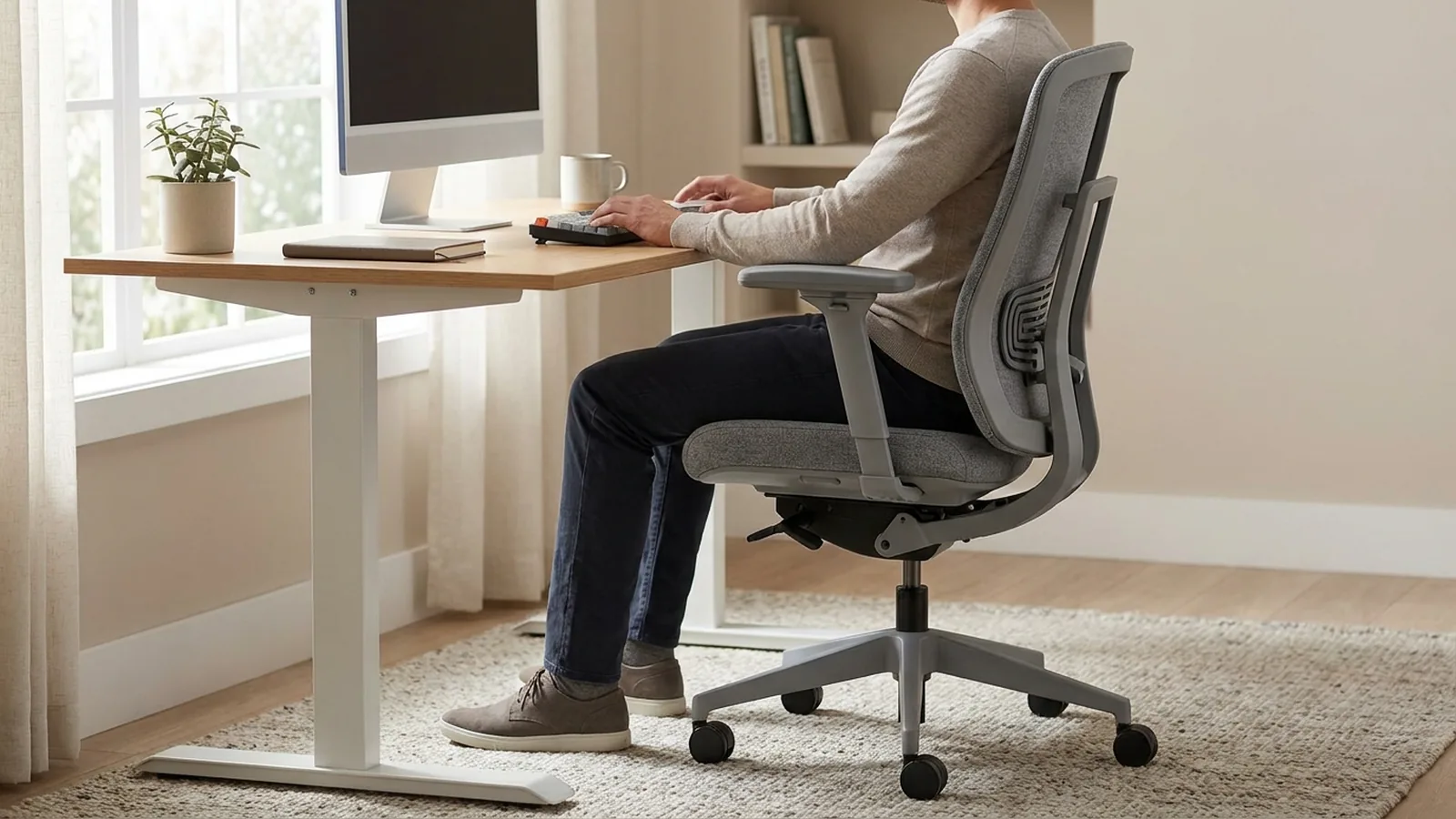
Choosing an office chair can be surprisingly difficult. Product pages are full of terms like ergonomic, 4D armrests, dynamic lumbar support, high-density foam, and multi-position recline. Two chairs can have similar features and still feel completely different when you sit in them.
The useful question is not simply “Which office chair has the most features?”
It is:
Can this chair be adjusted to fit my body, support the way I work, and work properly with my desk and workspace?
Start with fit. Then look at movement, adjustments, workspace compatibility, materials, durability, and price. A chair with fewer features can make more sense than a feature-packed chair if its dimensions and adjustments suit you better.
Start With How You Use the Chair
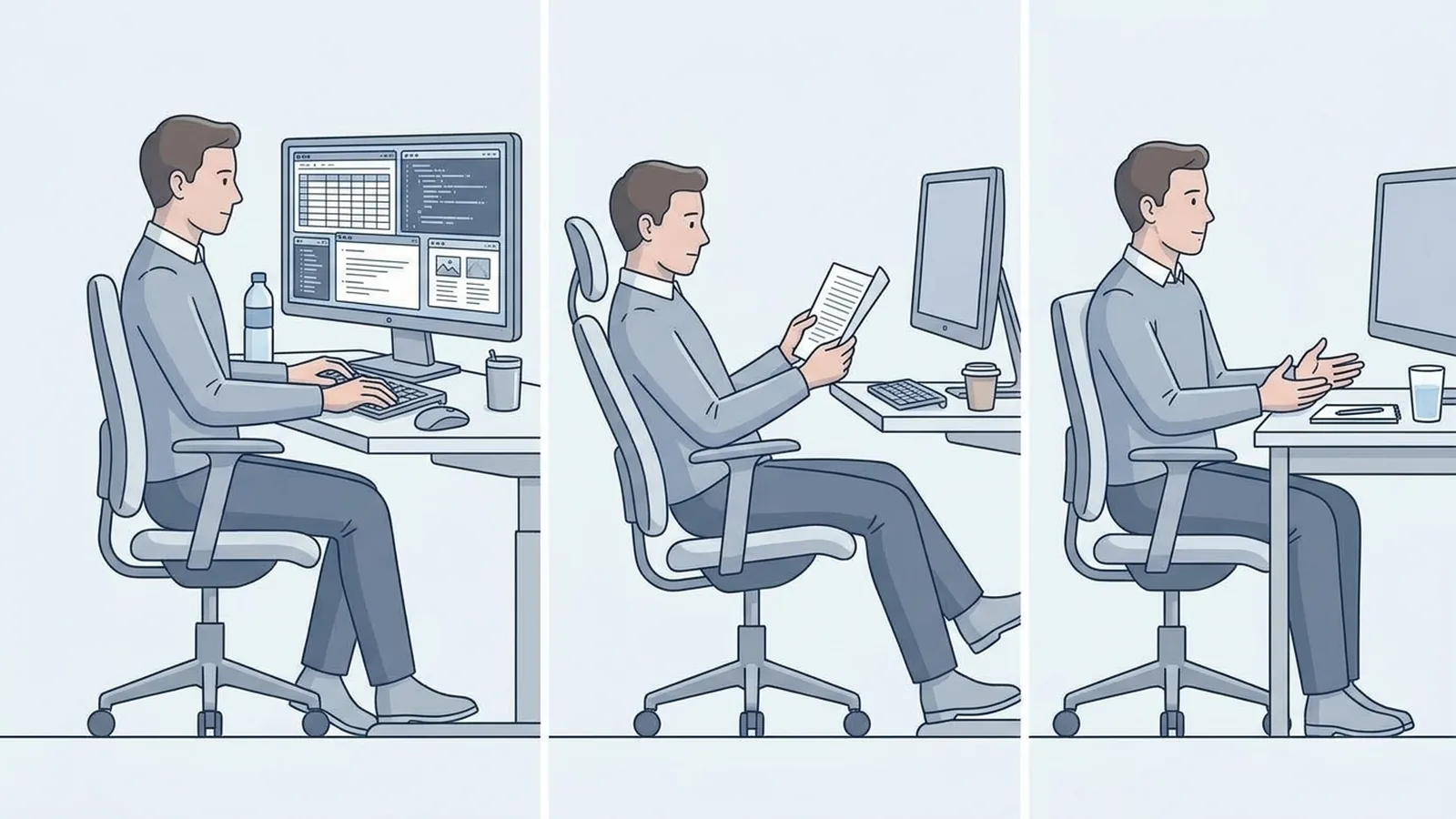
Before comparing features, think about what you will actually do in the chair.
Someone who works at a computer for most of the day has different priorities from someone who sits down for short periods. Your work can also affect how much you move, whether you recline, and how important certain adjustments become.
Consider:
- How many hours you normally sit each day
- Whether you mainly type and use a mouse
- Whether you read or review documents for long periods
- How often you move between tasks
- Whether you regularly lean back or recline
- Whether you use the chair for work, gaming, meetings, or a mixture
- How much space you have around the desk
This does not mean you need a different chair for every activity. It simply helps you decide which characteristics deserve more attention.
For long work sessions, for example, fit and adjustability become more important because small problems can become much more noticeable over several hours.
The Chair Has to Fit Your Body
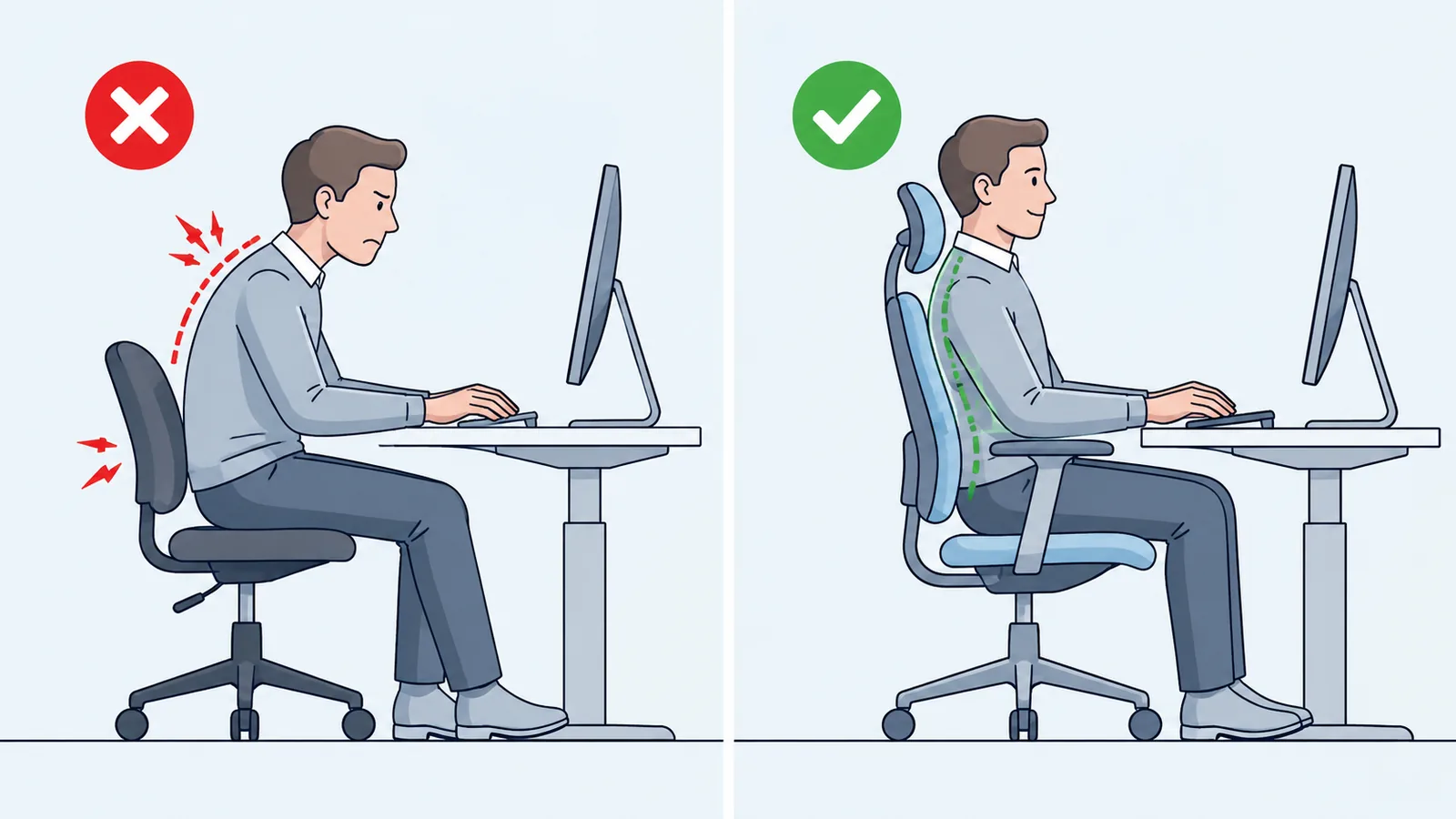
A chair is not automatically a good fit because you can sit in it.
Your body dimensions affect whether the seat, backrest, and armrests can be positioned properly. Guidance from UCLA and OSHA both emphasizes matching chair dimensions and adjustments to the individual user rather than treating one chair size as suitable for everyone.
Pay particular attention to:
- Seat height
- Seat depth
- Seat width
- Backrest dimensions
- Lumbar position
- Armrest range
- Recline and tilt
This leads to one of the most important rules when shopping:
Adjustability is useful only when the adjustment range actually fits you.
A chair can have six or eight adjustment mechanisms and still be a poor choice if its seat cannot get low enough, its seat is too deep, or its armrests cannot move into a useful position.
Don't count adjustments. Look at what those adjustments allow you to do.
Seat Height: Can You Get the Chair Into the Right Position?
Seat height is one of the first specifications worth checking because it affects your relationship with both the floor and your desk.
When the chair is adjusted appropriately, your feet should be supported rather than left hanging. The seat also needs to work with the height of your work surface.
When comparing chairs, don't just look for the words “height adjustable.”
Look at the actual range.
For example, a chair might have a large adjustment range, but its lowest setting could still be too high for a shorter user. Another chair might work well for a shorter person but fail to provide enough height for someone with longer legs.
The useful question is:
Can this chair reach a height that works for my body and my desk?
If you already have your desk, this is especially important. The chair and desk need to work as a pair.
Seat Depth Can Make or Break the Fit
Seat depth is one of the easiest specifications to overlook.
It is the distance from the backrest toward the front edge of the seat.
A seat that is too short may not provide enough support under your thighs. A seat that is too deep can make it difficult to sit fully against the backrest while leaving enough space behind your knees. OSHA specifically recommends adjustable seat depth as a way to accommodate different users.
A useful way to think about it is simple:
Sit all the way back.
Then check the front of the seat.
You want enough support under your thighs without the front edge pressing into the area behind your knees.
UCLA's chair guidance suggests leaving roughly 1 to 2 inches between the front edge of the seat and the back of the knees.
This is one reason a chair that feels excellent for one person can feel completely wrong for another.
It also explains why shorter and taller users can have very different requirements from the same chair.
Look at the Backrest as a Whole
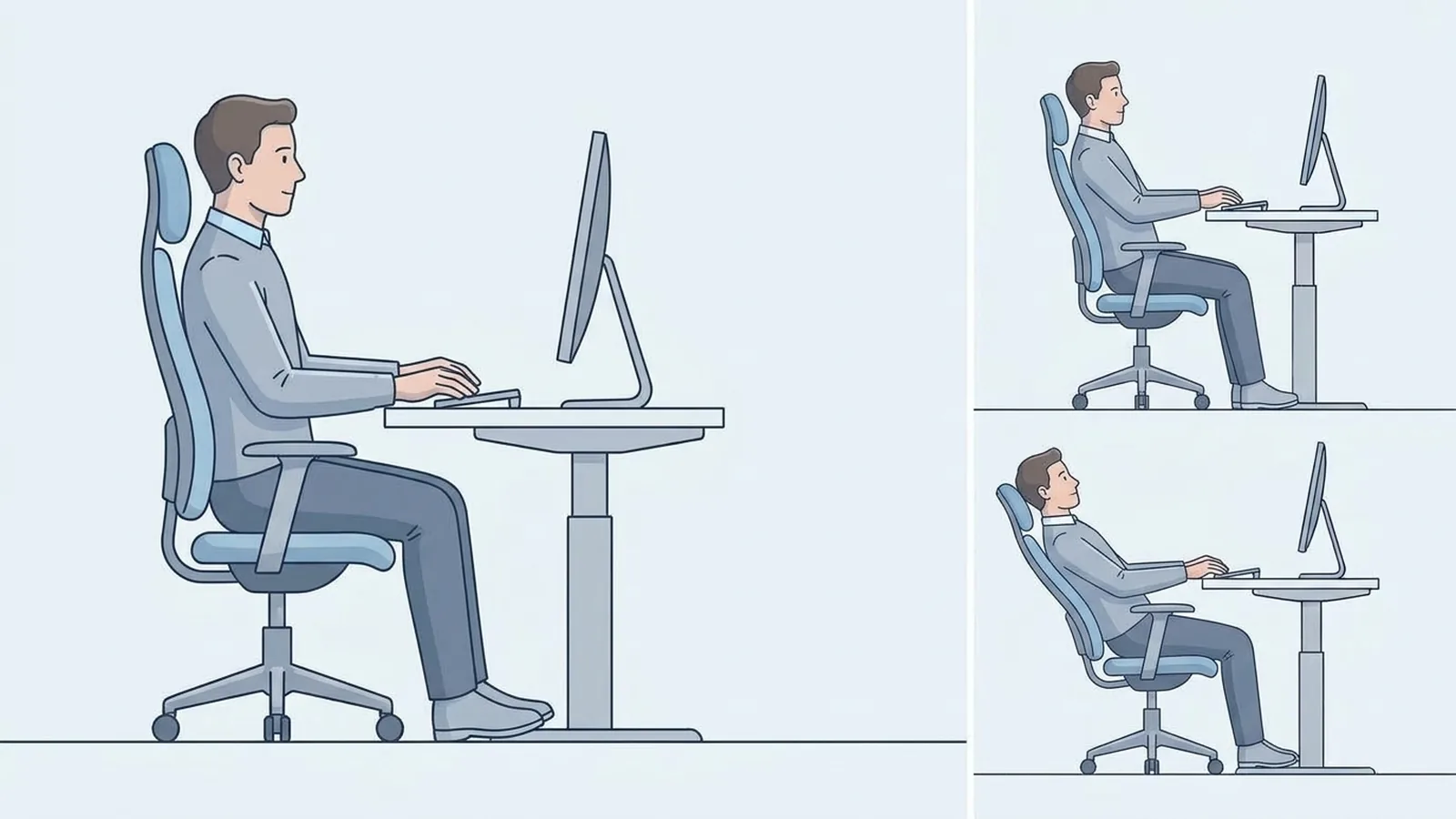
A backrest is more than a piece of padding behind you.
Consider:
- Its height
- Its shape
- How it supports the lower and upper back
- Whether the backrest moves
- Whether the recline can be adjusted
- Whether the support position can be changed
A useful backrest should work with the way you sit rather than forcing you into a single rigid position.
UCLA's guidance recommends a backrest that supports the back while allowing movement, with the ability to adjust its angle for different working positions.
This is also where chair design can become very personal.
A pronounced lumbar shape may feel supportive to one person and intrusive to another. A flexible back may suit someone who moves frequently, while another person may prefer a firmer structure.
The important point is not to assume that more aggressive support automatically means better support.
What Should You Look for in Lumbar Support?
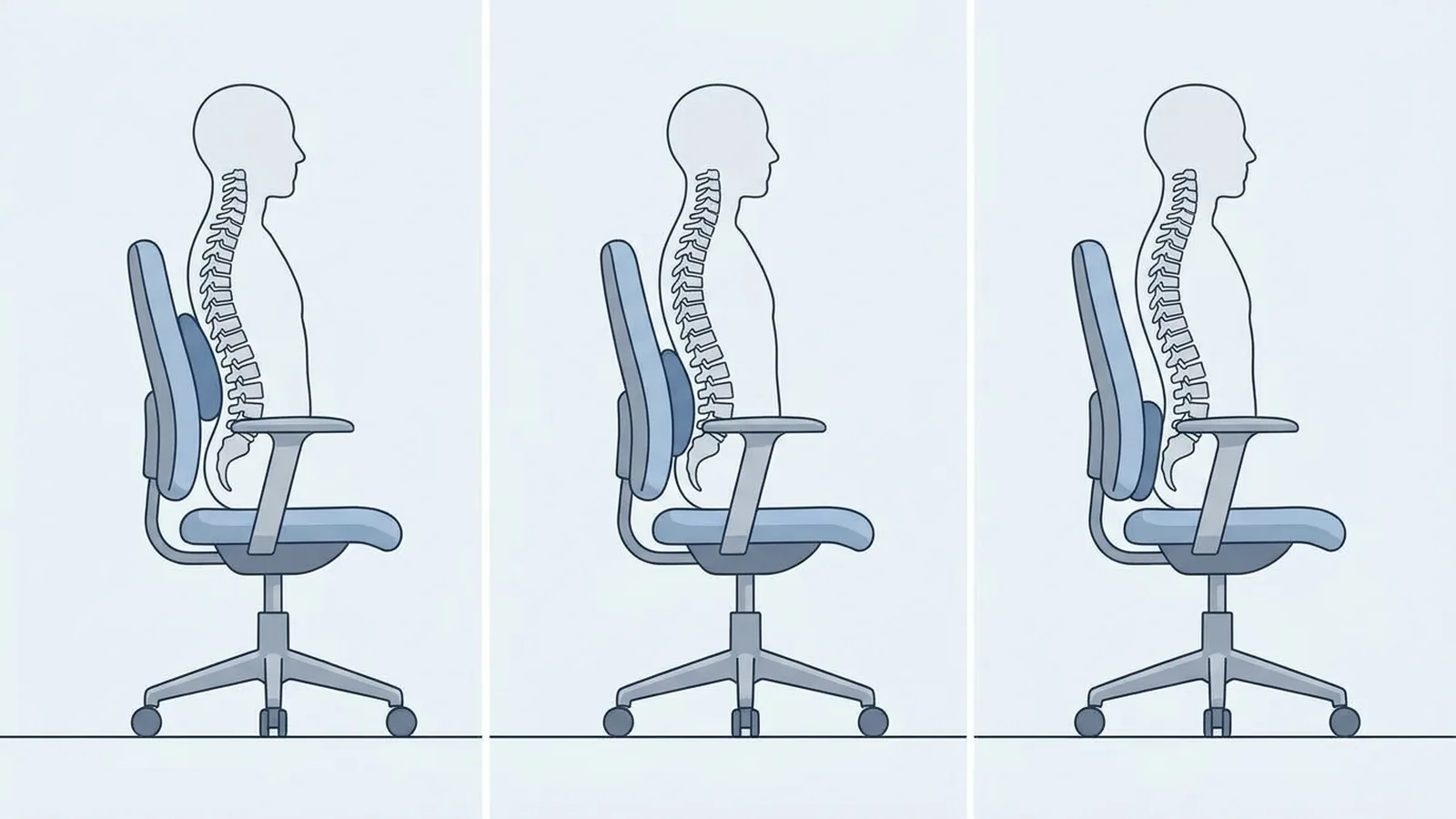
Lumbar support is one of the most heavily marketed office-chair features, but the useful question is not simply whether the chair has it.
Ask:
Can the support be positioned in a way that works with my body and sitting position?
Some chairs use a fixed shape. Others allow the lumbar support to move vertically, forward and backward, or through another adjustment mechanism.
Adjustable support can give you more control over where the chair contacts your lower back. That can be useful because people differ in body shape and sitting position.
But don't treat an adjustable lumbar system as a guarantee of comfort or a solution for back pain.
Research on office-chair interventions and lower-back pain has produced conflicting results, with one systematic review finding the overall evidence to be low or very low quality.
For shopping purposes, think about lumbar support as a fit and comfort feature, not a medical treatment.
And remember that lumbar support cannot compensate for a seat that is the wrong height or depth.
Armrests Need to Work With You and Your Desk
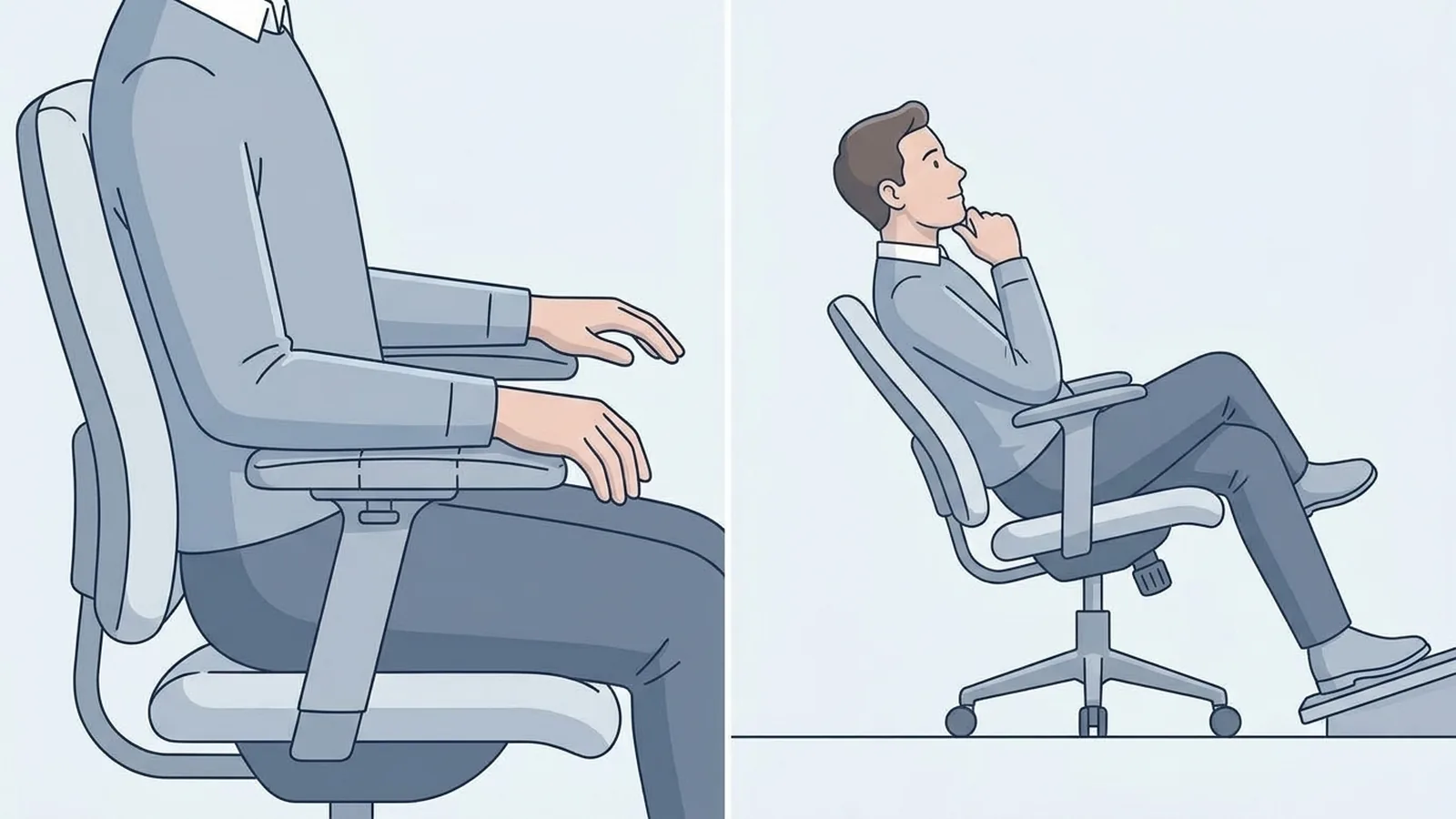
Armrests are another feature that is easy to judge by marketing language.
You might see:
- 2D armrests
- 3D armrests
- 4D armrests
- adjustable armrests
- pivoting armrests
The number of directions matters less than what those movements allow you to accomplish.
The useful questions are:
- Can the armrests move low enough?
- Can they move close enough to your body?
- Can they move forward or backward where needed?
- Do they support your forearms without raising your shoulders?
- Can the chair still get close enough to the desk?
UCLA recommends adjustable armrests that allow the forearms to rest while the shoulders remain relaxed. It also notes that width, angle, and forward/backward adjustments can improve fit.
OSHA similarly recommends armrests that support the forearms without interfering with positioning at the workstation.
This is why “4D” should not automatically mean “better.”
A simpler armrest with a useful adjustment range can be more valuable than a complicated one that still doesn't fit your desk or body.
Think About How the Chair Lets You Move
You don't necessarily need a chair that locks you into one position.
If you frequently change between typing, reading, talking, and thinking, a backrest that allows controlled movement may be useful.
Look at:
- Recline range
- Tilt mechanism
- Tension adjustment
- Lock positions
- Whether the backrest moves with you
UCLA's ergonomic guidance notes that an active recline mechanism can allow users to change position during the day.
The goal isn't to find one “perfect” sitting position and stay there for hours.
It's to find a chair that lets you work comfortably while making reasonable position changes.
That can be particularly important if you naturally move around while working.
Make Sure the Chair Works With Your Desk
A good chair can become frustrating if it doesn't work with the rest of your workstation.
Check the relationship between the chair and desk before buying.
Look at the armrests
Can they fit underneath the desk when you want to move closer?
Look at the seat height
Can you position yourself appropriately relative to the keyboard and work surface?
Look at the chair depth
Will the chair fit in the available space without blocking the room?
Look at the recline
Do you have enough space behind the chair to use its backrest properly?
Look at movement
Can you pull the chair in, move it back, and turn without hitting nearby furniture?
This is particularly important in a small home office or bedroom workspace.
A chair should not only fit your body. It should fit the space around your body.
Choose the Material Based on How You Use the Chair
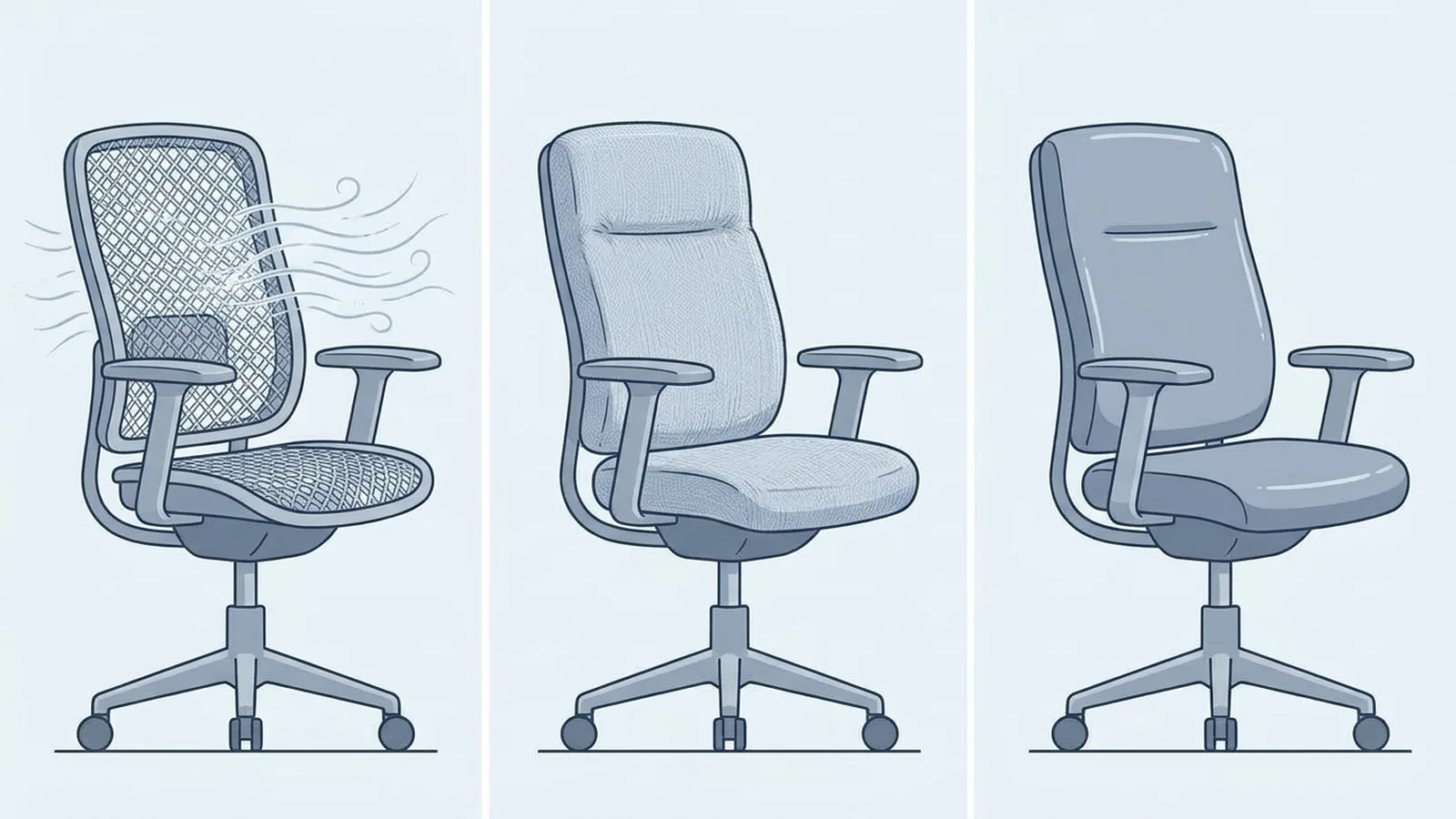
There is no universal winner between mesh, fabric, leather, and other upholstery.
Instead, consider what matters in your environment.
Mesh
Mesh can allow more airflow and may appeal to people who dislike a warm seat or backrest.
But mesh designs vary widely. Tension, support, flexibility, and surface feel are not identical between chairs.
Fabric
Fabric can provide a softer surface and can be paired with different types of cushioning.
The trade-off is that some fabrics can be harder to clean and may feel warmer depending on the material and room.
Leather and leather-like materials
These can offer a smooth surface that is easy to wipe down and a particular visual style.
They can also feel warmer than more breathable materials.
The better question isn't:
“Which material is best?”
It's:
“Which material makes sense for the temperature, maintenance needs, and feel I want from the chair?”
Don't Pay for Adjustments You Won't Use
This is where office-chair shopping can become confusing.
A product page might advertise a long list of mechanisms:
- 4D armrests
- adjustable lumbar
- seat-depth adjustment
- headrest
- forward tilt
- multiple recline positions
- tension control
- seat-angle adjustment
More features can be useful, but only if they solve a problem you actually have.
Consider seat-depth adjustment.
If the chair already fits your legs well, you may not need a complicated mechanism.
But if you're between common chair sizes, or you're unusually short or tall, seat-depth adjustment may be one of the most valuable features you can buy.
The same principle applies to a headrest.
If you rarely recline and don't want head support, paying extra for an elaborate headrest may not improve your working experience.
A useful rule is:
Don't buy an adjustment because it sounds advanced. Buy it because you know what you want to adjust.
What Changes If You're Tall, Short, or Need More Room?
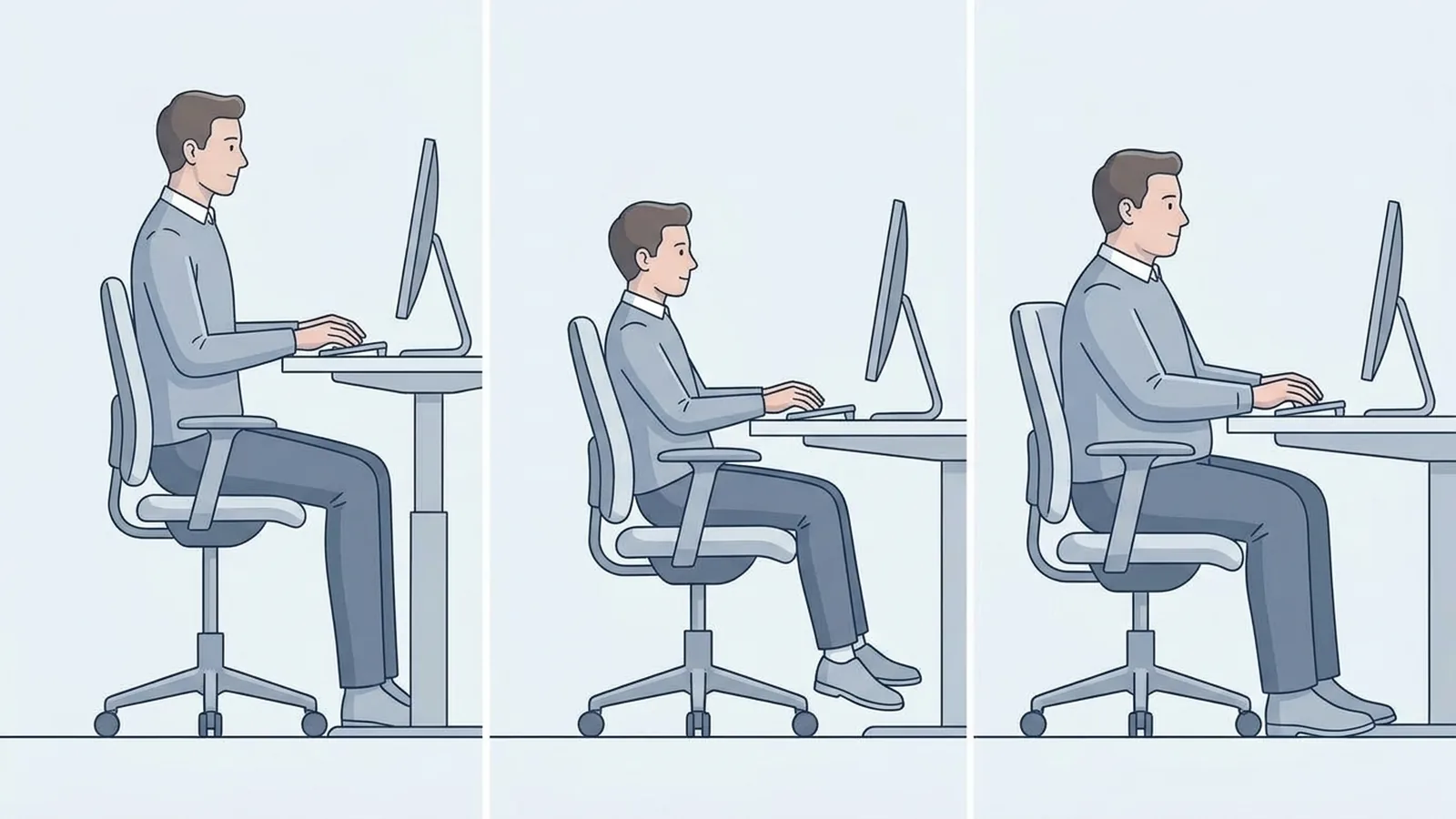
Chair fit becomes even more important when your body dimensions fall outside the range a chair was designed around.
If you're taller
Pay particular attention to:
- Maximum seat height
- Seat depth
- Seat width
- Backrest size
- Available leg support
A seat that is too short can fail to support enough of your thighs, while a low maximum seat height can make it difficult to establish a comfortable relationship with your desk.
If you're shorter
Look closely at:
- Minimum seat height
- Seat depth
- Armrest minimum height
- Backrest proportions
A seat that is too deep can make it harder to sit back against the backrest while keeping adequate space behind the knees.
If you need more seating room
Check
- Seat width
- Usable seat area
- Armrest spacing
- Base and frame design
- Manufacturer's stated weight capacity
Don't assume that a larger chair is automatically more comfortable. The dimensions still need to match your body and desk.
This is why chair size should be treated as a fit issue, not simply a weight-capacity issue.
What Does the Price Actually Get You?
A higher price can reflect better materials, more adjustment mechanisms, construction quality, warranty coverage, service, or other differences.
But price alone cannot tell you whether a chair fits your body.
A $1,000 chair with the wrong seat depth is still the wrong chair for you.
Likewise, a less expensive chair can make sense if its dimensions and adjustments meet your needs.
When comparing prices, look beyond the number.
Ask:
- What adjustments am I getting?
- Do I actually need them?
- What materials are being used?
- What is the warranty?
- Are replacement parts available?
- Does the manufacturer provide useful dimensions?
- Can I return the chair if the fit doesn't work?
- Is the chair designed for the amount of use I expect?
This helps separate price from value.
Test the Chair Before Buying
If you can try a chair in person, don't spend your entire test sitting still for two minutes.
Use the time to check the adjustments.
Start with the seat
Set the height and sit fully back.
Can your feet be supported comfortably?
Check the seat depth
Does the seat support your thighs without pressing uncomfortably behind your knees?
Adjust the backrest
Can you sit against it naturally?
Try both your normal working position and a reclined position if the chair supports one.
Test the lumbar support
Can you position it where you actually want it?
Does it feel supportive without forcing you into an uncomfortable position?
Move the armrests
Can your arms rest without lifting your shoulders?
Can you position the chair close enough to a desk?
Move around
Type.
Use a mouse.
Lean back.
Turn.
Change position.
If the chair only feels good when you sit perfectly still, pay attention to that.
A chair should work with the way you actually use it, not just with the position you hold for a product photograph.
Office Chair Buying Checklist
Before buying, check the actual specifications and not just the marketing description.
Fit
- Minimum seat height
- Maximum seat height
- Seat depth
- Seat width
- Backrest dimensions
Adjustments
- Lumbar adjustment
- Armrest height
- Armrest width or inward/outward movement
- Armrest depth where available
- Recline or tilt
- Tension adjustment
- Seat-depth adjustment if needed
Workspace
- Chair fits under the desk
- Armrests don't interfere with the desk
- Enough room to recline
- Enough room to move the chair
- Chair dimensions suit the room
Materials and construction
- Material suits your environment
- Cushioning suits your preference
- Base and frame appear appropriate for intended use
- Weight capacity suits the user
Purchase conditions
- Warranty checked
- Return policy checked
- Replacement parts considered
- Manufacturer provides useful dimensions
Final Takeaway
Choosing an office chair becomes much easier when you stop treating it as a competition between feature lists.
Start with fit.
Can the seat reach the right height? Is the depth appropriate for your legs? Does the backrest work with your body? Can the armrests support your arms without interfering with the desk?
Then consider movement.
Can you recline and change position in a way that suits your work?
After that, look at workspace compatibility, materials, durability, adjustments, warranty, and price.
The goal isn't to find the chair with the most features.
It's to find a chair whose dimensions and adjustments solve the problems you actually have.
That gives you a much better way to judge an office chair before you spend your money.